# Permissions
Template permissions are a Premium feature.
[Learn more](https://coder.com/pricing#compare-plans).
Licensed Coder administrators can control who can use and modify the template.
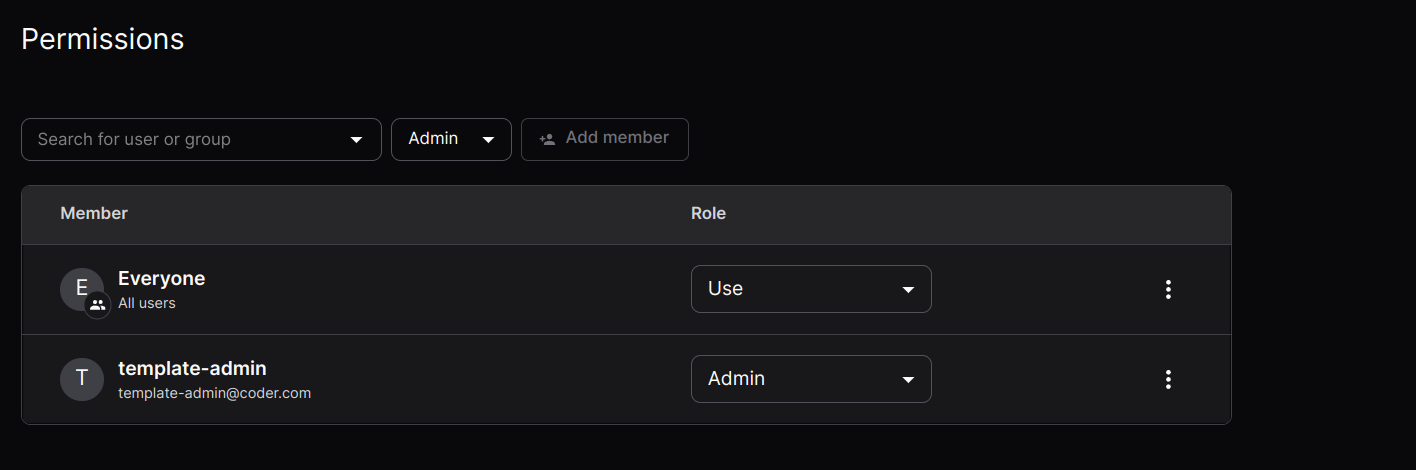
Permissions allow you to control who can use and modify the template. Both
individual user and groups can be added to the access list for a template.
Members can be assigned either a `Use` role, granting use of the template to
create workspaces, or `Admin`, allowing a user or members of a group to control
all aspects of the template. This offers a way to elevate the privileges of
ordinary users for specific templates without granting them the site-wide role
of `Template Admin`.
By default the `Everyone` group is assigned to each template meaning any Coder
user can use the template to create a workspace. This access can be revoked
via the actions menu button to the right hand side of each group entry.
If a user's only access to a template is through a group and they lose that
access (for example, by being removed from the group or by removing the group
from the template's permissions), they cannot start or stop workspaces created
from that template.