# Kilo Code
AI Gateway is part of [AI Governance](/beta-docs/ai-coder/ai-governance/), which is
included with a Premium license.
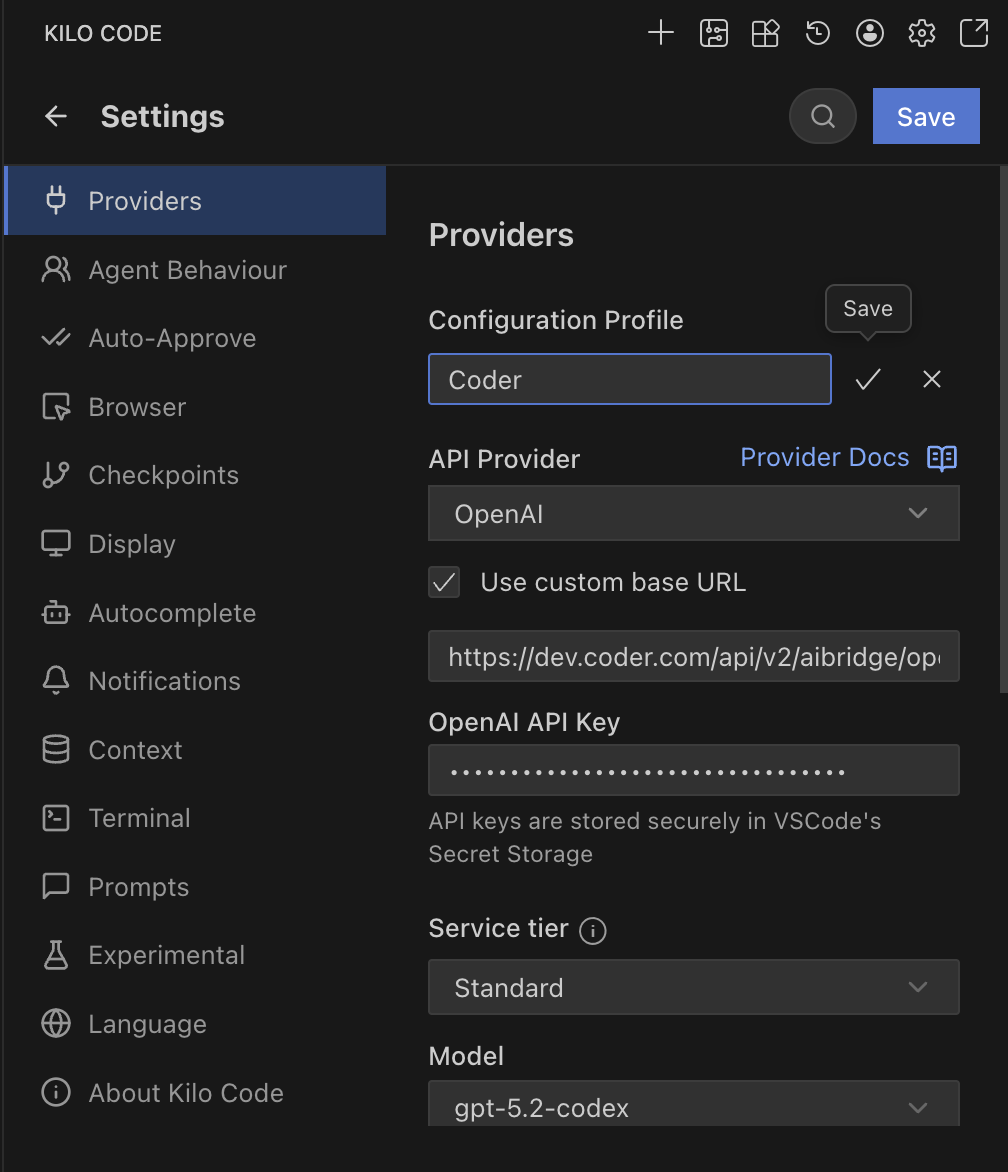
Kilo Code allows you to configure providers via the UI and can be set up to use AI Gateway.
## Centralized API Key [#centralized-api-key]
1. Open Kilo Code in VS Code.
2. Go to **Settings**.
3. **Provider**: Select **OpenAI**.
4. **Base URL**: Enter `https://coder.example.com/api/v2/ai-gateway/openai/v1`.
5. **API Key**: Enter your **[Coder API token](/beta-docs/admin/users/sessions-tokens/#generate-a-long-lived-api-token-on-behalf-of-yourself)**.
6. **Model ID**: Enter the model you wish to use (e.g., `gpt-5.2-codex`).
1. Open Kilo Code in VS Code.
2. Go to **Settings**.
3. **Provider**: Select **Anthropic**.
4. **Base URL**: Enter `https://coder.example.com/api/v2/ai-gateway/anthropic`.
5. **API Key**: Enter your **Coder API token**.
6. **Model ID**: Select your desired Claude model.

## BYOK (Personal API Key) [#byok-personal-api-key]
Kilo Code supports sending custom headers, but the integration does not currently work reliably with AI Gateway.
**References:** [Kilo Code Configuration](https://kilocode.ai/docs/ai-providers/openai-compatible)