# Setup
By default, AI Gateway runs inside the Coder control plane (`coderd`) and requires no separate compute.
In embedded mode, `coderd` runs the gateway in memory and brokers traffic to your configured AI providers on behalf of authenticated users.
If AI traffic needs dedicated compute, independent scaling, or a separate network endpoint, you can [deploy AI Gateway as a standalone service](/beta-docs/ai-coder/ai-gateway/standalone/).
Since v2.34, provider environment variables and flags are deprecated.
Provider configuration is now stored in the database, and any
environment variables set on startup are used to seed it once. See
[Database management of providers](/beta-docs/ai-coder/ai-gateway/providers/#database-management-of-providers)
for details.
## Activation [#activation]
The AI Gateway feature must be enabled in the Coder deployment configuration before
embedded or standalone gateway instances can serve authenticated traffic.
*AI Gateway is enabled by default as of v2.34.*
```sh
export CODER_AI_GATEWAY_ENABLED=true
coder server
# or
coder server --ai-gateway-enabled=true
```
A standalone process does not read `CODER_AI_GATEWAY_ENABLED` from its own environment.
However, this setting must remain enabled on `coderd`.
It is required for gateway key management endpoints to work and for standalone replicas to connect to the control plane.
## Configure Providers [#configure-providers]
Configure at least one provider before exposing AI Gateway to end users.
Providers are deployment-scoped. Add them from the dashboard or the
[AI Providers API](/beta-docs/reference/api/aiproviders/). Changes take effect
without restarting `coderd`.
### Dashboard [#dashboard]
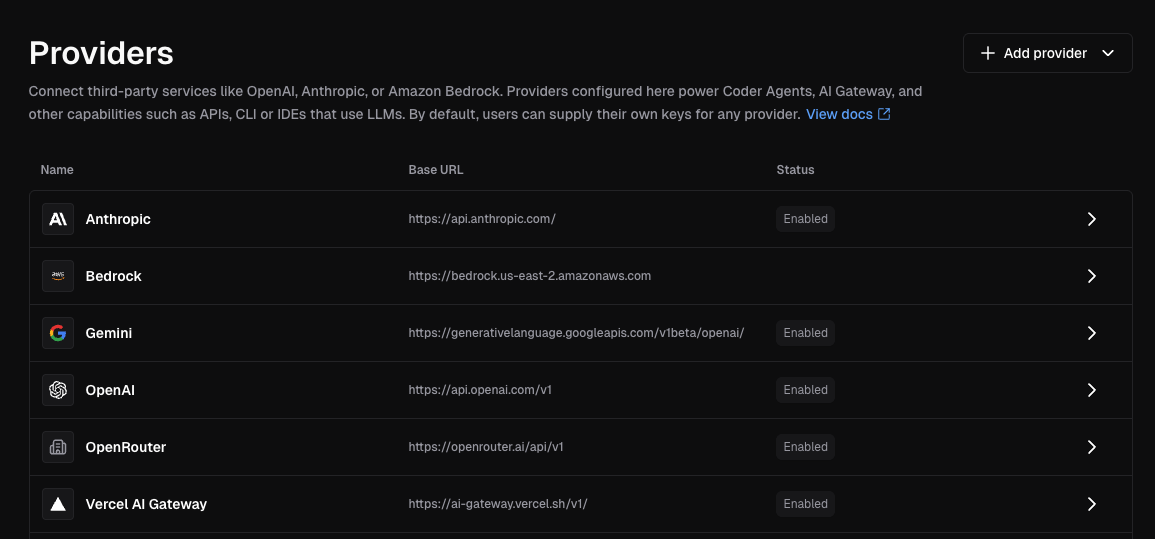
1. Navigate to **Admin settings** > **AI**
2. Select **Providers**
3. Click **Add provider**
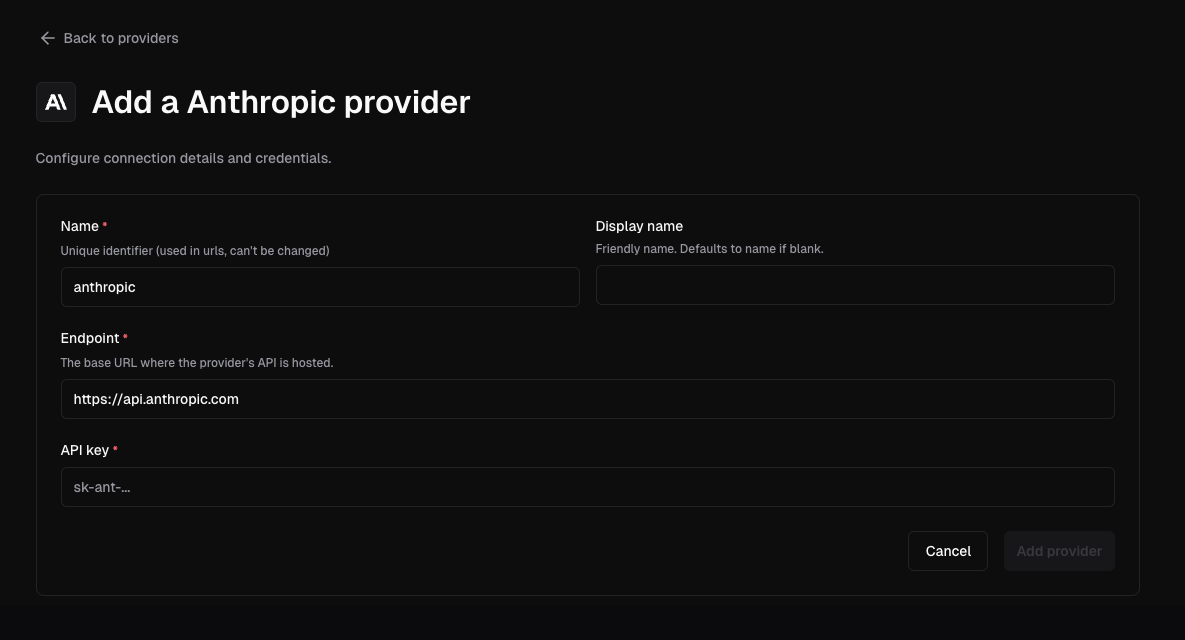
4. Select the provider type
5. Enter a unique lowercase name, the upstream endpoint, and the credentials
6. Save the provider
Each provider gets its own AI Gateway route at
`/api/v2/ai-gateway//`.
Provider names must be unique and use lowercase, hyphen-separated identifiers
such as `anthropic-corp` or `azure-openai`. Once deleted, another provider
may reuse the name.
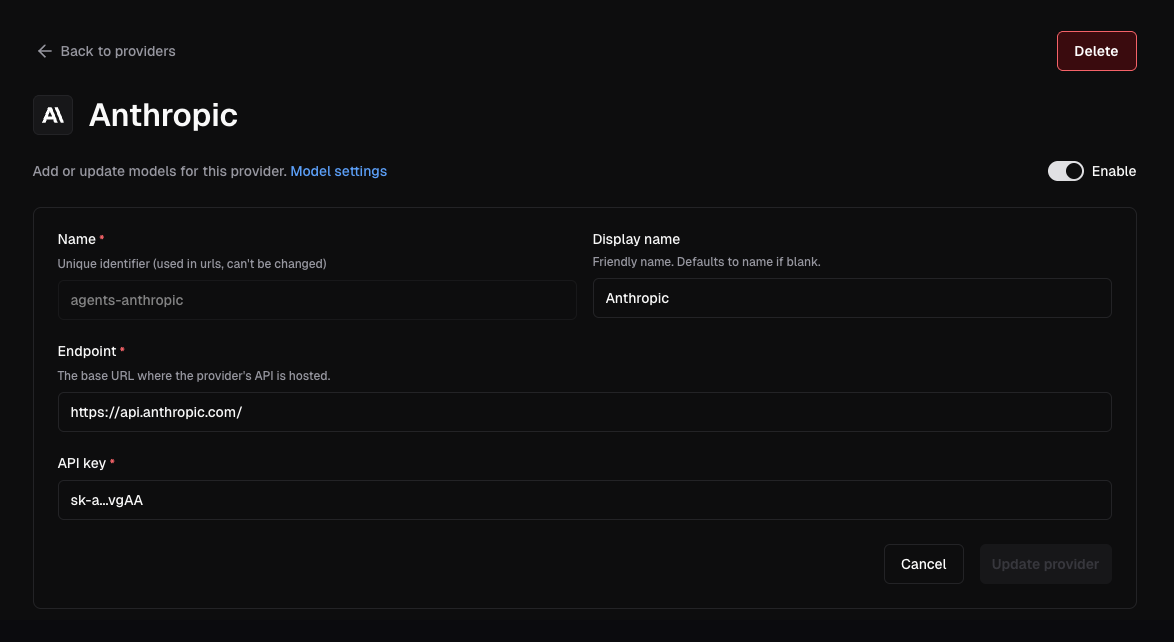
Open an existing provider to rotate credentials, update its endpoint, or
disable it without restarting `coderd`.
## API Dumps [#api-dumps]
AI Gateway can dump provider request and response pairs to disk for debugging.
Configure the dump directory with `--ai-gateway-dump-dir` or
`CODER_AI_GATEWAY_DUMP_DIR`:
```sh
coder server --ai-gateway-dump-dir=/var/lib/coder/ai-gateway-dumps
```
Or in YAML:
```yaml
ai_gateway:
api_dump_dir: /var/lib/coder/ai-gateway-dumps
```
This top-level setting replaces the previous per-provider `DUMP_DIR` field.
For each provider, AI Gateway writes dumps under `/`, where
`` is the configured dump directory and `` is the provider
instance name used in the route. For example, a provider named `anthropic-corp`
with `/var/lib/coder/ai-gateway-dumps` configured writes to
`/var/lib/coder/ai-gateway-dumps/anthropic-corp`.
Sensitive headers are redacted before dumps are written. Leave the value empty
to disable dumping.
Each [standalone gateway](/beta-docs/ai-coder/ai-gateway/standalone/) replica accepts the same API dump settings and writes optional dumps to its own local disk.
API dumps are intended for short diagnostic sessions only. Dump files contain
raw request and response data, which may include proprietary or sensitive
information such as prompts, completions, and tool inputs. Protect the target
directory and disable dumping when diagnostics are complete.
## Data Retention [#data-retention]
AI Gateway records prompts, token usage, tool invocations, and model reasoning for auditing and
monitoring purposes. By default, this data is retained for **60 days**.
Configure retention using `--ai-gateway-retention` or `CODER_AI_GATEWAY_RETENTION`:
```sh
coder server --ai-gateway-retention=90d
```
Or in YAML:
```yaml
ai_gateway:
retention: 90d
```
Set to `0` to retain data indefinitely.
For duration formats, how retention works, and best practices, see the
[Data Retention](/beta-docs/admin/setup/data-retention/) documentation.
## Structured Logging [#structured-logging]
AI Gateway can emit structured logs for every interception record, making it
straightforward to export data to external SIEM or observability platforms.
Enable with `--ai-gateway-structured-logging` or `CODER_AI_GATEWAY_STRUCTURED_LOGGING`:
```sh
coder server --ai-gateway-structured-logging=true
```
Or in YAML:
```yaml
ai_gateway:
structured_logging: true
```
These logs are written to the same output stream as all other `coderd` logs,
using the format configured by
[`--log-human`](/beta-docs/reference/cli/server/#--log-human) (default, writes to
stderr) or [`--log-json`](/beta-docs/reference/cli/server/#--log-json). For machine
ingestion, set `--log-json` to a file path or `/dev/stderr` so that records are
emitted as JSON.
This setting belongs to `coderd`.
A [standalone gateway](/beta-docs/ai-coder/ai-gateway/standalone/) does not consume it.
Filter for AI Gateway records in your logging pipeline by matching on the
`"interception log"` message. Each log line includes a `record_type` field that
indicates the kind of event captured:
| `record_type` | Description | Key fields |
| -------------------- | --------------------------------------- | ------------------------------------------------------------------------------ |
| `interception_start` | A new intercepted request begins. | `interception_id`, `initiator_id`, `provider`, `model`, `client`, `started_at` |
| `interception_end` | An intercepted request completes. | `interception_id`, `ended_at` |
| `token_usage` | Token consumption for a response. | `interception_id`, `input_tokens`, `output_tokens`, `created_at` |
| `prompt_usage` | The last user prompt in a request. | `interception_id`, `prompt`, `created_at` |
| `tool_usage` | A tool/function call made by the model. | `interception_id`, `tool`, `input`, `server_url`, `injected`, `created_at` |
| `model_thought` | Model reasoning or thinking content. | `interception_id`, `content`, `created_at` |