# Installing Coder
A single CLI (`coder`) is used for both the Coder server and the client.
We support two release channels: mainline and stable - read the
[Releases](/beta-docs/install/releases/) page to learn more about which best suits your team.
There are several ways to install Coder. Follow the steps on this page for a
minimal installation of Coder, or for a step-by-step guide on how to install and
configure your first Coder deployment, follow the
[quickstart guide](/beta-docs/get-started/).
If you're installing Coder for the first time, the [Quickstart](/beta-docs/get-started/) guides you through installing Coder and launching your first workspace.
## Local/Individual Installs [#localindividual-installs]
This install guide is meant for **individual developers, small teams, and/or open source community members** setting up Coder locally or on a single server. It covers the light weight install for Linux, macOS, and Windows.
Our install script is the fastest way to install Coder on Linux/macOS:
```sh
curl -L https://coder.com/install.sh | sh
```
Refer to [GitHub releases](https://github.com/coder/coder/releases) for
alternate installation methods (e.g. standalone binaries, system packages).
Our install script is the fastest way to install Coder on Linux/macOS:
```sh
curl -L https://coder.com/install.sh | sh
```
Refer to [GitHub releases](https://github.com/coder/coder/releases) for
alternate installation methods (e.g. standalone binaries, system packages).
If you plan to use the built-in PostgreSQL database, ensure that the
[Visual C++ Runtime](https://learn.microsoft.com/en-US/cpp/windows/latest-supported-vc-redist#latest-microsoft-visual-c-redistributable-version)
is installed.
Use [GitHub releases](https://github.com/coder/coder/releases) to download the
Windows installer (`.msi`) or standalone binary (`.exe`).

Alternatively, you can use the
[`winget`](https://learn.microsoft.com/en-us/windows/package-manager/winget/#use-winget)
package manager to install Coder:
```ps1
winget install Coder.Coder
```
## Hosted/Enterprise Installs [#hostedenterprise-installs]
This install guide is meant for **IT Administrators, DevOps, and Platform Teams** deploying Coder for an organization. It covers production-grade, multi-user installs on Kubernetes and other hosted platforms.
## Starting the Coder Server [#starting-the-coder-server]
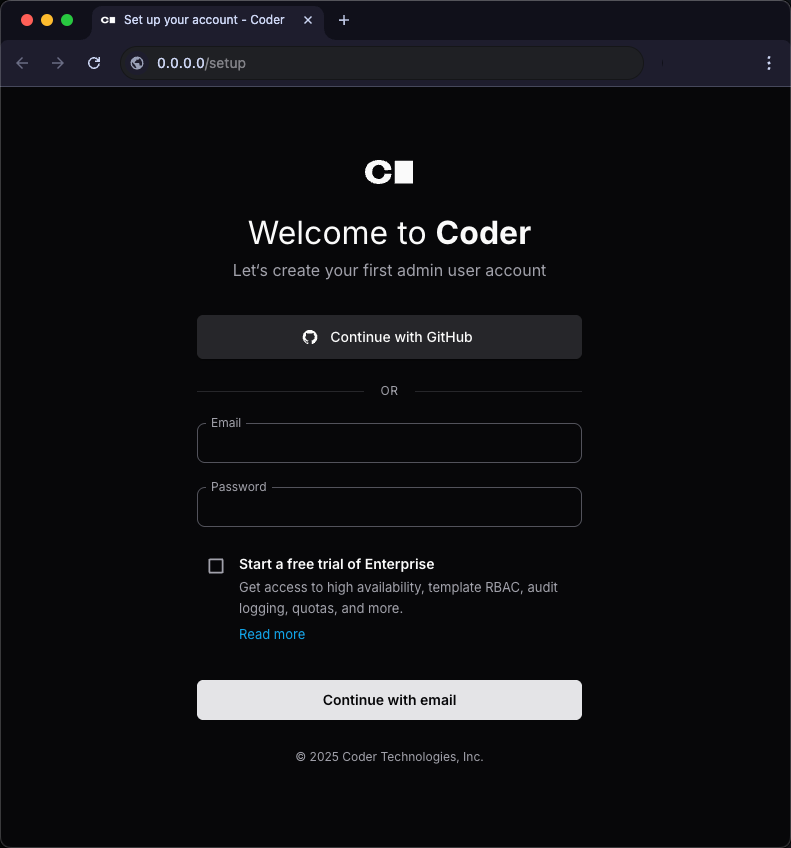
To start the Coder server:
```sh
coder server
```
To log in to an existing Coder deployment:
```sh
coder login https://coder.example.com
```