# JetBrains IDEs
JetBrains IDE (IntelliJ IDEA, PyCharm, WebStorm, etc.) support AI Gateway via the [third-party model configuration](https://www.jetbrains.com/help/ai-assistant/use-custom-models.html#provide-your-own-api-key) feature.
## Prerequisites
* [**JetBrains AI Assistant**](https://www.jetbrains.com/help/ai-assistant/installation-guide-ai-assistant.html): Installed and enabled.
* **Authentication**: Your **[Coder API token](/docs/@v2.33.6/admin/users/sessions-tokens/#generate-a-long-lived-api-token-on-behalf-of-yourself)**.
## Centralized API Key
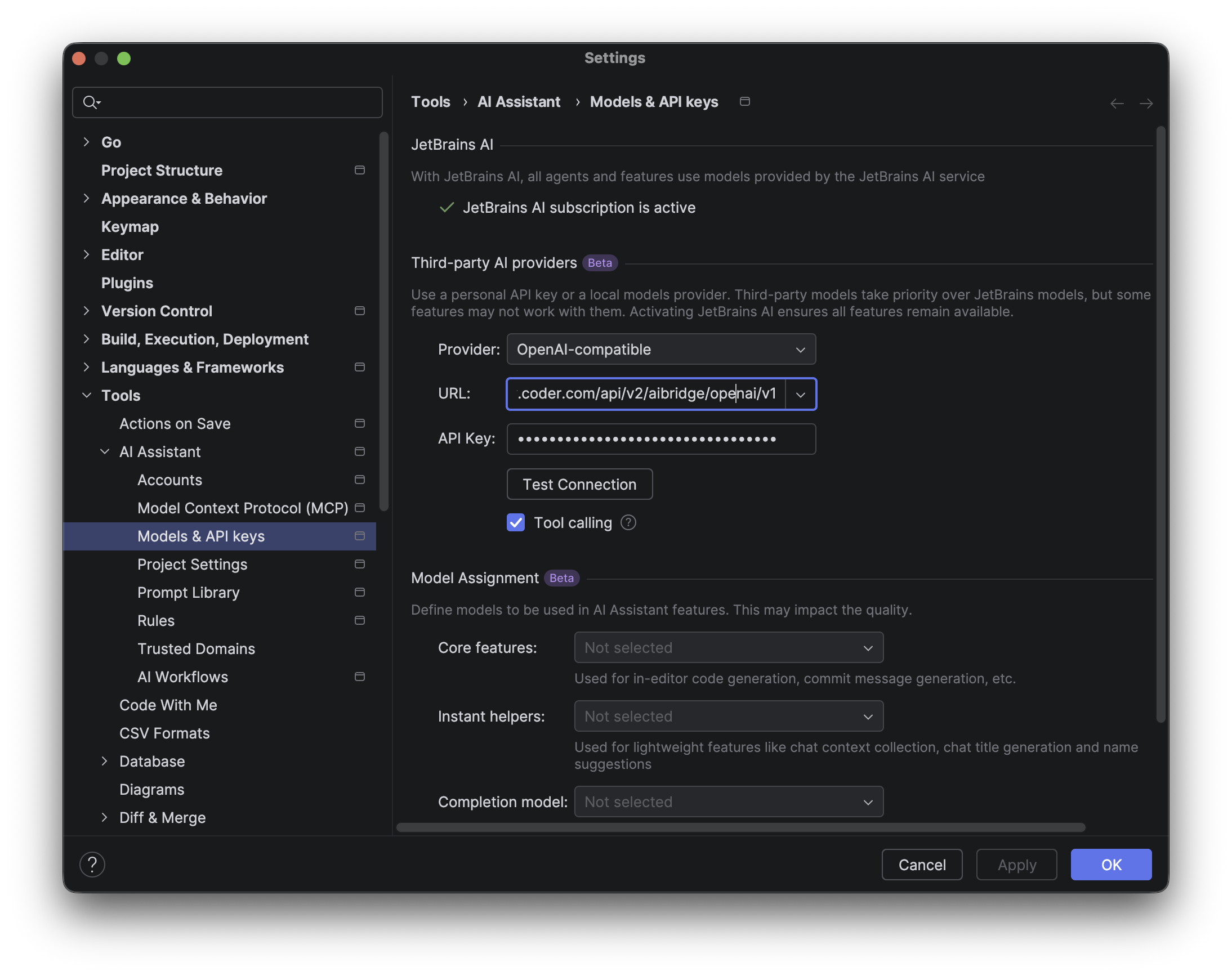
1. **Open Settings**: Go to **Settings** > **Tools** > **AI Assistant** > **Models & API Keys**.
2. **Configure Provider**: Go to **Third-party AI providers**.
3. **Choose Provider**: Choose **OpenAI-compatible**.
4. **URL**: `https://coder.example.com/api/v2/aibridge/openai/v1`
5. **API Key**: Paste your **[Coder API token](/docs/@v2.33.6/admin/users/sessions-tokens/#generate-a-long-lived-api-token-on-behalf-of-yourself)**.
6. **Apply**: Click **Apply** and **OK**.
## Using the AI Assistant
1. Go back to **AI Chat** on theleft side bar and choose **Chat**.
2. In the Model dropdown, select the desired model (e.g., `gpt-5.2`).
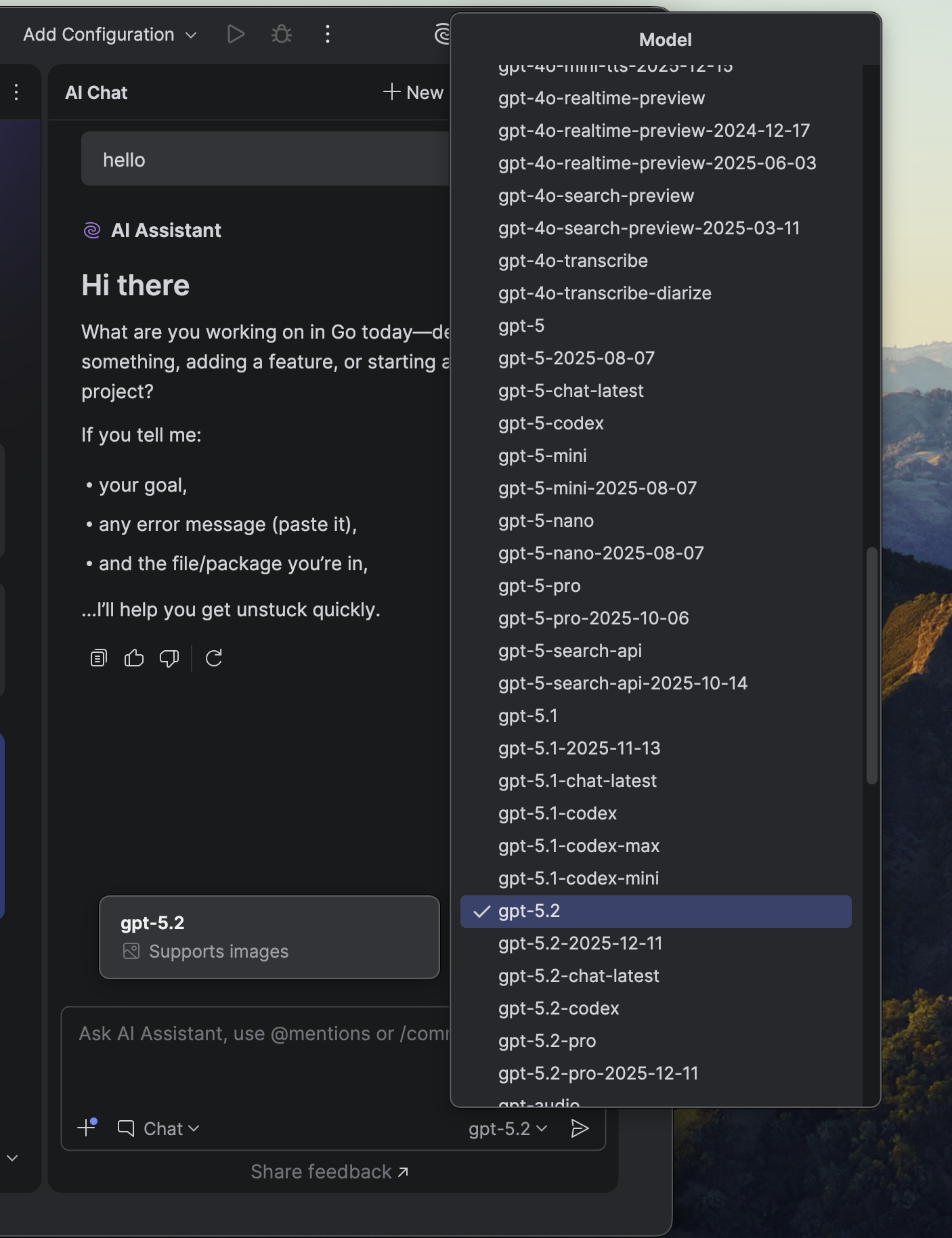
You can now use the AI Assistant chat with the configured provider.
* JetBrains AI Assistant currently only supports OpenAI-compatible endpoints. There is an open [issue](https://youtrack.jetbrains.com/issue/LLM-22740) tracking support for Anthropic.
* JetBrains AI Assistant may not support all models that support OPenAI's `/chat/completions` endpoint in Chat mode.
## BYOK (Personal API Key)
At the time of writing, JetBrains AI Assistant does not support sending custom headers, so BYOK mode is not available.
**References:** [Use custom models with JetBrains AI Assistant](https://www.jetbrains.com/help/ai-assistant/use-custom-models.html#provide-your-own-api-key)