Kilo Code
Premium
Configure Kilo Code to route its model requests through AI Gateway from the UI.
On this page
Note
AI Gateway is part of AI Governance, which is included with a Premium license.
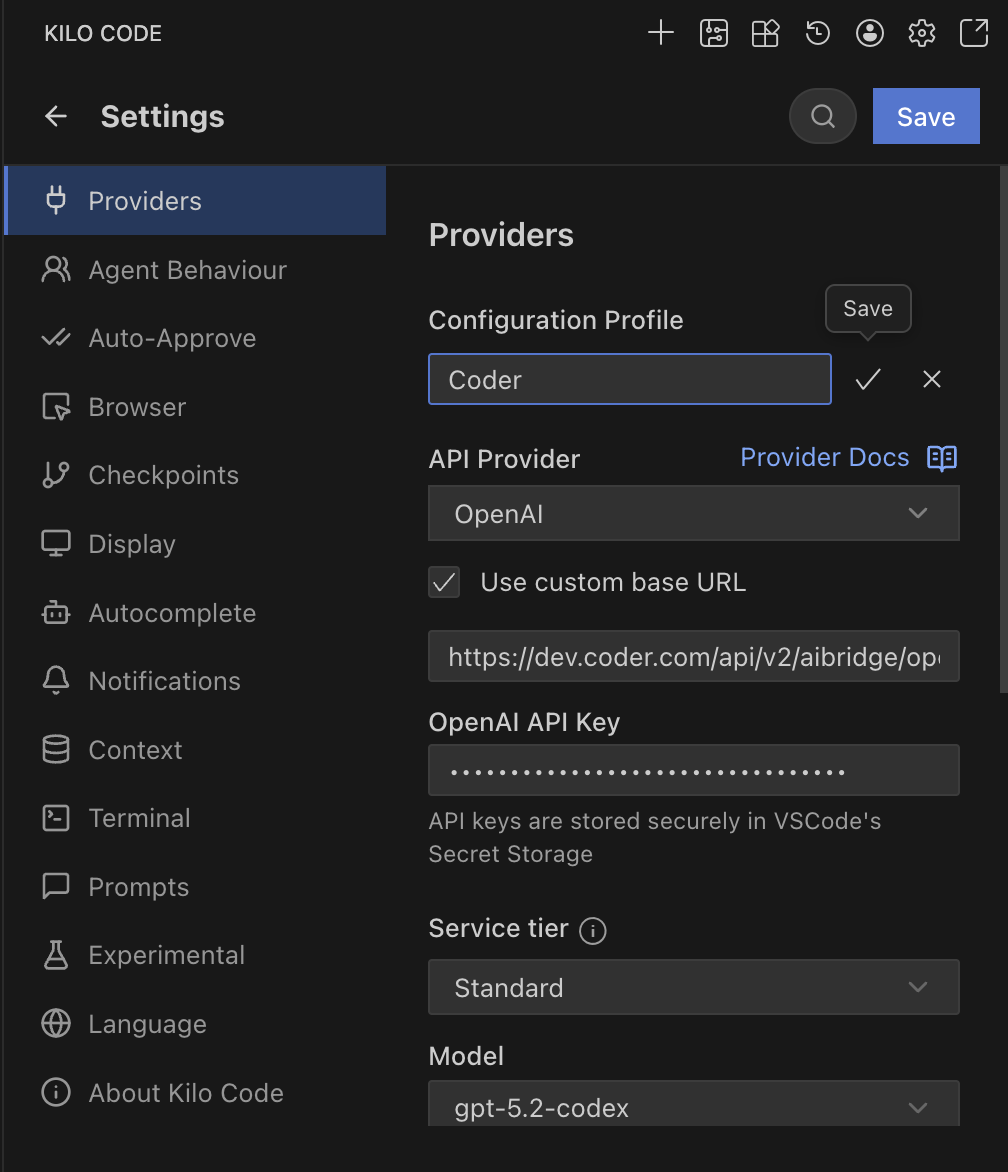
Kilo Code allows you to configure providers via the UI and can be set up to use AI Gateway.
Centralized API Key
- Open Kilo Code in VS Code.
- Go to Settings.
- Provider: Select OpenAI.
- Base URL: Enter
https://coder.example.com/api/v2/ai-gateway/openai/v1. - API Key: Enter your Coder API token.
- Model ID: Enter the model you wish to use (e.g.,
gpt-5.2-codex).
BYOK (Personal API Key)
Note
Kilo Code supports sending custom headers, but the integration does not currently work reliably with AI Gateway.
References: Kilo Code Configuration