The hardest part of designing a complex interactive component is not the aesthetics. It is the questions you did not know to ask.
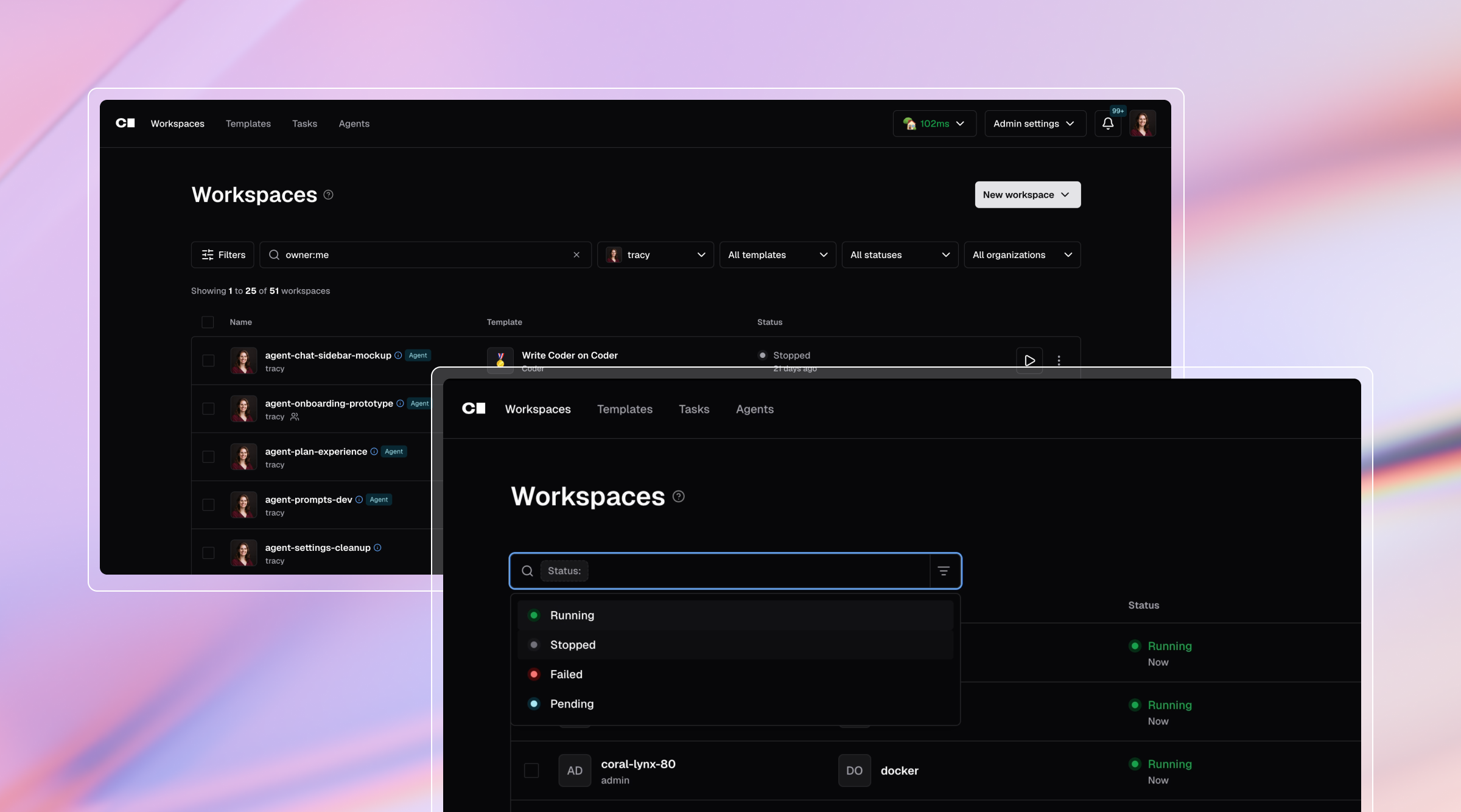
Our current filter/search was confusing and didn’t translate well to mobile. I wanted to improve it by turning it into a token search component. It’s a complex, multi-state UI that needed keyboard support, accessibility compliance, and flexible categories across different tables. How was I going to document all the nuances of this deceptively simple component?
Instead of my traditional Figma flow, I tried a different approach. I built a working version in React inside Coder's codebase with Coder Agents, a conversational interface that let me collaborate with self-hosted coding agents. For context, I’m a new senior product designer at Coder, and I only know the basics of coding (mostly CSS). I had no knowledge of the Coder stack or how data is treated.
The traditional handoff problem
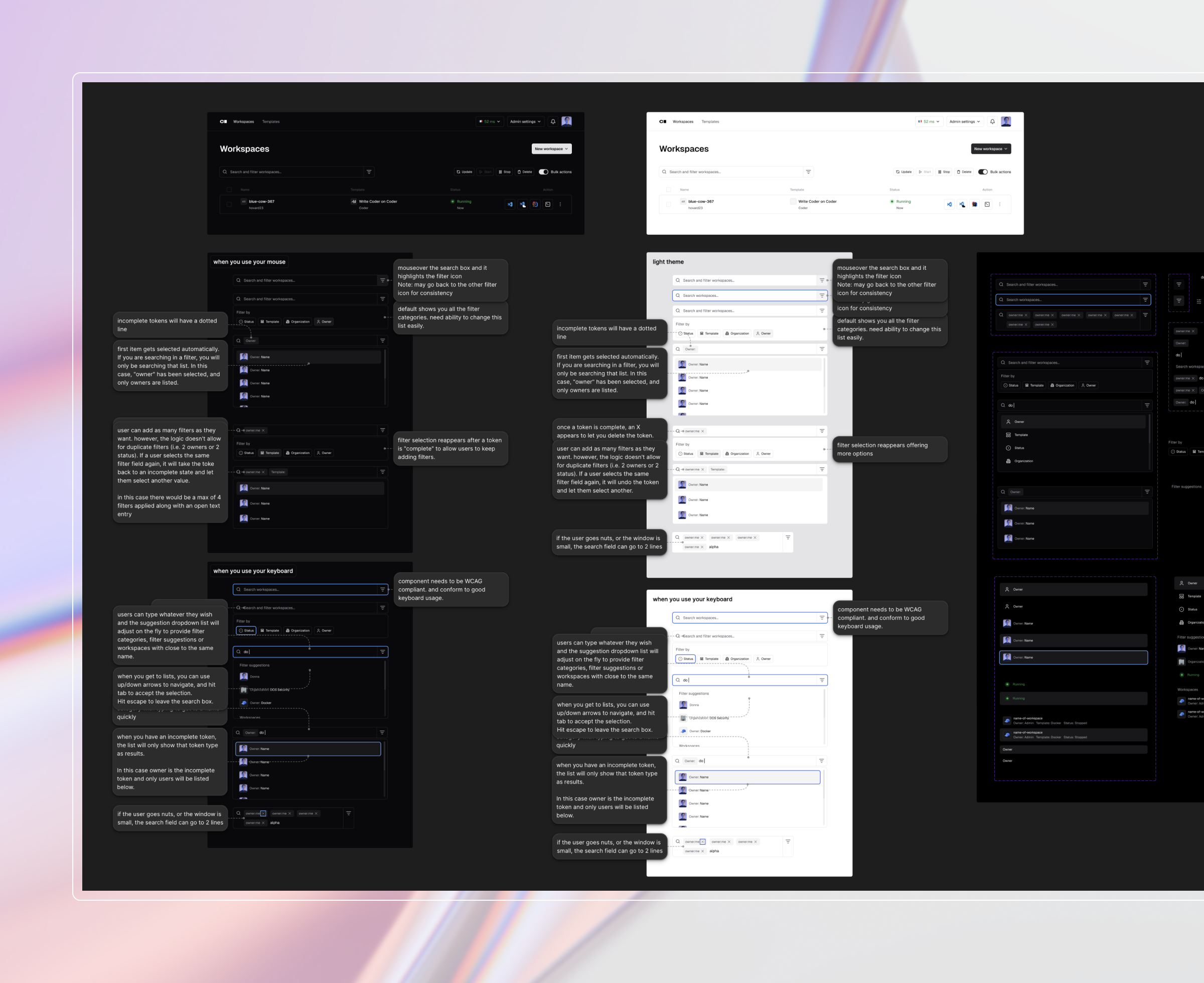
I started in Figma, explored different states, and thought I’d covered all the potential scenarios. I added lots of annotations, but the file quickly became overwhelming. When I shared my initial Figma mockups, the feedback was less about visuals and more about behavior. How does it work? What is the interactive pattern? What are all the different states?
I’ve built lightweight prototypes in Figma before, but they’re mostly smoke and mirrors. I could build in Figma Make, but it isn’t based on our tech stack. It’s prototyping ideas that would still need to be tested and validated in our system.
Building a prototype that proves requirements
I set Coder Agents in planning mode and described interaction patterns, backend requirements I was aware of, pasted PNGs of my Figma mockups and pointed to our design system in storybook. It scanned Github, examined the existing code and came up with a plan. At one point it asked me about the tech stack. I said I was new and had no idea. It put subagents on it and answered its own question.
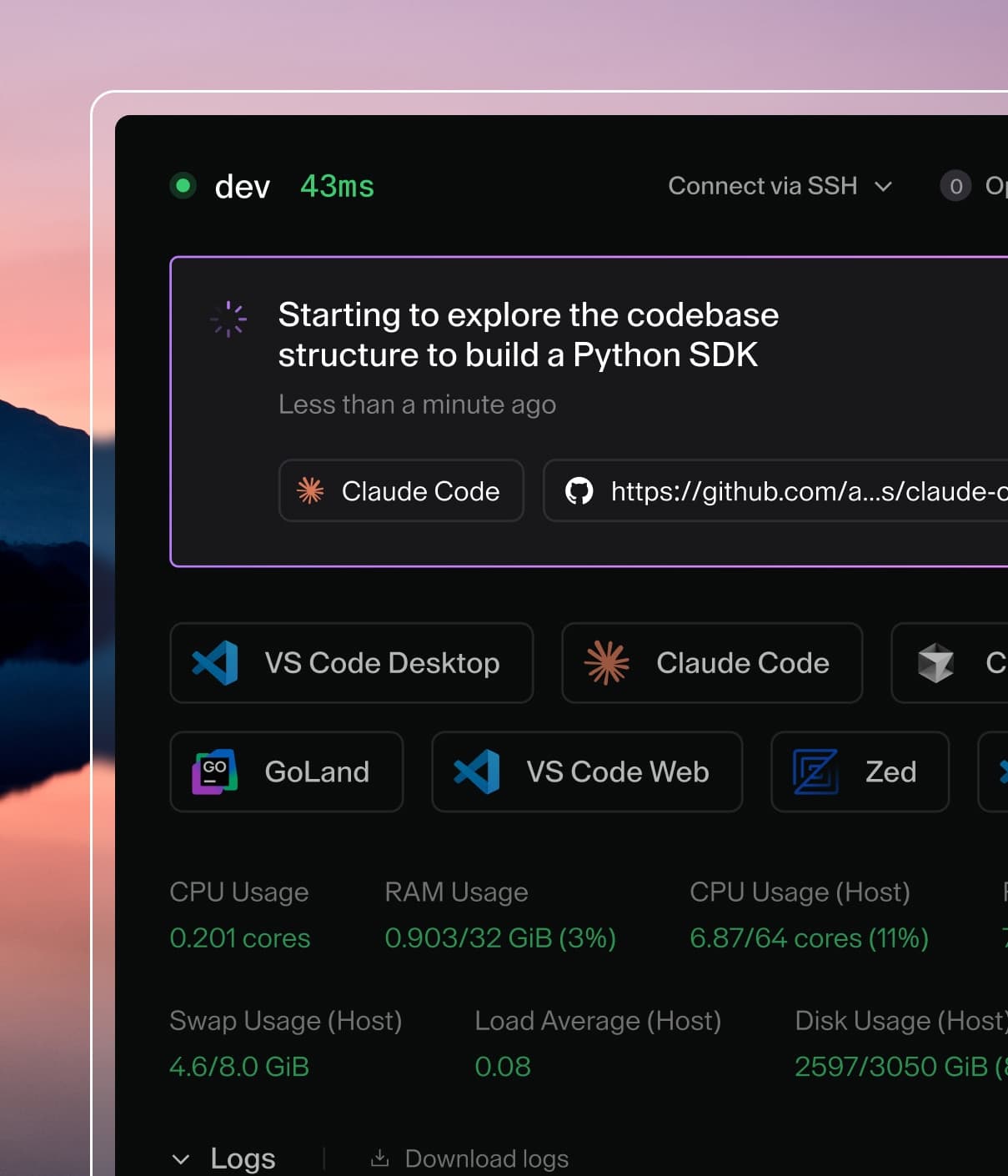
After a number of rounds of questions, the agent asked if I wanted to implement. Within minutes, the agent had a running prototype (link to a browser instance where I could test out the component) in a virtual Coder workspace and connected to real data. Sweet!
When you're building with AI, the first round is never pixel perfect. But, it’s far closer to documenting the interaction patterns than I expected or could ever accomplish with my traditional tools. Even my exploration with many AI tools like Figma make, Claude Design, UX Pilot, and Lovable didn’t hit the mark the way an agent that is directly connected to the backend did. Most struggle to follow a design system. LLMs are trained on all interfaces for all audiences, so they fill gaps by borrowing from the internet. The result is unpredictable: you never know whose design language you're going to end up with. Because of the deep understanding Agents has of our code, it did a phenomenal job of working within those boundaries.
"Generative AI models are capable of producing enormous volumes of content — but without shared brand grounding, they optimize for plausibility, not brand accuracy."
— Adobe Experience League, April 2026 (Adobe)
Of course, no system is perfect and agents had challenges with seeing design nuances from my images (but many devs do as well). Fonts, spacing, outlines, pretty much anything subtle will need to be refined. Ultimately, the visual polish cycle took a few rounds.
Here are a few tips I learned from this process:
- The more specific you are with your design, the faster the agent can fix the issue.
- You may need to ask the agent to really focus on a specific part of the design (I found subtle line work is often missed).
- Learn the css names of your fonts and colors for faster corrections and more reliable fixes.
- Break your screenshots down. A large image with multiple rules or states gives the agent too much to process and it will pick what to focus on. Smaller, targeted images get more consistent results (and keeps your token usage low).
- Focus on perfecting one item at a time. I had about a 40% chance of failure when I combined too many design interaction patterns at once.
Just as important as refining the design is using the demo component to pressure-test the experience. What happens when there are no results? How do results appear while loading? Can I do everything with my keyboard as well as my mouse? Can there be more than one filter from the same group? With real data, you can test all of it, including on your phone.
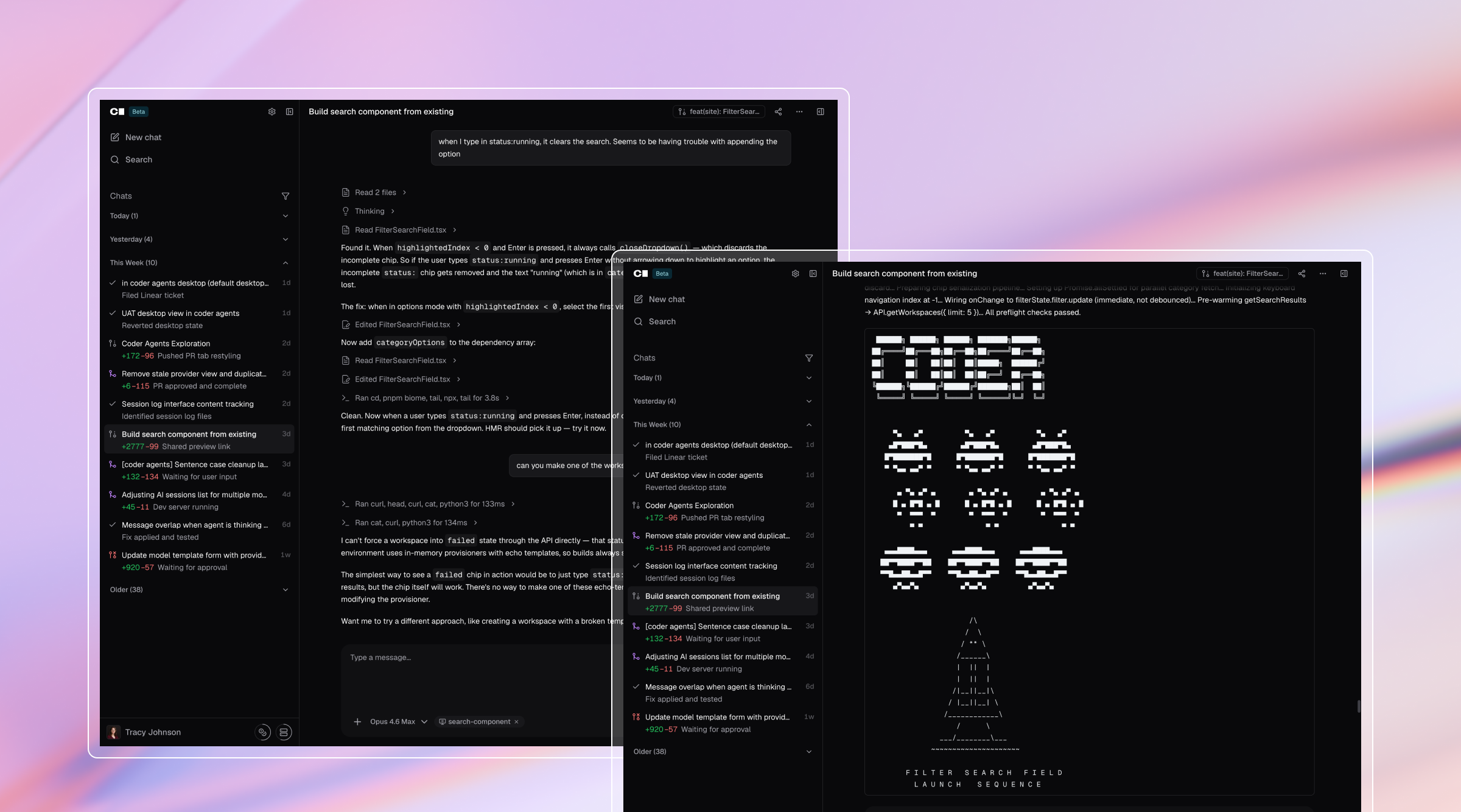
If my initial design didn’t specify a state, the agents filled it in. I didn’t even need to track every state myself. I could ask which ones needed review and get a full checklist. When I wasn’t sure about which would be best, I tried a few variations to see how each one felt and picked the best solution.
In this case, I hadn’t specified the order of the search results, how results should be grouped, what responsive behavior should look like, what error states I would need, or how suggested results should work. The agent took what it could infer from my design and filled in the gaps. I provided my feedback with additional Figma screens and written details.
I also requested a Web Content Accessibility Guidelines (WCAG) review mid-process. You know how much teams love scope creep halfway through development? The agent didn’t miss a beat: it walked through the compliance guidelines, checked the component structure, and made the updates. For the back-end items the agent wasn’t able to modify, it explained what would need to happen to make it a reality, something I never would have known.
I ended all this discovery work with the ability to record an async walkthrough screen recording, share a functional prototype, and a Github PR with our teams around the world. I could show the interaction live while describing the details. Agents became my sparring partner: not just turning my ideas into a functional prototype, but also sparking ideas and highlighting actual technical constraints.
As you can see by my Github history, Agents has seen an explosion in usage.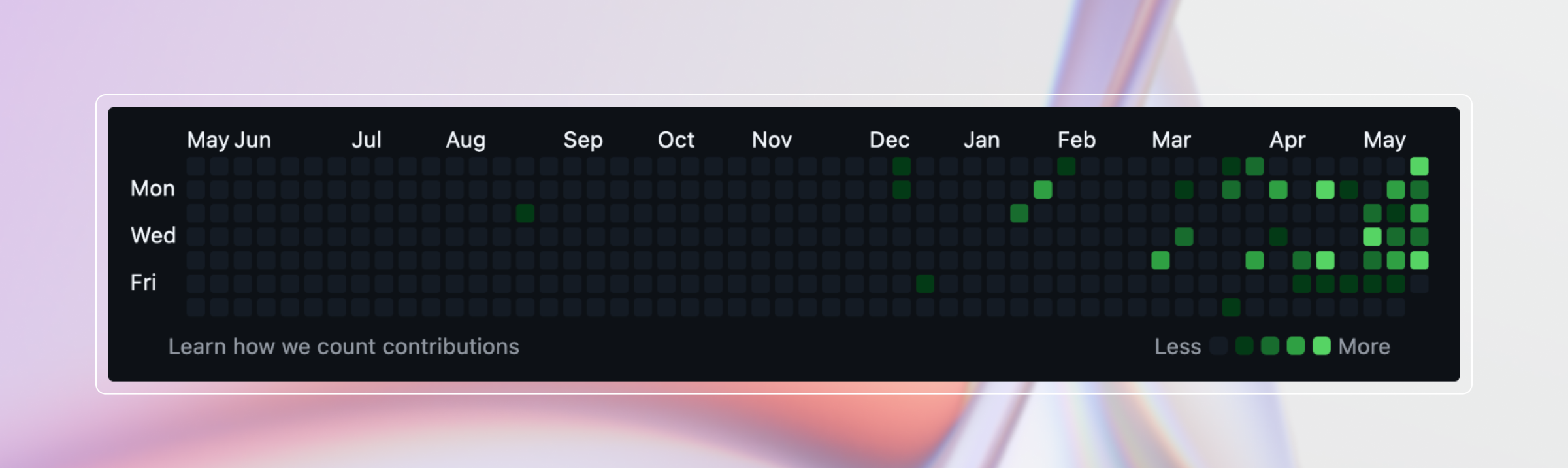
What happens when a designer ships a PR
I wasn't cataloging every decision, but the agent was. All the iteration and edge-case work ended up captured directly in code, making the requirements explicit without any extra documentation. By the end it felt less like using a tool and more like working alongside someone with expert knowledge of the codebase, available whenever I needed them.
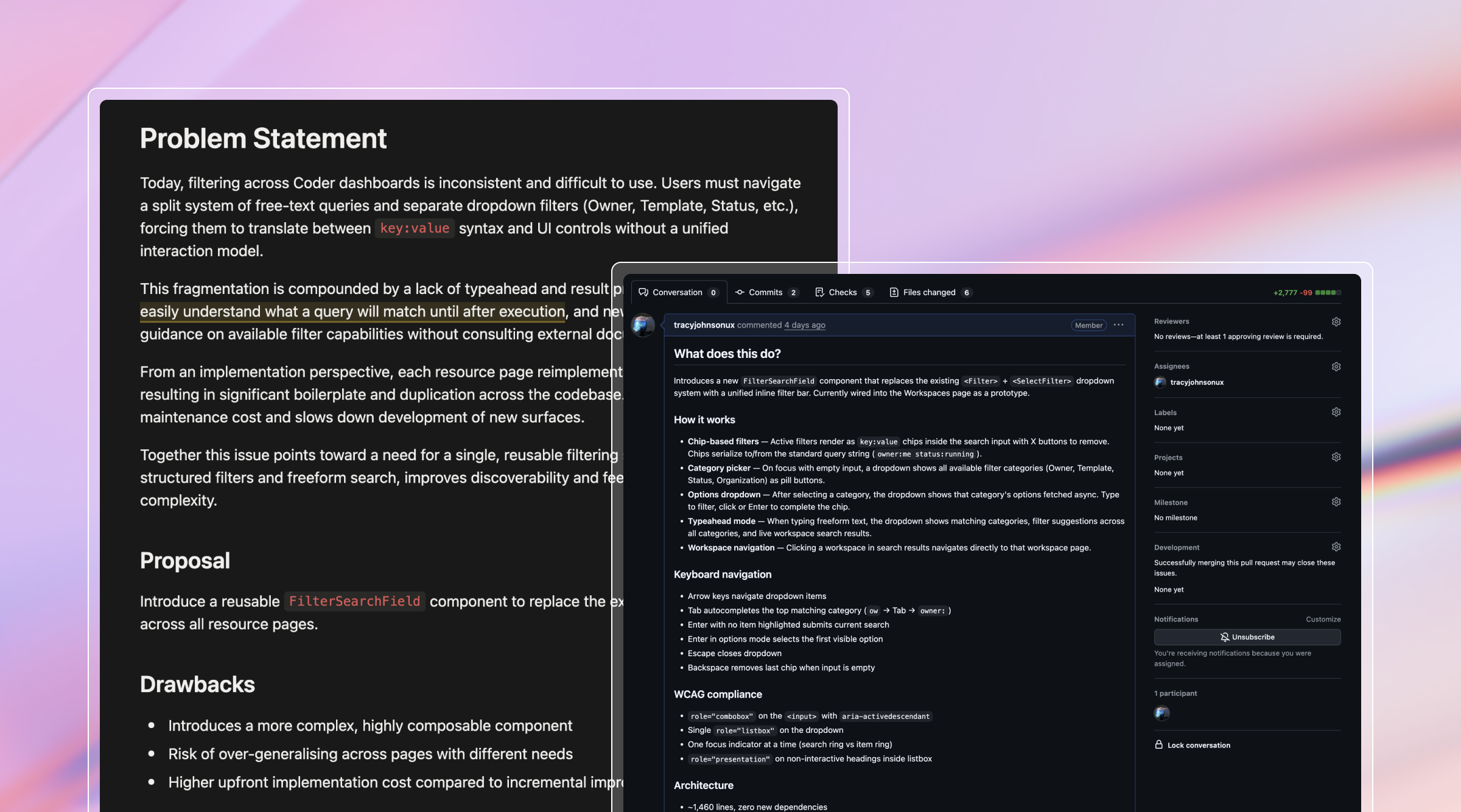
I asked it to draft a Request for Comments (RFC, typically written by developers) documenting every state and transition with code examples, keyboard semantics including combobox role and aria-activedescendant handling, performance details like the 300ms debounce for remote queries and stale response handling, and backend implications for the query parser.
When Jeremy from the frontend team reviewed the prototype, his first reaction was: "You actually built the whole damn thing."
The component was 1,450 lines of React. It followed Coder's code style, used Coder's existing components, and included Storybook stories that served as both tests and documentation. Most designer handoffs are Figma files with a document trying to cover all the details. This was different. Even if the team refactored the implementation, they had the source of truth, proof that the requirements worked, and test cases in Storybook covering every important interaction.
Jeremy's broader point: "When you integrate a prototype into the existing codebase using the same patterns and style, that cuts the actual development time in half."
AI enhances design, it doesn't replace it
All of this, from initial prompt to RFC-ready, took under a day and about $160 in token costs. A traditional timeline for something this complex would be weeks, involve multiple people, and still hit development surprises that sent you back to design. It was well worth the cost.
This workflow would not be possible without someone guiding Agents toward a clear final vision. So, no, designers, your job isn’t obsolete, it’s more important than ever. Coder Agents didn't just help me move faster. I handed the team something better than I could have built any other way.
Learn more about how to deploy Coder Agents on your own codebase here.