Templates are a core component of Coder Workspaces, Coder’s remote environment definition. But writing a template is still one of the steepest parts of getting started in your Coder journey.
A working template has to reflect your compute, source control, auth, and your tooling all at once. That’s a lot of information and knowledge to have, and to immediately become successful with. Coder’s Registry and starter templates give a good baseline, but the rest has always been hand-written Terraform (TF).
Until now. This walkthrough shows you how to go from the Coder Template Builder to using Coder Agents to customize and finalize your template.
- Who this is for: anyone who owns templates. First template during an evaluation, or the tenth template on an established deployment.
- What you need: a Coder deployment, an AI Provider and Model configured for Coder Agent’s use, and the
coder-templates skill from the Coder Registry.
- What you get: a reviewable
main.tf you understand, not a black box.
One thing to flag before you go further: Coder Agents can help with general coding tasks with no workspace template configured. Authoring templates, however, becomes immensely easier when the agent does have a workspace because then you can test whether the TF an agent writes actually works. Coder Agents needs a template to build a workspace to write and execute a script in, for example. This is a chicken-and-egg problem: you want to use Coder Agents to help write a template, but using Agents effectively assumes there is a template to build a workspace from.
That’s why the Template Builder exists. It gives you a working template to start from.
Create a new template using the Template Builder
Head to the Templates header, and click “New Template”. Pick the base template that matches how your compute actually runs, then layer on the modules your developers expect.
- Choose a base that matches your compute model. Kubernetes pod, Docker container, EC2 or other VM, and so on. The base determines most of what follows.
- Add the standard modules. IDEs, AI coding tools, git-clone. These are well-tested and save the agent from inventing resources that already exist.
- Note what the builder gives you and what it does not. Net-new templates only, a curated subset of registry modules, and registry connectivity required.
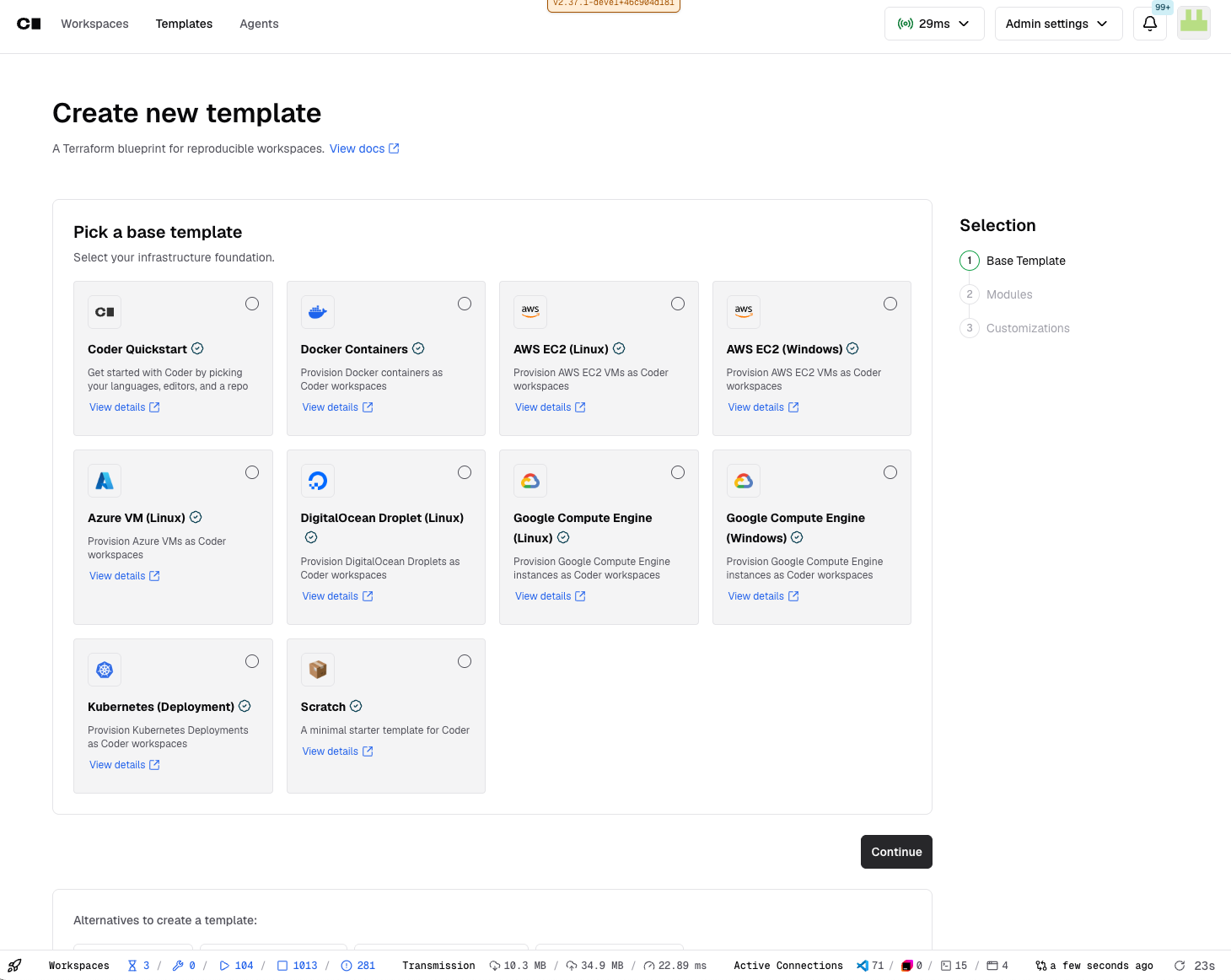
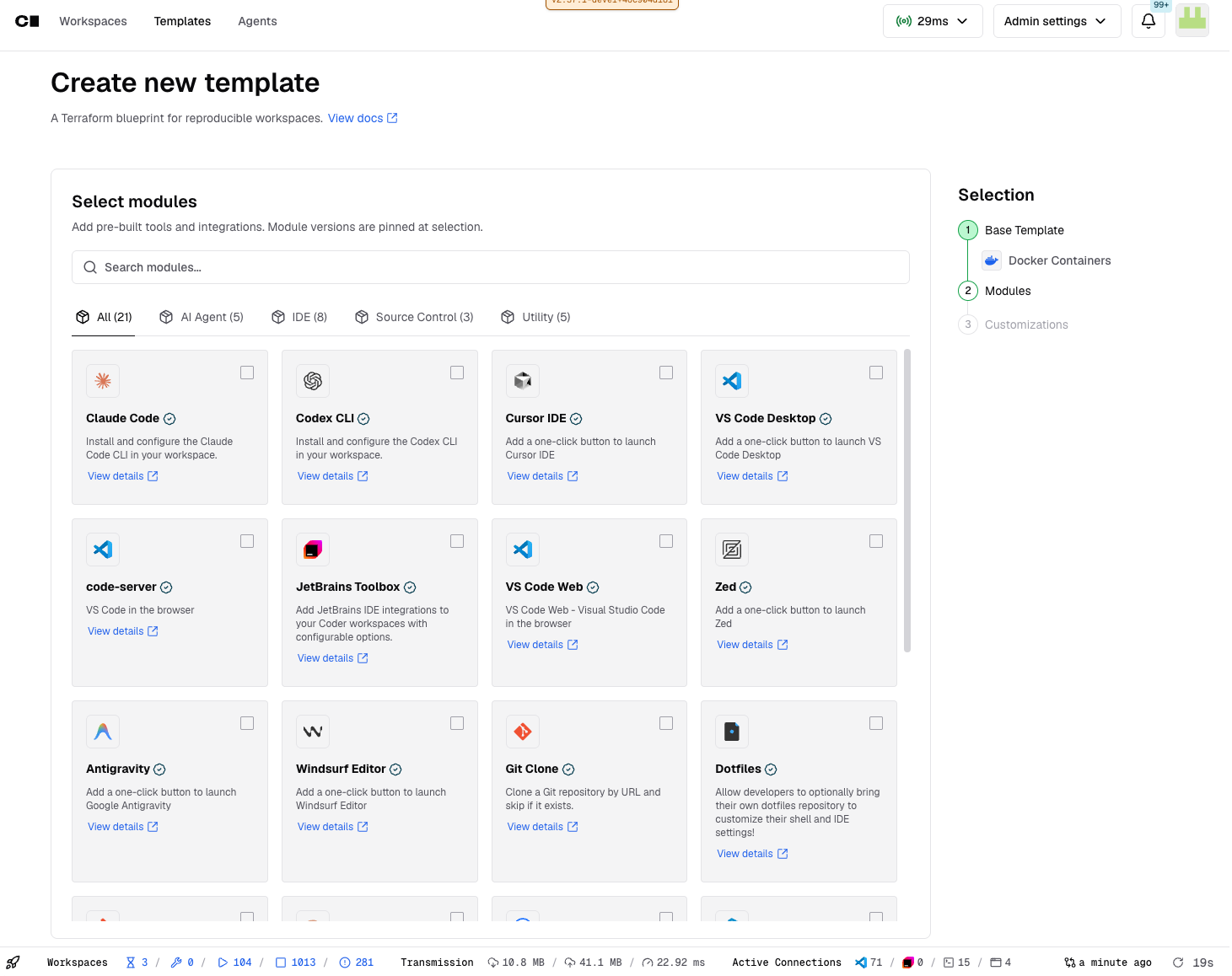
Once you’ve selected your base template and modules, add your template’s Display Name and Organization, click “Create Template”. You’ll be brought to the new template you just created.
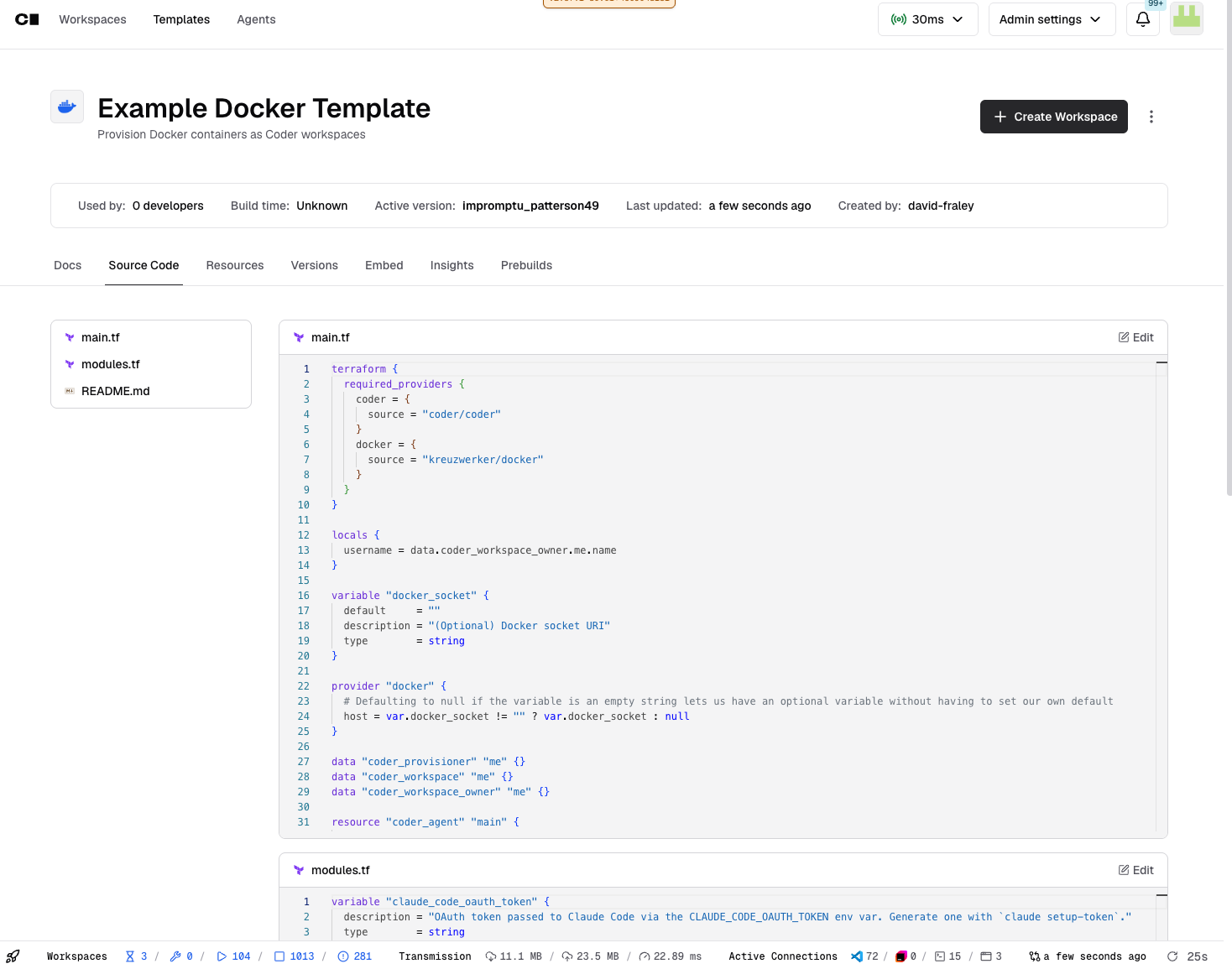
Prompt in Coder Agents to customize your template for your team and organization
Starter templates are generic by design. The gap between it and something your developers will use is all environment-specific, and it is the part no registry template can ship for you.
Head into Coder Agents, and upload the generated main.tf, the modules.tf, and the README.md alongside the coder-templates skill, and a plain description of what your environment looks like.
From there, you can prompt the agent to customize your template and modules for more complicated scenarios. We recommend having the following as part of your starting prompt, as it’ll instruct the agent on how you’re running the TF.
Here at Coder, we’ve also found success in prompting the agent in the following ways:
- Describe your environment, not the Terraform you’re wanting as an outcome. "Developers work across four repos and need a Vite preview on 5173" beats naming resources.
- Point the agent at your existing IaC, if you have it. It will match your conventions rather than inventing new ones.
- Ask for one change at a time. Reviewable diffs beat a single large rewrite.
- Prompt your agent to use Coder’s Registry for other modules.
- As you publish new versions of your template, have your agent create update descriptions using a prompt like this:
Now here’s a list of example prompts that have work for us at Coder. Each example is a more complex modification to a template that larger teams and organizations might use.
- Polyrepo setups: Multiple
git-clone module instances with distinct target directories, so a developer lands in a workspace with every repo they need already present.
Testing your template
Coder Agents can produce fantastic templates. But that doesn’t mean it is perfect, and will work in all possible scenarios you need them to. It gets close on structure and gets details wrong in ways that are easy to miss on a read-through and obvious on a build. You should push a template version, build a workspace from it, and test and use it before your developers get access.
What testing will look like:
- Use Coder Agents to prompt, and update your template for a given scenario.
- Download the template, and upload it back into Coder.
- Build the template version; Terraform validation catches syntax and schema problems.
- Create a workspace from it, This is where startup scripts, auth, and module behavior actually get exercised.
- Open the workspace and use it the way a developer would. Clone, build, run, preview.
- Feed failures back into your chat session in Coder Agents with the actual error text.
Here are some example failure you might run into, and how we recommend addressing them:
- Stale module versions: Agents pull versions from training data and reference older releases than what is published. Check the version and changelog on the registry module page and pin deliberately.
- Hallucinated parameter values: Agents will invent plausible-looking values for repo URLs, dotfiles URIs, and container images. Constrain with
coder_workspace_preset, immutable parameters with validation, or move the value out of coder_parameter entirely.
- Field constraints the agent does not know about: Template descriptions are capped at 128 characters, and generated descriptions routinely blow past it. The build fails on validation, not on review.
- Template config that assumes deployment config: A template calling external auth only works if the provider is configured on the deployment with a matching ID. Agent API key scope, external auth providers, and registry reachability all have to line up, and none of it is visible from inside the template file.
- Module caching behavior: Modules resolve at template version creation, not at workspace start. A source pointing at a branch will not pick up changes the way people expect.
Two habits keep this workflow sustainable: review every diff before you merge it, and treat the template like code, with version control, review, and a test deployment ahead of production.
Keep iterating with Coder Agents
You should now have a working Coder Template, custom built for your team and organization with Coder Agents. Use this same loop to modify existing templates, like adding in new registry modules or setting up different repos to clone.
Jump into our Discord, or reach out to your Coder representative to tell us what infrastructure and module combinations you’re building! Or ones that broke.
Additional resources