
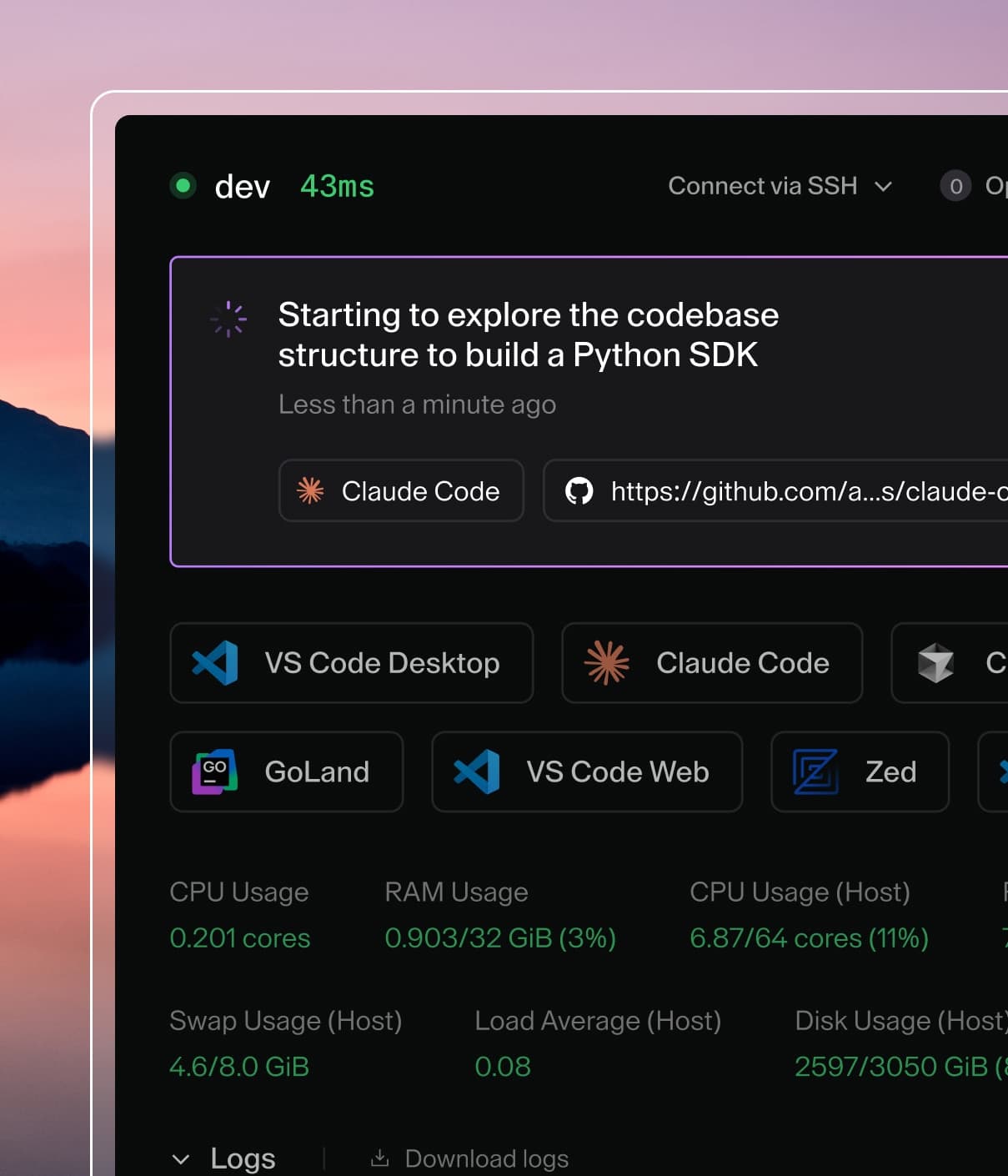




Manage secrets, spend, and sessions in 2.36
What's New in 2.36
Secrets, costs, and agent activity all get easier to control and trace this release. Store credentials once and inject them everywhere, keep AI spend visible and capped, and follow any agent session from a single ID across your whole stack.
Store and inject secrets with User Secrets (GA)
User Secrets are now generally available. Developers store per-user key-value secrets once via CLI, API, or UI. These secrets are then automatically injected into every workspace as environment variables and/or files, replacing repetitive .env copying with a consistent, developer-managed workflow.
- Per-user credential storage: Create, update, delete, and list secrets from the CLI, API, or UI, with values never shown in list or get responses.
- Flexible injection controls: Enable or disable individual secrets without deleting them, so developers can temporarily withhold a secret from injection without losing its configuration.
- Enterprise-ready (Premium): Admins can encrypt secret values at rest, and audit logs record secret creation, updates (including enable and disable changes) and deletion, meeting compliance needs.
Coder Agents chat improvements: skills, context management, and reasoning control
This month's updates give you more control over your chat workflow, alongside a batch of reliability, security, and UI fixes.
- Workspace Skills in Slash Menu: Invoke workspace-defined skills directly from the / menu. Available skills automatically reflect the current workspace.
- Manual Context Compaction: Type /compact to summarize a conversation on demand and free up context for longer chat sessions.
- Configurable Reasoning Effort: Adjust model reasoning with a chat slider. Admins can set default and maximum limits for each model.
- Other Enhancements: Persistent chat summaries and cost visibility, smarter workspace recommendations, multiple terminal, app, and port tabs, improved subagent orchestration, MCP credential management, and shared chat notifications.
- Bug Fixes: Improved agent reliability, strengthened security, and polished the UI across mobile and narrow viewports.
Introductory access to Coder Agents includes full Premium features with no usage limits through September.
Control and track AI spend with Cost Controls
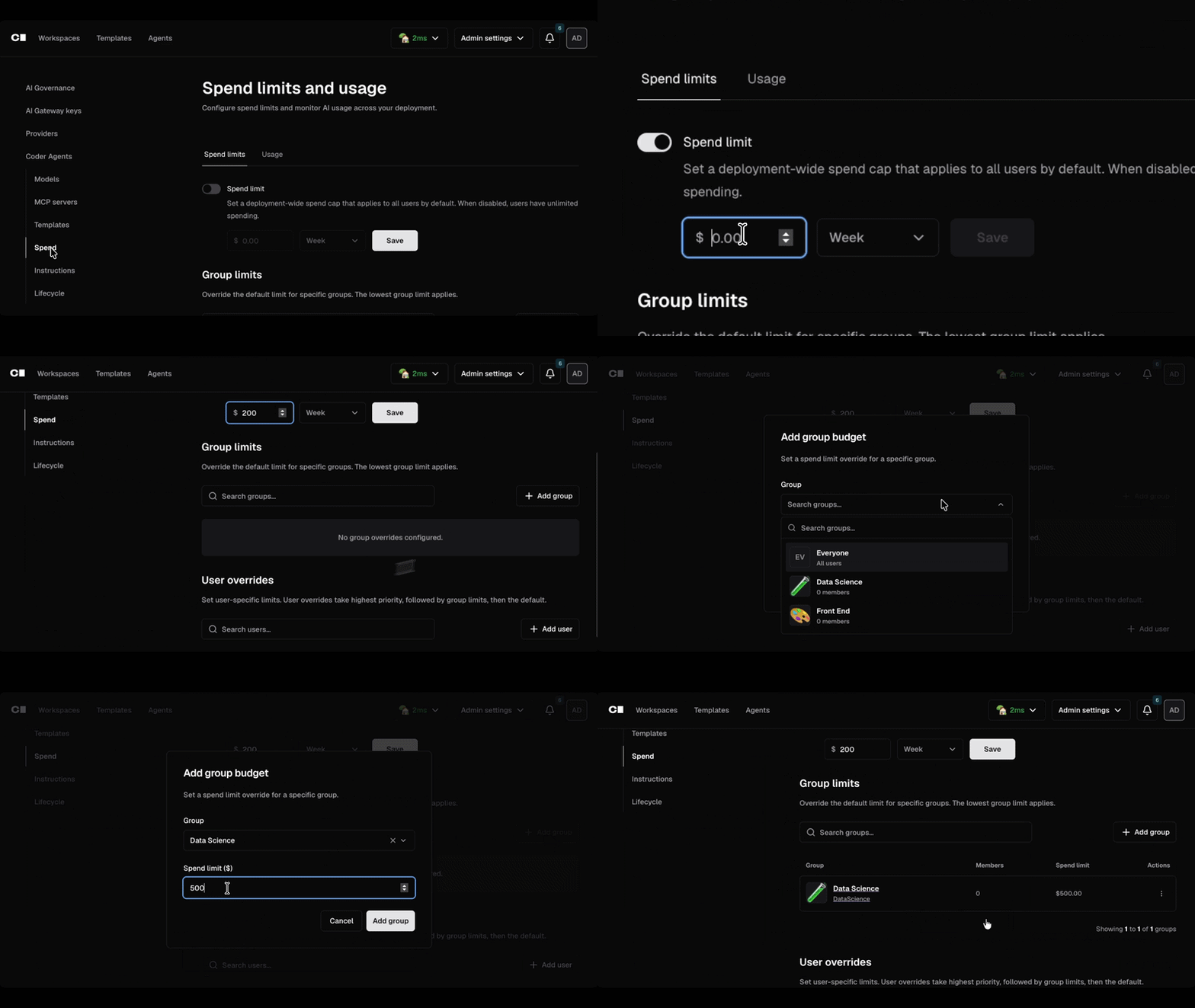
AI Governance now includes Cost Controls, giving platform admins a way to monitor and manage AI spend with no changes required to developer workflows. Costs are calculated from a list-price table and enforced with under 10ms overhead. Cost Controls will eventually replace Coder Agents' existing cost controls.
- Spend visibility: See token usage and approximate USD cost broken down by user, group, and model from the admin UI.
- Budget enforcement: Set group-level default spend caps with optional per-user overrides, plus automatic notifications at 90% and 100% thresholds.
- Reporting: Generate filtered spend reports and export as CSV or pull via API for finance and internal tooling.
See the full picture of agent activity with shared session IDs
AI Gateway and Agent Firewall now share a single session ID, so admins can search one identifier in their SIEM and see the complete chronological trail of LLM requests, tool calls, and network activity for any agent session, with Agent Firewall data now also visible on the Sessions page.
Example images updating to Ubuntu 26.04 (Resolute)
Our codercom/example-* images are moving from Ubuntu 24.04 (Noble) to 26.04 (Resolute). If you reference the latest or ubuntu tags without pinning to a specific version, your workspaces will automatically pick up the new Ubuntu 26.04 base. To keep using 24.04, switch to the ubuntu-noble tag.
Rebuilt SCIM 2.0 support for reliable user provisioning
Our new SCIM implementation brings full 2.0 support, so admins can provision and manage users through their identity provider as expected. Set CODER_SCIM_USE_LEGACY=false to enable the new behavior. See the docs for setup details.
Breaking Changes
- #26851:
login_type=none, a legacy passwordless machine user, is deprecated in favor of premium service accounts. Existing accounts auto-convert to password login on first startup after upgrade. Update any automation that creates users this way to use service accounts instead. Note that after upgrading to 2.36, rolling back to 2.35 will not restore the priorlogin_type=noneaccounts from ordinary password accounts. - #27316: Dynamic client registrations are now disabled by default. New OAuth2 client registrations (RFC 7591) are blocked unless explicitly re-enabled via the new
oauth2_dcr_enabledsetting (API or UI). Only new registrations are affected. If you rely on DCR, enable it after upgrading. - #26877: The
chat_model_configs.providercolumn has been removed. Provider type now comes from thelinked ai_providersrow (ai_provider_id) instead of a standaloneproviderfield. If you have custom queries or SDK integrations readingproviderdirectly, update them to resolve viaai_provider_id. Telemetry/BigQuery/Nexus dashboards are unaffected.
View the full changelog on GitHub. If you have questions or feedback, join the conversation on Discord or email us directly!