The first message someone gets in a community can make or break whether they stick around. At Coder, we’re a community-centric company, which means those early interactions are not just nice to have. They are foundational to how we operate. When someone joins our Discord and introduces themselves in #intros, that moment matters. It’s where they decide if this space actually values them or if they’re just another username scrolling by.
As the community grew, that moment started to slip.
The #intros channel was moving faster than I could keep up with. New people were joining every day, sharing who they are, what they’re building, and why they’re here. I wanted to give everyone a thoughtful welcome, but my response time kept slipping due to travel, shifting event priorities, last-minute projects, and the general chaos of startup life. Some people got a quick “hey, welcome in, what are you building?” if I happened to be online. Others waited hours. None of that reflected how much we actually value the people who choose to spend time in our community.
At the same time, I didn’t want a bot firing off generic replies on my behalf. I still wanted to be part of the welcome. I just didn’t want to be glued to one channel all day.
So I kept coming back to the same idea.
What if something else watched the channel for me and drafted the replies?
That was the moment I realized I didn’t just need automation. I needed an agent I could trust, control, and stay involved with.
I could still be the human touch at the end, but I wouldn’t be tied to Discord. I wanted an agent watching that channel around the clock, drafting responses based on what people actually wrote, then sending them to me in Slack so I could approve or edit before anything was posted.
That idea turned into a real project. I’d built a small to-do app with Blink before, so I knew this wasn’t impossible. The difference this time was that the stakes were real. This wasn’t a weekend experiment. This was me trying to solve a daily problem that directly affected whether new members felt welcomed or overlooked.
How I built the first version of my AI Discord agent using Blink
I started the same way I did last time. I opened Blink, an AI coding agent built by Coder that lets you build real software by describing what you want in plain language, and said something like, “Help me build a Discord bot that welcomes new members.”
Blink walked me through it step by step. File by file. Package by package. Slack setup. Discord setup. GitHub repo creation. It felt less like coding and more like having a developer sitting next to me saying, “type this, here’s why, now try this.”
Before long, I had the whole thing running on my laptop.
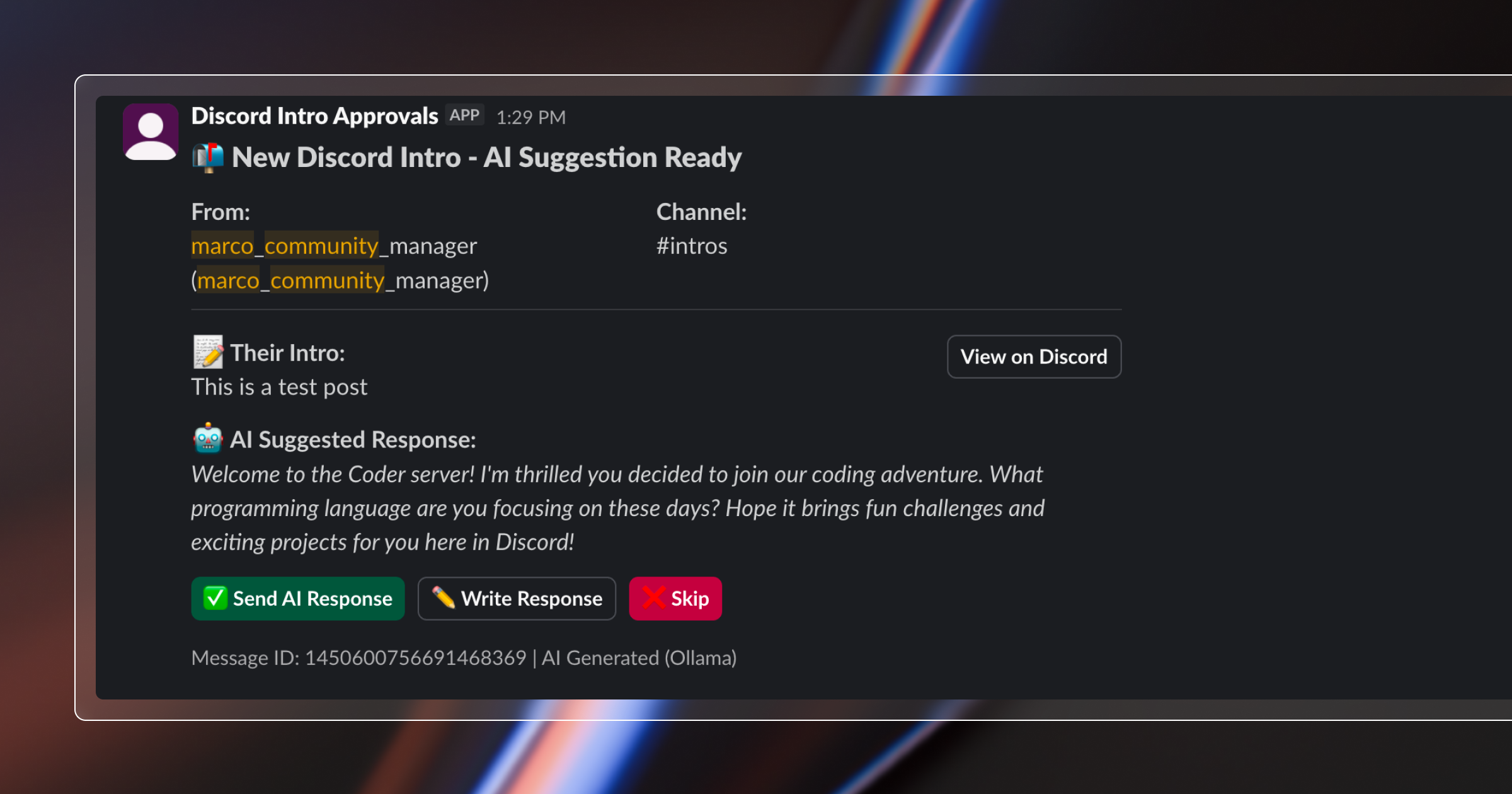
The workflow was smooth. Someone posts an intro in Discord, I get a Slack message with a suggested reply, I tap approve, edit, or skip, and it posts to Discord as a thread. Seeing it actually work felt pretty incredible.
But there was a catch.
If I closed my laptop, the bot stopped.
If I lost WiFi, the bot stopped.
If I walked away from my desk, the bot stopped.
So technically it worked, but it didn’t solve the underlying consistency problem at all.
Using Ollama to generate AI responses locally for the Discord bot
One early surprise was the AI itself. I assumed I’d need an external API for responses, but Blink suggested running a model locally using Ollama. Ollama is a local AI runtime that lets you run language models on your own machine instead of sending data to an external service.
I installed it, pulled the phi3.5 model, and suddenly the bot was generating responses with no API keys and no data leaving my environment. I looked at a few different options along the way, Llama, Phi, Mistral, but landed on phi3.5 after reading a mix of articles, Google searches, and community feedback that pointed to it being solid for conversational tasks with a reasonable model size.
That choice ended up being exactly what I hoped for. Fast local AI without calling a third-party server. It ran quickly, it was private, and it made it very clear how far open source models have come for real work.
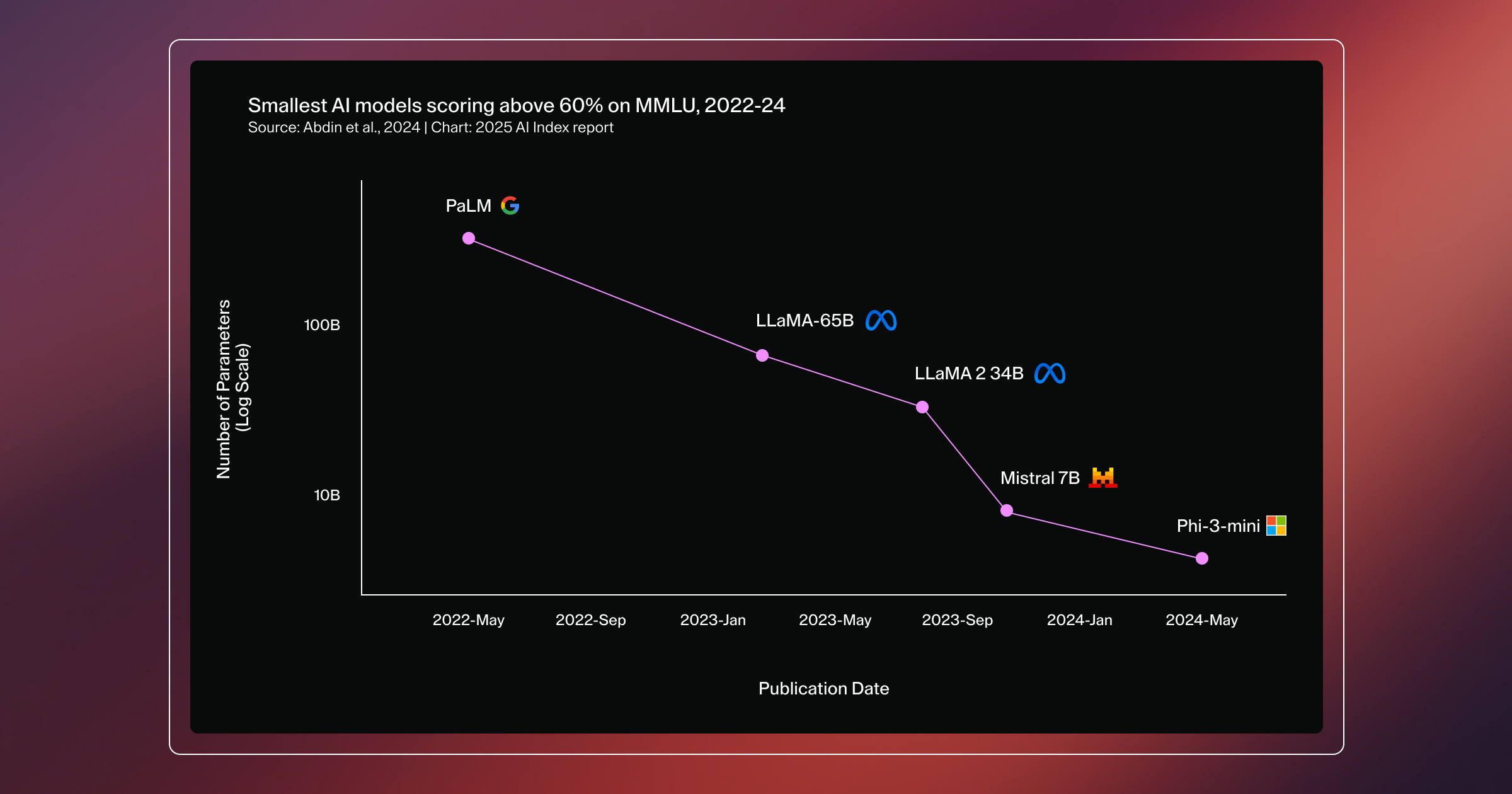
Small models have quickly caught up in performance and usability. According to research from The Stanford Institute for Human-Centered AI (HAI), Microsoft’s Phi-3-mini, with just 3.8 billion parameters, reached the same level of performance with another local, small model that was 142 times its size. That kind of progress is what makes fast, private, on-device AI a practical solution, not just theoretically possible.
But the same problem came back.
If the laptop sleeps, everything sleeps.
I needed somewhere the agent could live permanently.
Deploying the AI Discord agent to a Coder Cloud Workspace (and what broke along the way)
I’d talked about Coder for years at events and meetups, but this was the first time I actually needed it like a normal user. I wasn’t looking for something to magically host my app for me. I needed a real cloud environment where my now production-ready agent could live outside my laptop while I figured out what it actually takes to keep something running continuously.
Coder gives you cloud development workspaces that stay accessible whether your laptop is open, closed, or nowhere nearby. That made it a natural next step for moving this agent out of my local environment and into the cloud, without pretending I’d suddenly solved production infrastructure.
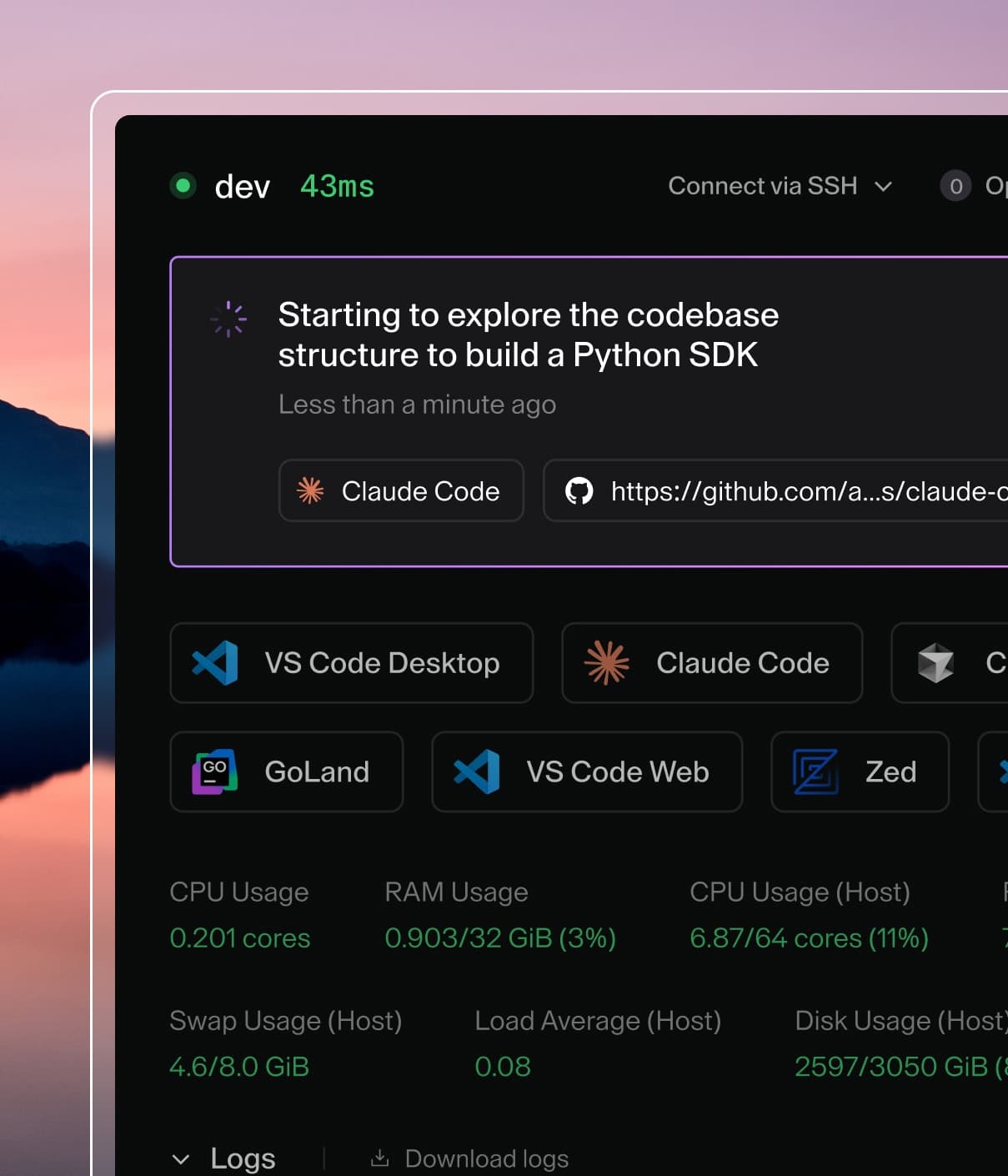
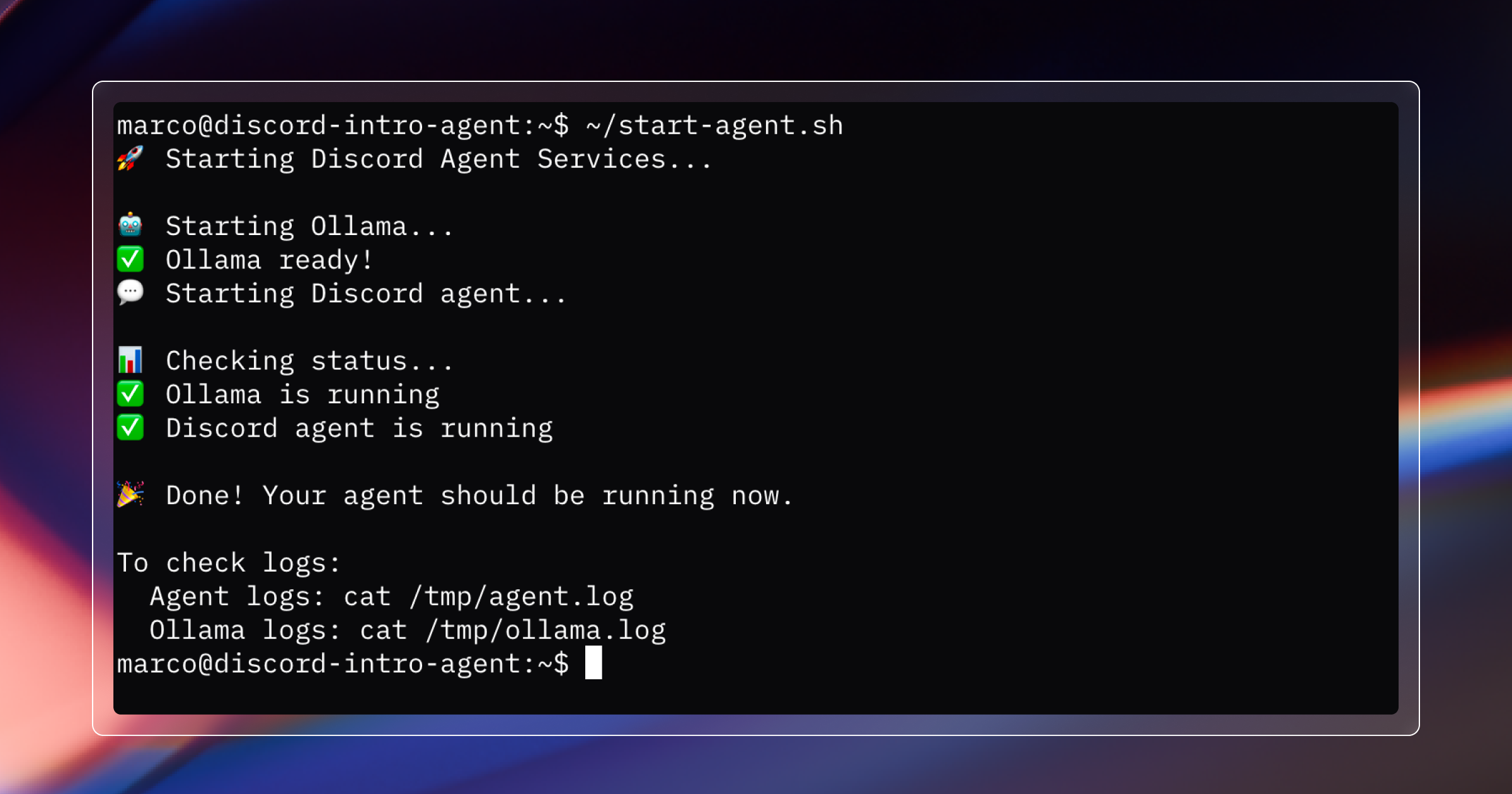
I logged into Coder, spun up a workspace, installed Node and Ollama, pulled the repo, configured the Discord and Slack credentials, and started the agent with Blink guiding me through the process.
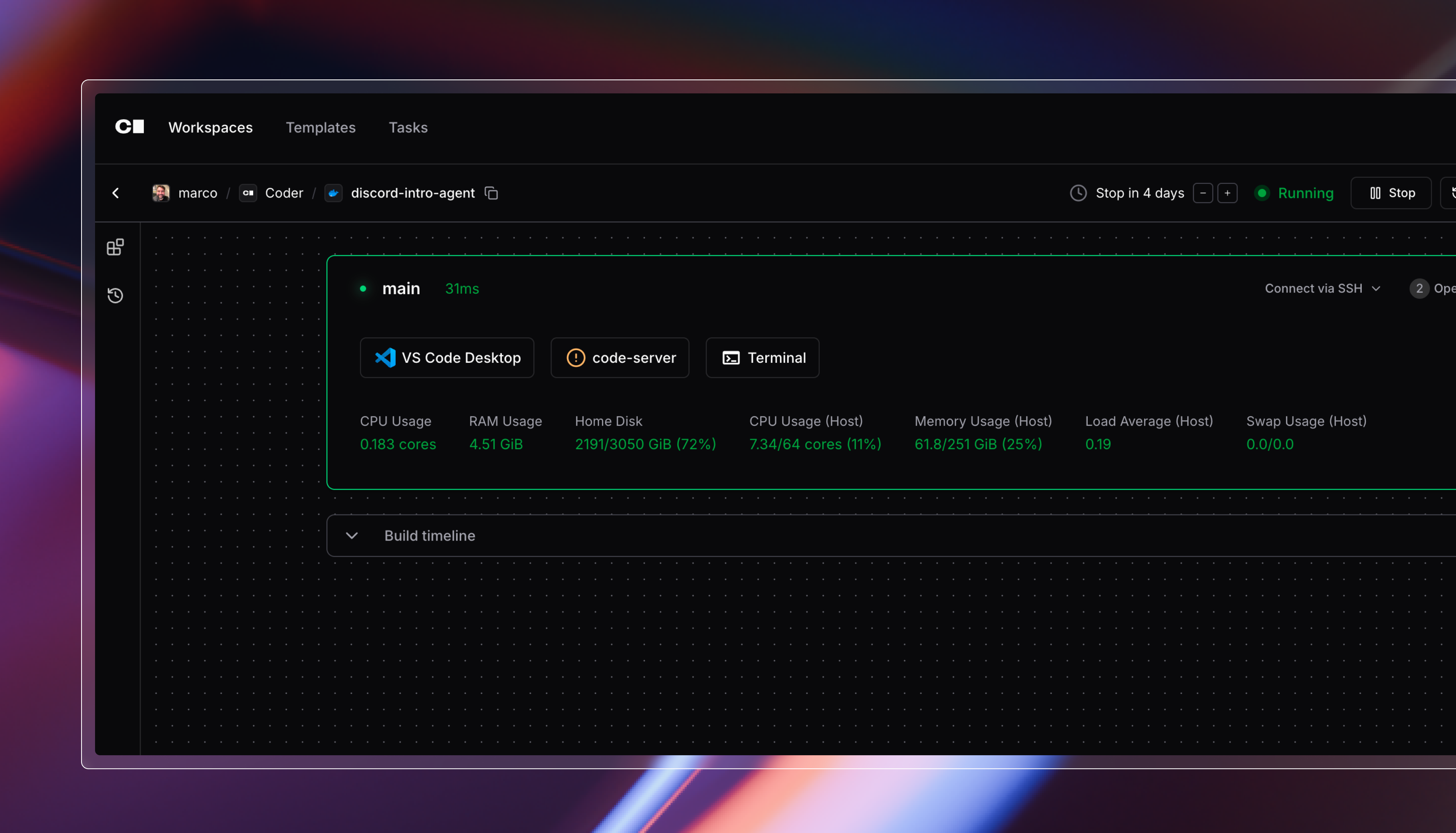
Everything connected immediately. Discord. Slack. Ollama. Logs streaming. And most importantly, the agent kept running even when I closed my laptop and walked away, at least long enough to prove this could live outside my local machine.
Coder didn’t make the agent production-hosted for me, but it gave me a persistent cloud environment where I could start learning what “always on” actually means.
That’s when it clicked.
Building something locally is one thing.
Keeping it running continuously is a completely different skill.
The development part was fairly straightforward. The operational part got messy fast.
A few days later, Slack notifications were still coming in, but the AI suggestions were gone. Ollama was throwing connection errors. The workspace had restarted, and Ollama never came back up. I’m still not totally sure why the restart happened in the first place. This wasn’t a Coder issue. It was my lack of understanding how to structure the environment and how long I actually wanted it to stay alive.
That single hiccup taught me more about infrastructure than the entire initial build. I learned how to check background processes, inspect logs, restart services, and why startup sequencing matters. I also learned that if you try to automate a startup script before everything is installed, you can brick your entire workspace. I did exactly that. Blink and I had to rebuild the whole thing. Vibe coding will humble you.
Looking back, I probably should have used a proper system service or something similar. But learning through breakage forced me to understand what was actually happening under the hood. There’s something about watching your own environment fail that makes you actually read the documentation instead of skimming it.
Key lessons from running an AI-powered Discord agent in production
Once everything settled and had been running for a few weeks, I started noticing patterns that went beyond my Discord workflow.
The agent doesn’t replace me. I still review everything. But I’m not jumping into Discord every twenty minutes anymore. It handles the monitoring and drafting, and I handle the approval and personal touch. The human part stays human, which was the whole point.
The AI itself was the easy part. Keeping everything running reliably was where I spent most of my time. The model generates responses just fine. The real challenges are making sure Ollama starts correctly, Slack and Discord connections stay alive, and the system recovers when something inevitably fails. The bottleneck isn’t intelligence. It’s operations.
Running phi3.5 locally also means no API bills, which is nice, but the bigger thing is that intro messages aren’t leaving my infrastructure. I didn’t think I’d care about that much at first, but now it feels important. Privacy and cost control matter a lot more once you actually ship something real.
The wildest part is that I built this at all. I don’t have a CS degree or formal training. Blink wrote most of the code. Coder gave me somewhere reliable to run it. A year ago this would have felt completely out of reach. Now people without traditional dev backgrounds can build tools that genuinely help teams without waiting months for engineering resources.
And this pattern clearly extends beyond community work. Support teams, ops teams, developer relations, anyone dealing with high-volume communication could use something like this. The specifics would change, but the workflow wouldn’t. You’re not automating the decision. You’re automating the grunt work around the decision so humans can focus on what actually requires judgment.
Why AI agents will reshape community management and developer workflows
Blink made it possible to build the bot. Coder made it possible to run and iterate on it in the cloud. Ollama kept everything private and cost-effective. Together they created a pattern where people with ideas can solve real problems without getting stuck in a backlog somewhere.
I think that’s where AI is quietly heading. Not massive automation projects or polished demos that break in production. Real agents solving real, repetitive problems that make everyday work easier and more consistent.
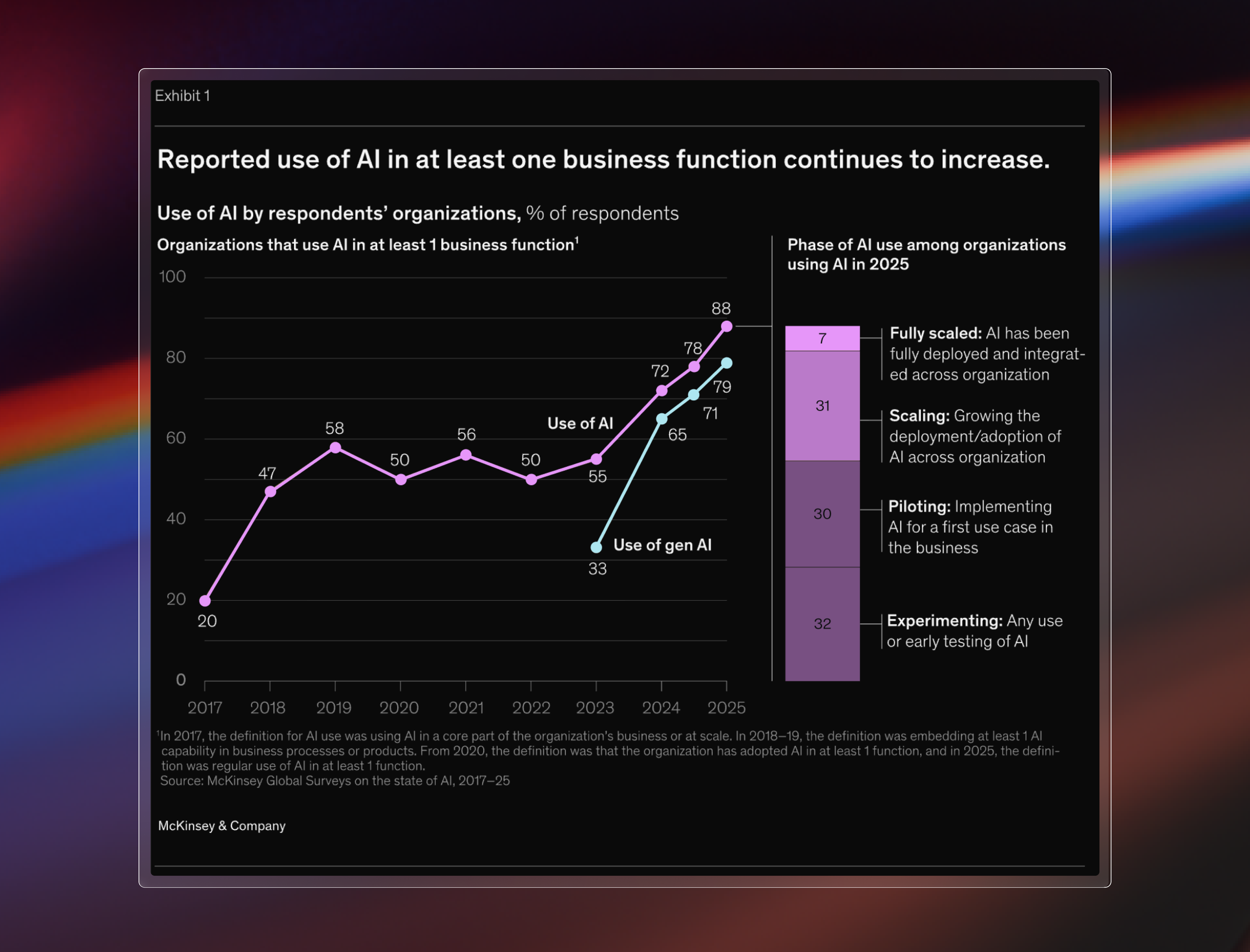
That shift is already showing up in how teams are actually using AI. According to a recent McKinsey survey, 88% of organizations report using AI in at least one business function, but most of those deployments are focused on narrow, task-specific use cases rather than large-scale automation. The value is coming from practical agents that improve everyday workflows, not from replacing entire functions.
If you work with communities, you already know consistency and connection matter. AI can’t replace that, but it can support it. It gives you time back. It filters noise. It helps you scale the moments that actually make people feel welcome.
Looking back, the whole project took about a week of real work, most of it spent learning how to keep things running reliably. What surprised me wasn’t how hard the AI part was, but how much there is to learn once something needs to live outside your laptop.
If you’re dealing with similar scaling problems, I hope this helps. And if you end up building something similar, let me know what you learn in our Discord community. I’m always curious what other people automate when no one is watching.
If you want the full backstory on how I got started with this approach, I wrote about my first vibe coding project here:
**Vibe Coding My First App with Blink (No CS Degree Needed)**