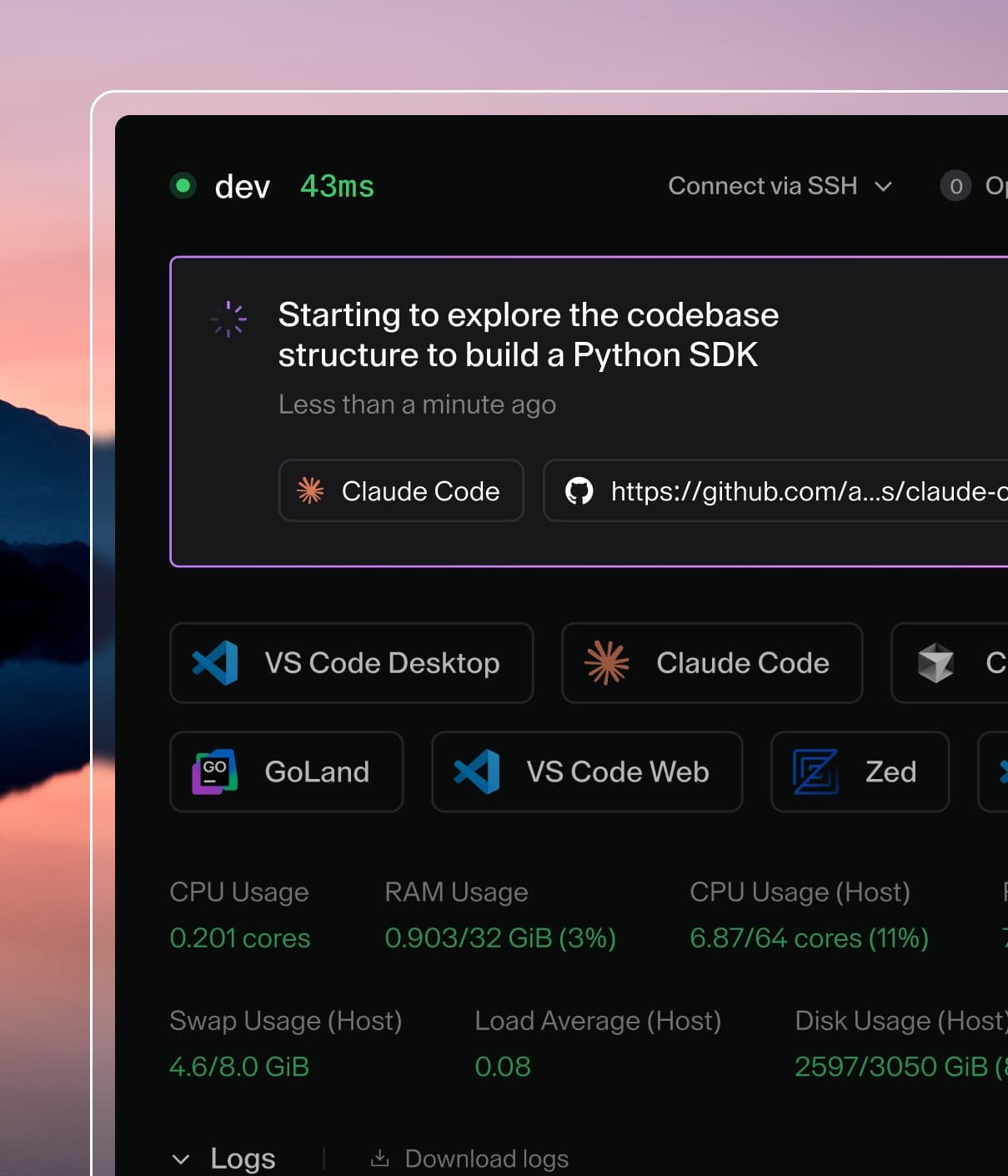
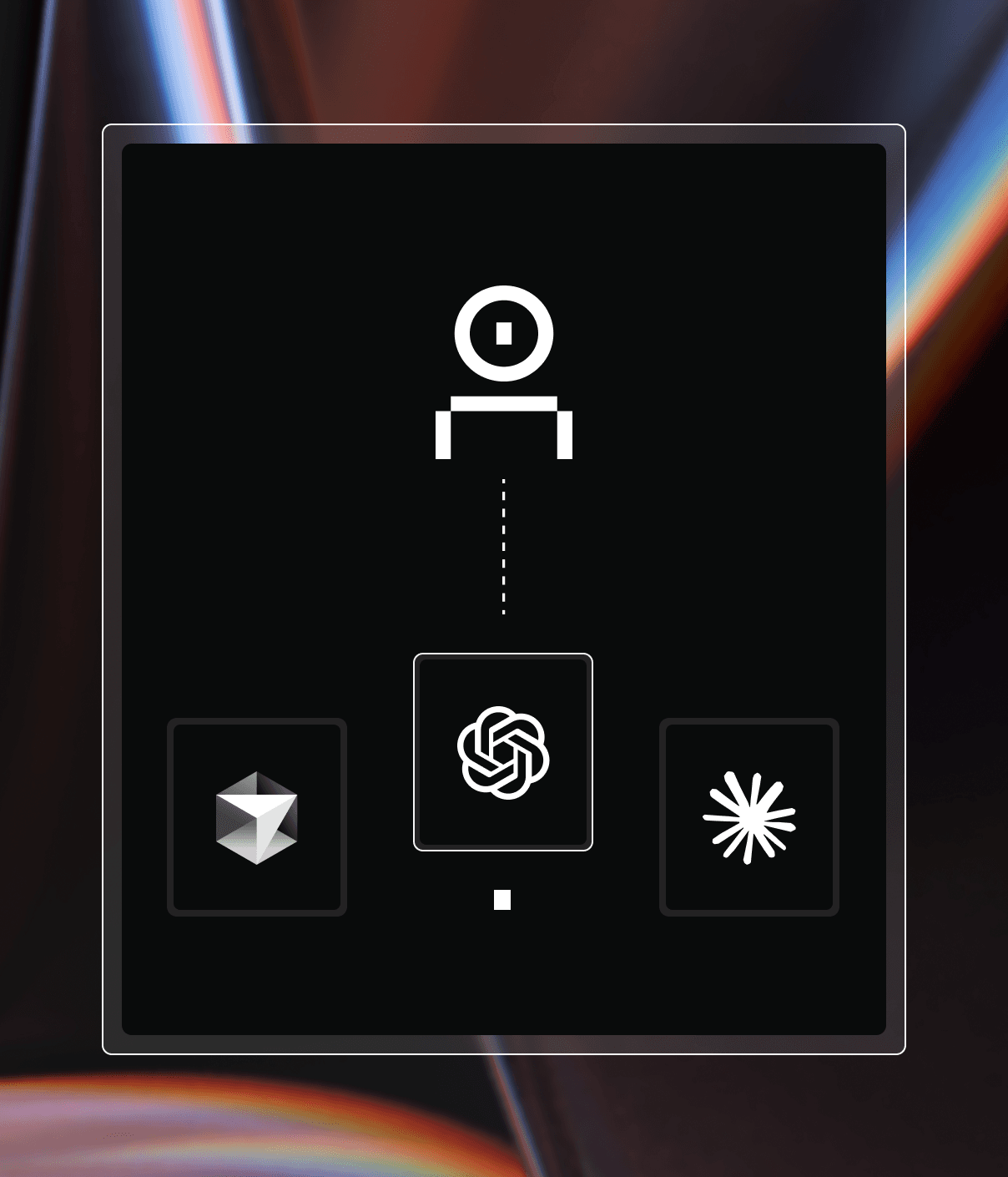
Claude Code is great, but we've found that running it on local laptops and desktops introduces challenges for the enterprise. From a security perspective, the agent can access your local files and assume your identity. This poses a risk of the agent taking actions on your behalf, deleting important files, reading your passwords, or exposing data and services to the public internet.
For non-technical users who often benefit the most from Claude Code (product managers, QA engineers, data scientists), this risk is even higher. These folks are not familiar with best practices around zero-trust and sandboxing and tend to offload more risky work to agents.
The user experience of running Claude Code locally isn’t great either. Managing multiple Claude Code sessions and worktrees is still a power-user flow and agents are often blocked waiting for approval from users to run tools, when the agent’s productivity could be much higher if all tools were automatically approved. While --dangerously-skip-permissions is a workaround, the risks of this are obvious and should never be run on local machines with sensitive intellectual property, internet access, user permissions, and the ability to externally communicate. This is coined the lethal trifecta by AI researchers, which we’ve written about extensively here at Coder.
Because of these security and productivity hurdles, we see many examples where IT and InfoSec teams block the use of agents like Claude Code on the desktop. When approved, adoption is limited to specific cohorts of software engineers and product managers who are able to manage the complexity, productivity, and security risks associated with running Claude Code locally.
Enter Coder
Coder runs developer environments on remote infrastructure managed by your enterprise platform teams. Instead of coding on local laptops, developers connect to their Coder instance running on their cloud or datacenter. This means that developers do not need to locally install any tools (including Claude Code) and the environment itself is secured and follows the enterprise's best practices for package management, network security, and configuration management.
What this means for your IT posture is that Claude Code instances are centrally managed with proper configuration, authentication, and firewall controls in place. Users are not manually handling API keys or configuring integrations with other services, tools, sandboxes, or MCP servers.
Users can self-serve environments that are pre-configured and pre-hardened for Claude Code, and can just as easily create a second or third environment to run many agents in parallel, all without having to manually approve tools or set up their own sandboxing and worktree workflows; capabilities that are otherwise only accessible to advanced power users.
Reference architecture
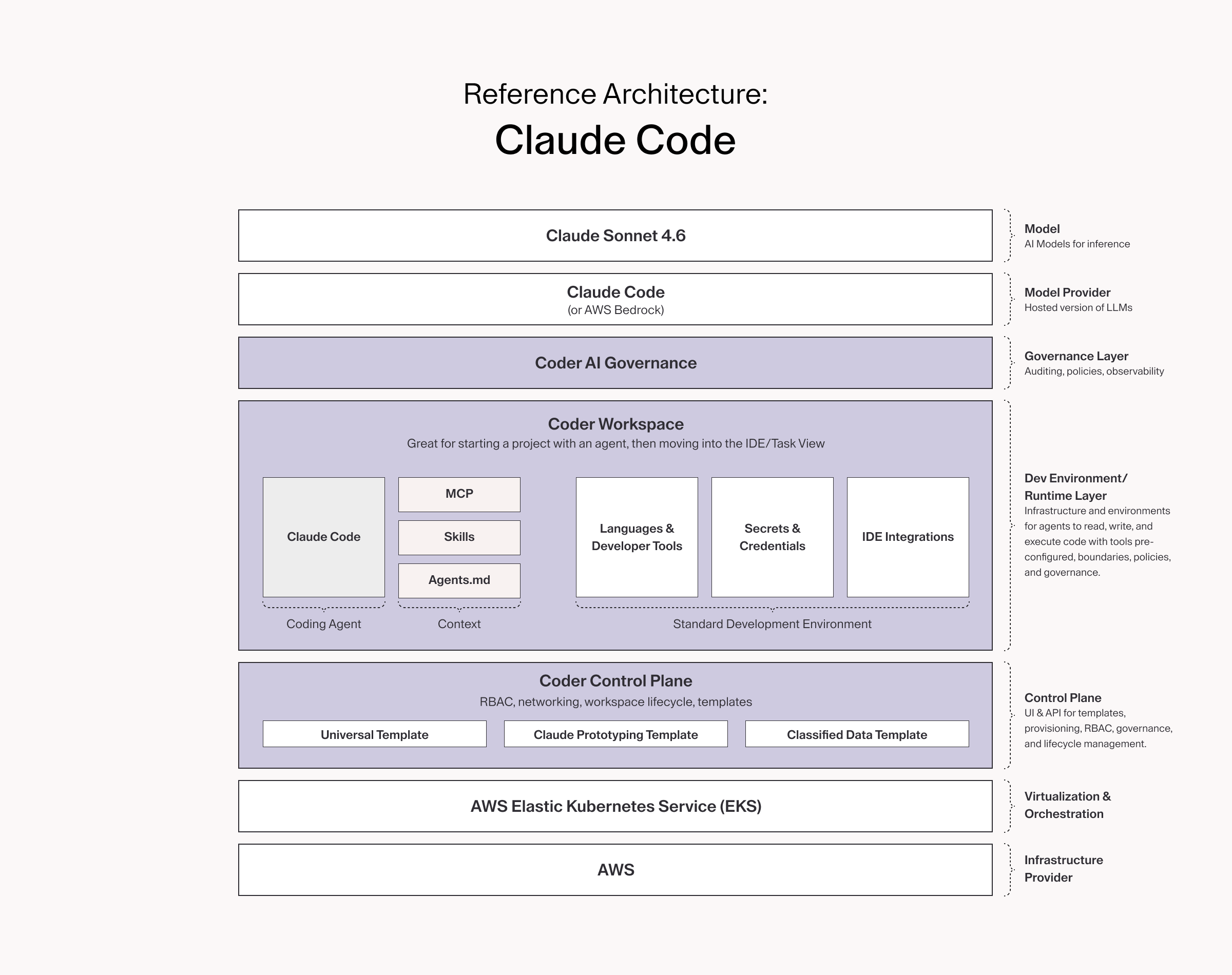
Coder can be deployed in a number of different ways, however one of the most common deployment pattern we see from our customers is with Claude Code.
Infrastructure
Coder is self-hosted and can run on any cloud provider or on-premise datacenter. However, our recommended and most widely used stack is AWS with EKS (Elastic Kubernetes Service). By using Kubernetes, an organization can elastically scale to support thousands of workspaces for humans and agents.
With AWS, customers can run workspaces and the control plane on their own VPC, isolating ingress and egress from untrusted sources and connect to other internal services hosted on AWS such as CI/CD platforms, source control systems, and LLM inference with AWS Bedrock.
For organizations that do not use AWS with EKS, we have a healthy number (estimated 40%) of customers with different deployment paradigms such as Azure, VMware, EC2, OpenShift, etc. Coder can also run multi-cloud. AWS along with EKS is simply the most widely used infrastructure for the control plane and workspaces.
See our guides for installing Coder on Kubernetes
Scalability, database backups, and configuration management
The Coder Control Plane (coderd) manages provisioning resources, networking, and even includes a bundled database. It is configured via environment variables, making IaC and versioned upgrades very easy with Terraform, GitOps, and Helm.
As organizations scale their deployments, there is often a desire to break out from a monolithic architecture to scalable components in order to support multiple regions, improved performance for workspace provisioning, and managed services (e.g., RDS) for the database and backups instead of an in-app-bundled database. Regulated environments may also wish to run Coder entirely air-gapped and manage all of Coder’s configuration with the coderd Terraform Provider to avoid ClickOps entirely. Additionally, Coder can be run in high availability with multiple replicas in order to support larger scales.
See Coder’s Validated Architectures for reference architectures on how to run Coder at various scales, up to 10,000 users.
Coder Templates
Templates are written by platform administrators and they inform the underlying infrastructure, dependencies, and tools for developer environments. Users pick a template from your curated list to get into a workspace.
It is most common for enterprises to create a “golden template” for use with Coder. This template contains the most commonly used programming languages (e.g., Java, Python), utilities (e.g., git, jq), and AI tooling (e.g., Claude Code). This template is meant to serve the main population of users: a developer looking to make a quick change, a product manager prototyping a new application.
For organizations with different technology stacks (or for those who want to lock down environments specific to AI), separate templates can be used that grant specific groups access to different sets of infrastructure and tooling. For example a “Claude Code” template could be used for those unfamiliar with other tools but just need to use Claude Code for prototyping. This template can deploy infrastructure onto a hardened VPC with limited network access, but with the proper MCP tools and organizational context.
Templates often point to an image in an image registry and also consume modules from the Coder Registry to include common integrations.
See our guides for template management.
AI governance
Before users can begin running AI tooling (e.g., Claude Code) on workspaces, organizations must have a strong AI Governance posture, implemented via policy as code. This ensures that authentication is handled, only the proper models and providers are used, requests are properly labeled and logged, network requests are filtered, and cost controls are in place.
We recently detailed the risks that emerge when AI adoption outpaces governance. The pattern is consistent: teams adopt AI coding agents organically, and the resulting inconsistency in tool setups, untracked usage, and lack of standardized guardrails keeps developers from being their best while introducing potential security threats.
While there are a number of AI Gateways, agent security settings, and sandboxing approaches on the market, many of our Premium customers use Coder’s included AI Governance capabilities to cleanly manage everything from network sandboxing to identity management on the same platform, with clear audit trails throughout. From there, organizations integrate with their SIEM to ingest logs for proper storage and analysis.
Learn about AI Governance with Coder.
AI coding agents
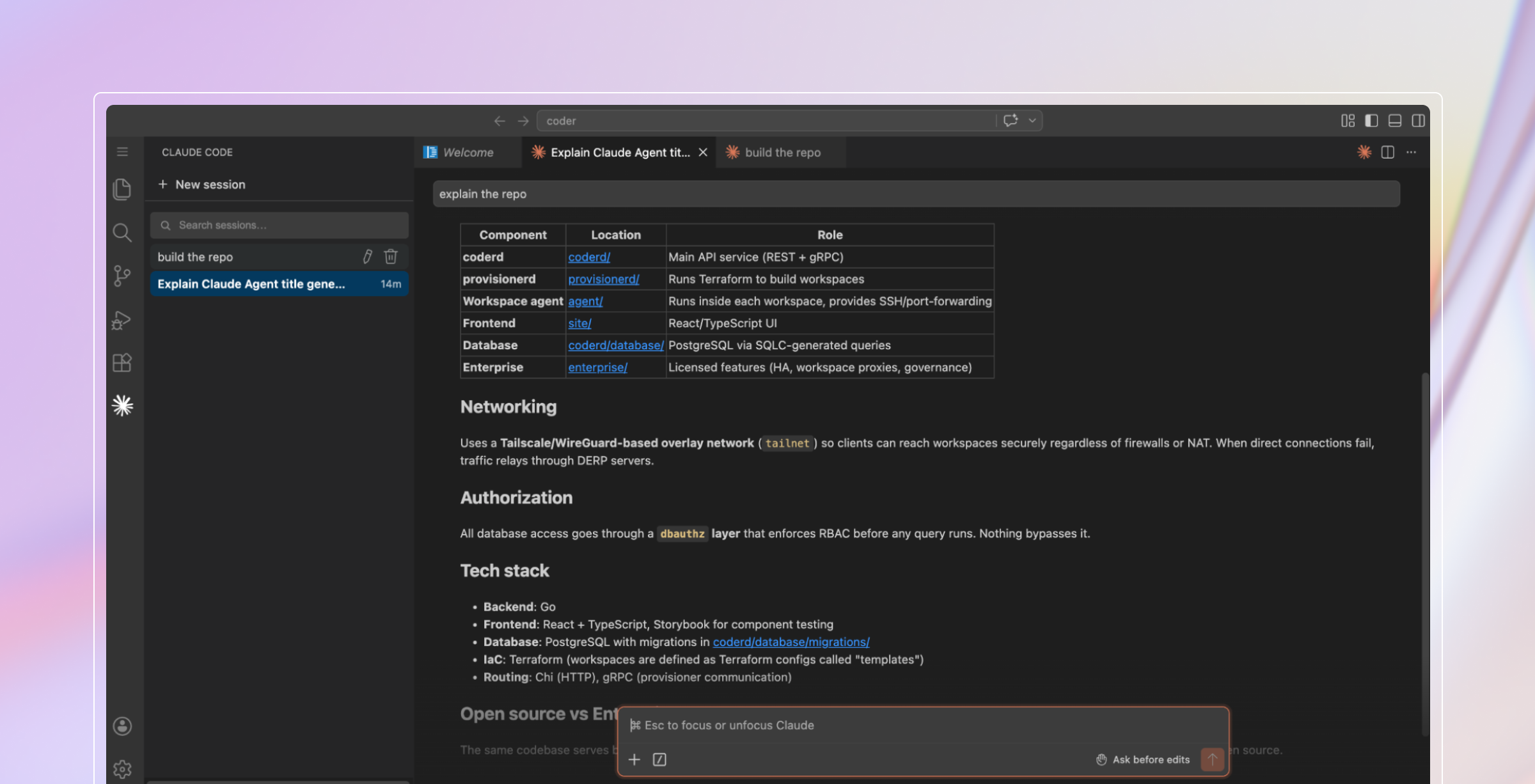
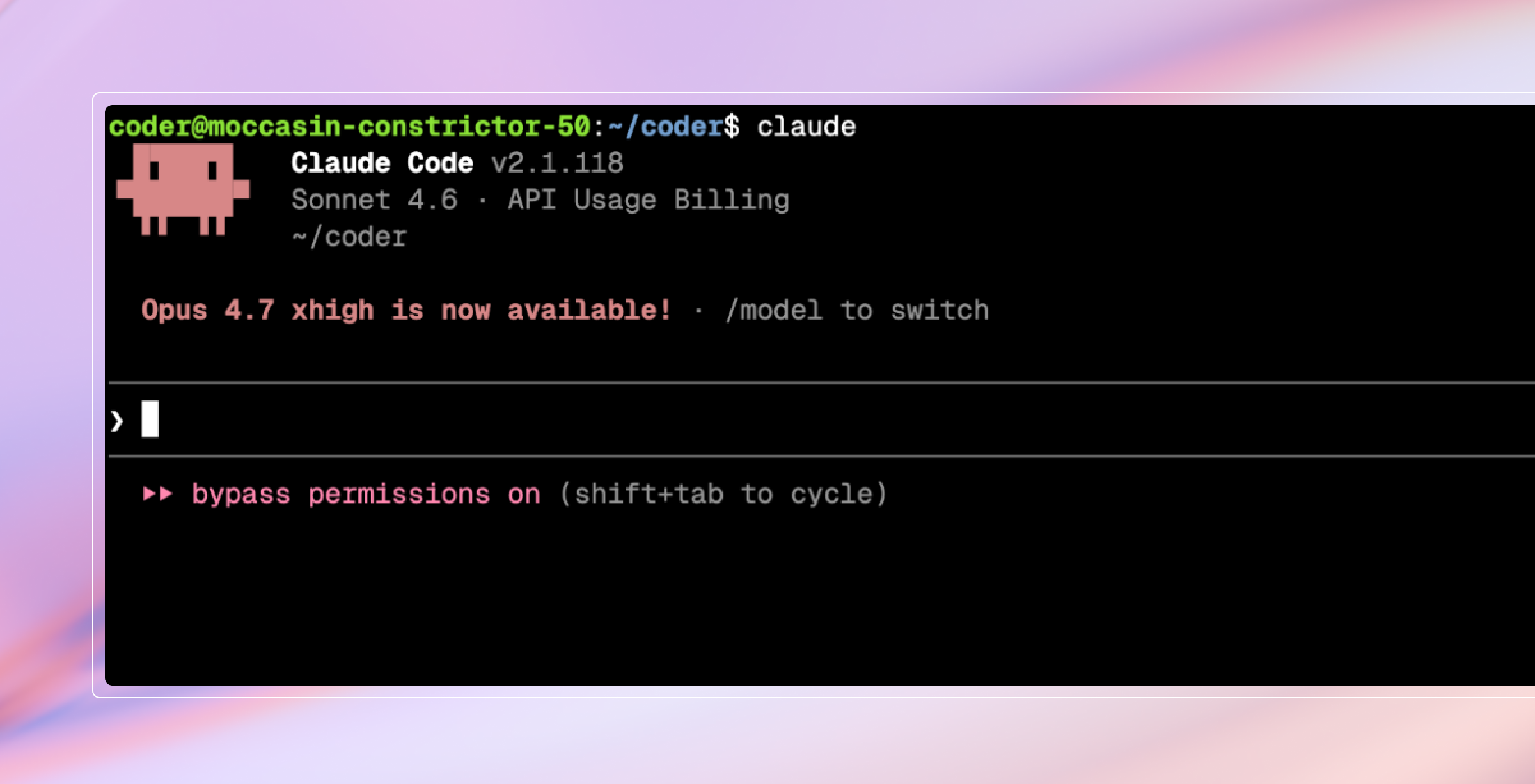
Claude Code is the most popular terminal-based agent used with Coder and can be installed to any template by admins using the Coder Registry. From there, developers can enter a terminal (or an IDE, using the Claude Code extensions) and begin using Claude Code without any manual authentication, MCP config, or skill installation required. The module, combined with AI Governance and an enterprise plugin/skills marketplace handles the installation and configuration of the agent. See how to configure Claude Code with Coder on the Coder Registry.
Any CLI/IDE-based agentic harness works with Coder and can be pre-installed into workspaces. Additionally, we’ve launched Coder Agents in beta to provide a native, centralized approach for automation, background pipelines, and parallelized development.
Client machines
Unlike with local development, client machines do not need to contain any source code, programming languages, or coding agents. Users can simply connect via the browser and use the web IDEs and terminal. Software engineers and power users can connect over SSH or our IDE plugins for JetBrains and plugins.
Learn about Coder’s supported IDEs.
How it works
Users (Developers, Product Managers, QA engineers) log into their enterprise’s Coder instance and provision virtual environments (Workspaces) that include Claude Code as well as all of the necessary context, dependencies, repositories, and languages required for development. Additionally, all of the necessary governance and security controls are managed centrally in the template and logged via AI Governance.
Creating a workspace
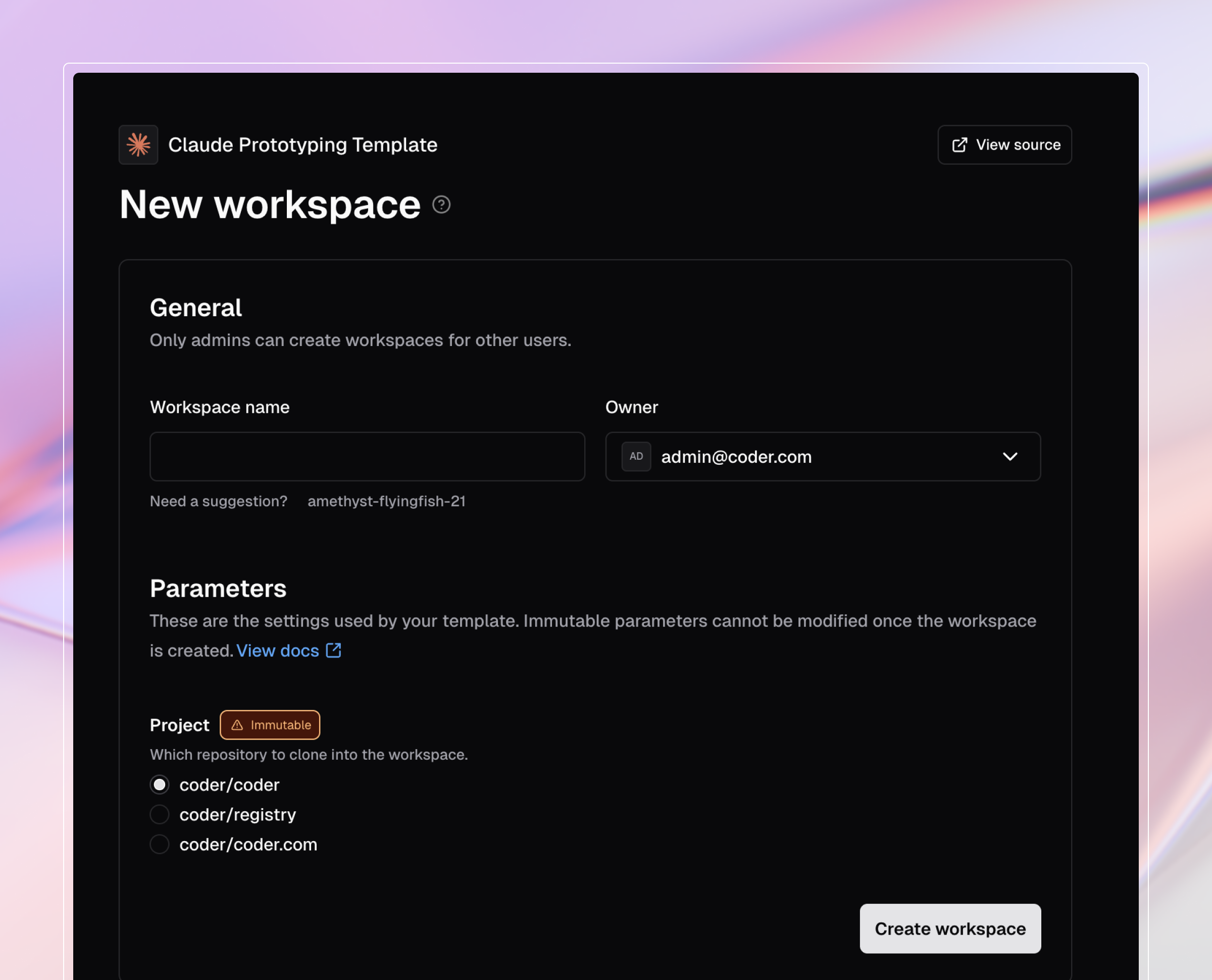
When creating a workspace, users are prompted with templates and parameters they can select in order to get the proper tooling for the project. These options are all configured by the Coder admins.
Connecting to Claude Code
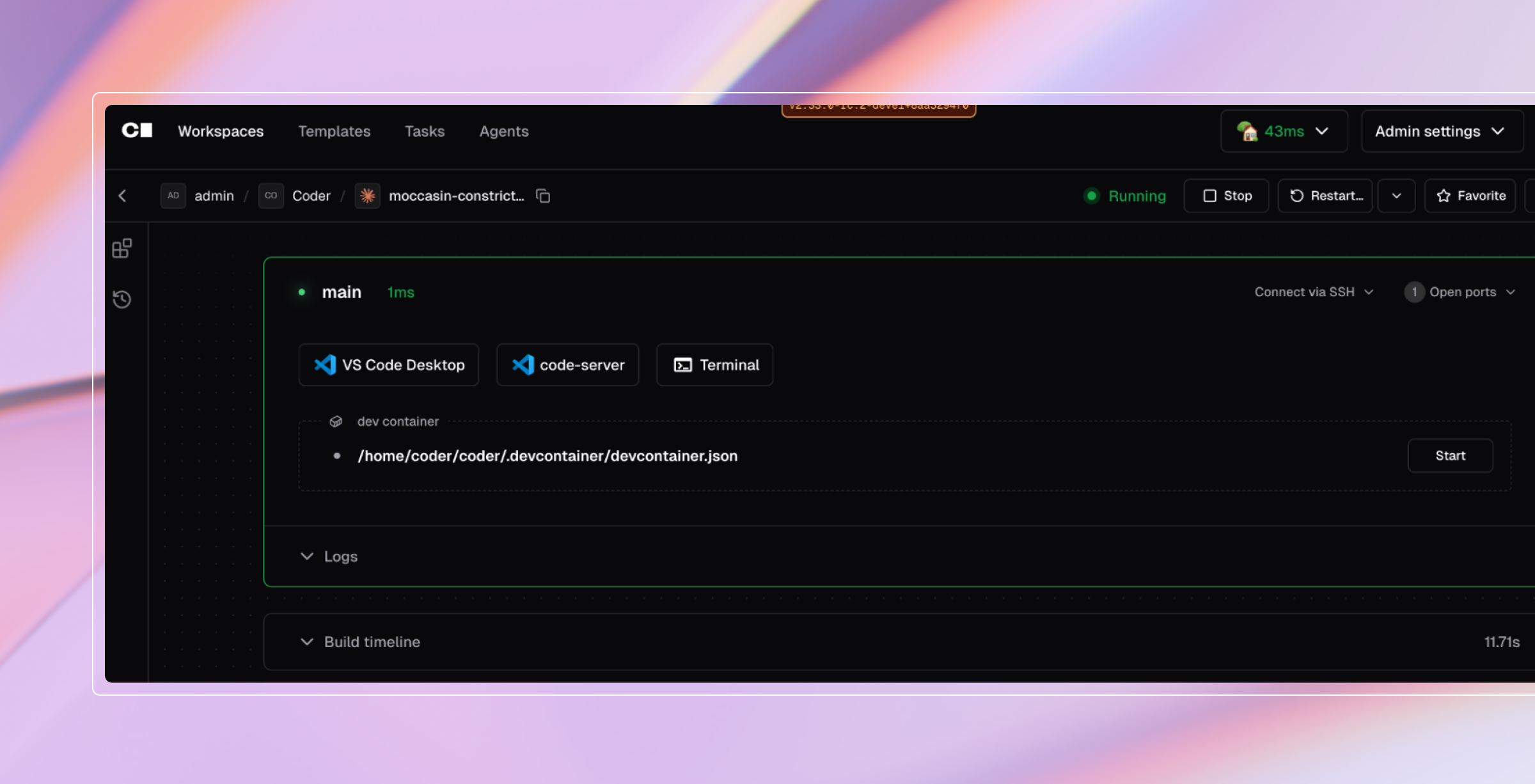
Users can decide whether they want to access Claude Code directly from the terminal or from an IDE like VS Code. Either way, Claude Code is pre-authenticated and configured with the necessary MCP servers and context:
Template configuration (for admins)
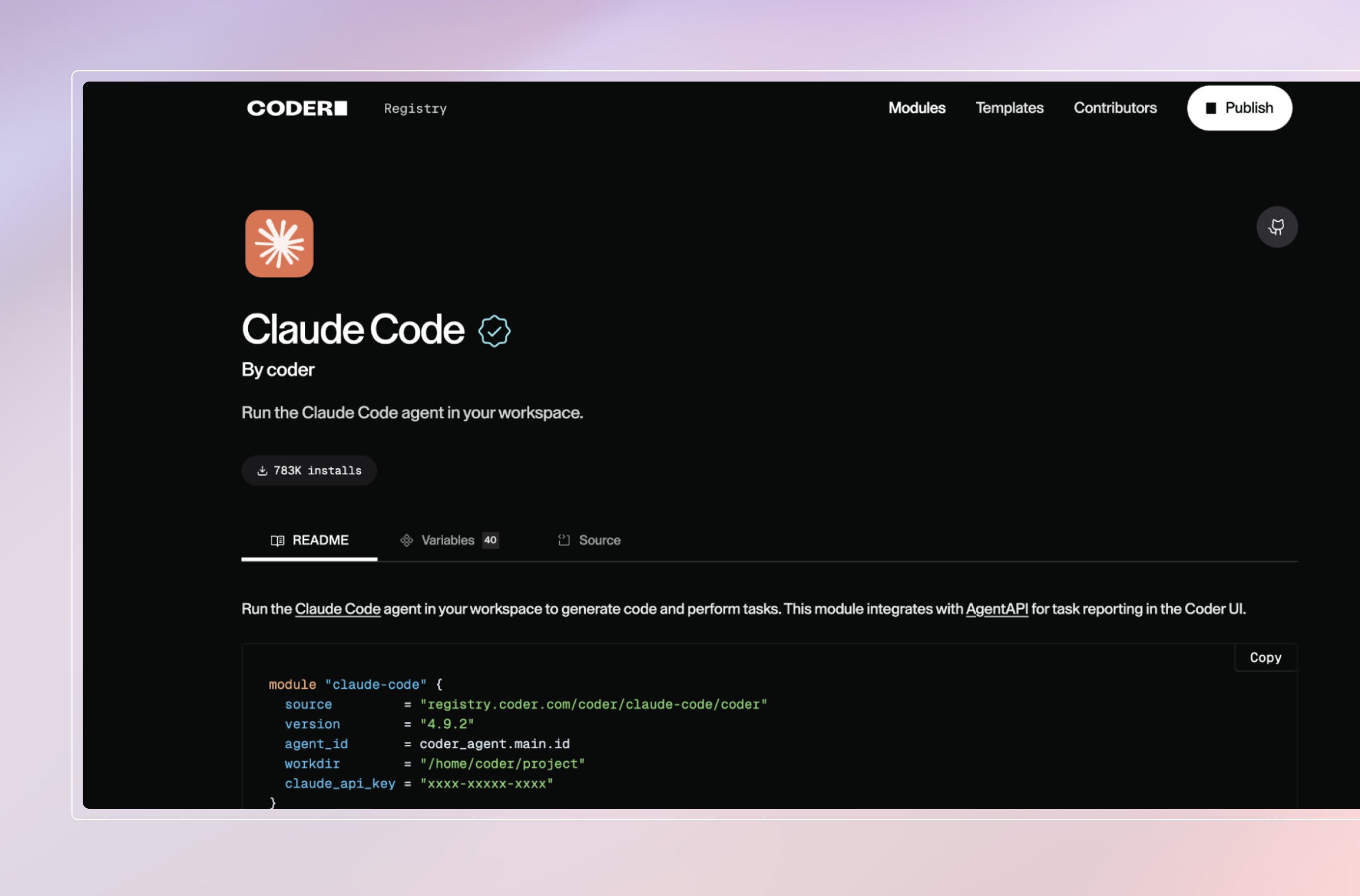
The Claude Code module can be imported into any template through our module in the Coder Registry. Enterprises can mirror this to their private source control instances or include the module directly in their templates.
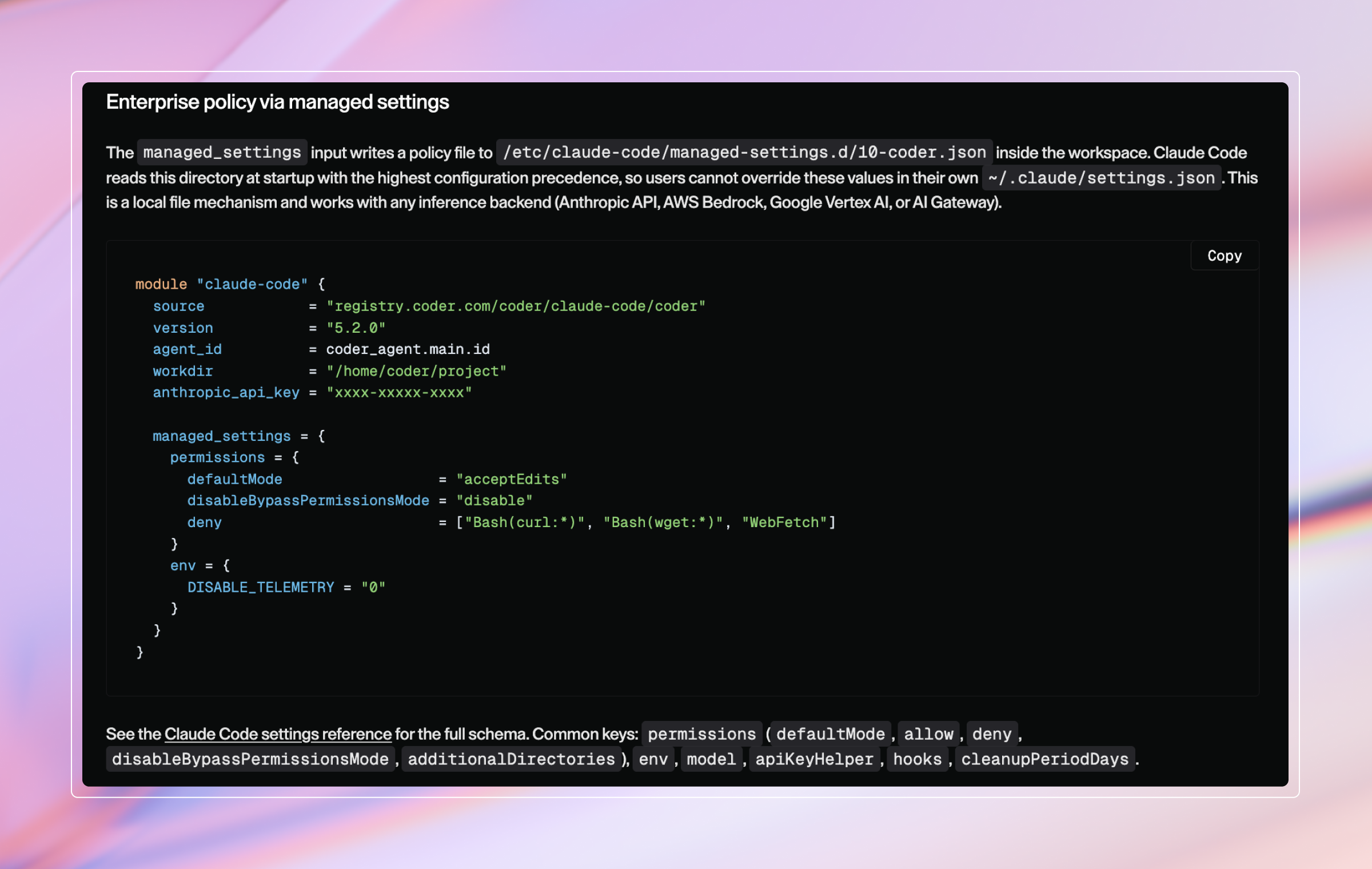
The module also lets admins ship Claude Code's managed settings policy as part of the template. Managed settings have the highest configuration precedence in Claude Code, so users cannot override them. This is the place to enforce tool permissions, session retention, environment variables, and audit hooks. The same policy applies regardless of which inference backend the workspace uses.
AI governance (for admins)
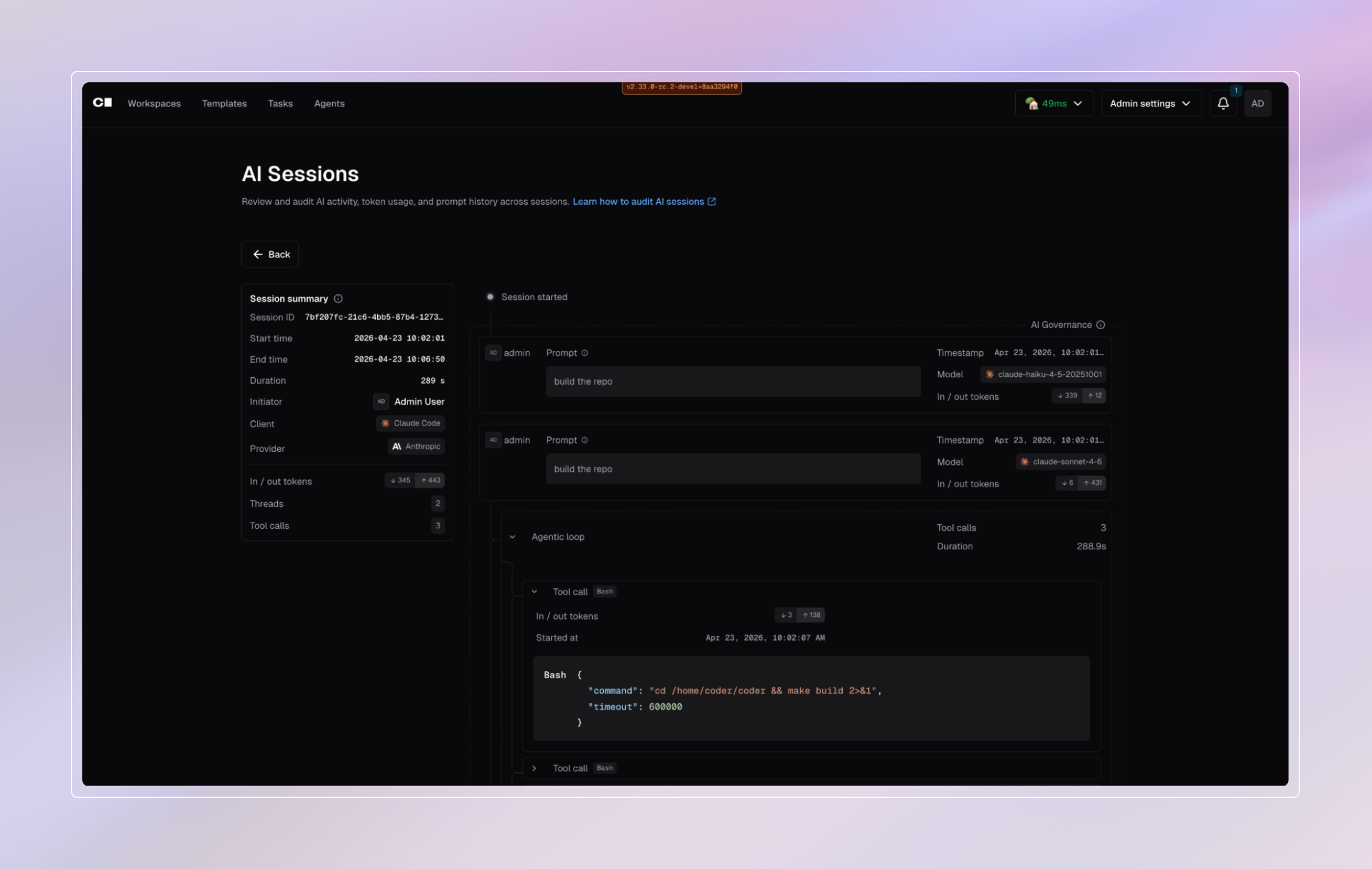
All Claude sessions are fully audited and can be viewed by administrators and auditors in the Coder Sessions UI. More importantly, these logs can be ingested via SIEM for proper storage and analysis.
Looking forward
The bigger shift goes beyond a single developer with a single agent. Because Coder workspaces are quick to spin up and pre-hardened, the same template that gives one developer a Claude Code environment lets a team run many Claude agents in parallel (reviewing pull requests, syncing documentation, chipping away at modernization backlogs), each in its own isolated workspace with the same governance applied centrally. Running many autonomous agents stops being a power-user trick and will become a standard operating mode in every enterprise with Coder.
Get started
You can learn how to install Coder Community Edition (or a premium trial) and have Claude Code running in a governed workspace in minutes. For a deeper dive into how Coder fits your infrastructure, reach out to our technical sales team, email [email protected].