Coder powers secure, scalable development across key industries — automotive, finance, government, and technology — enabling faster builds, tighter compliance, and seamless AI adoption in enterprise-grade cloud environments.
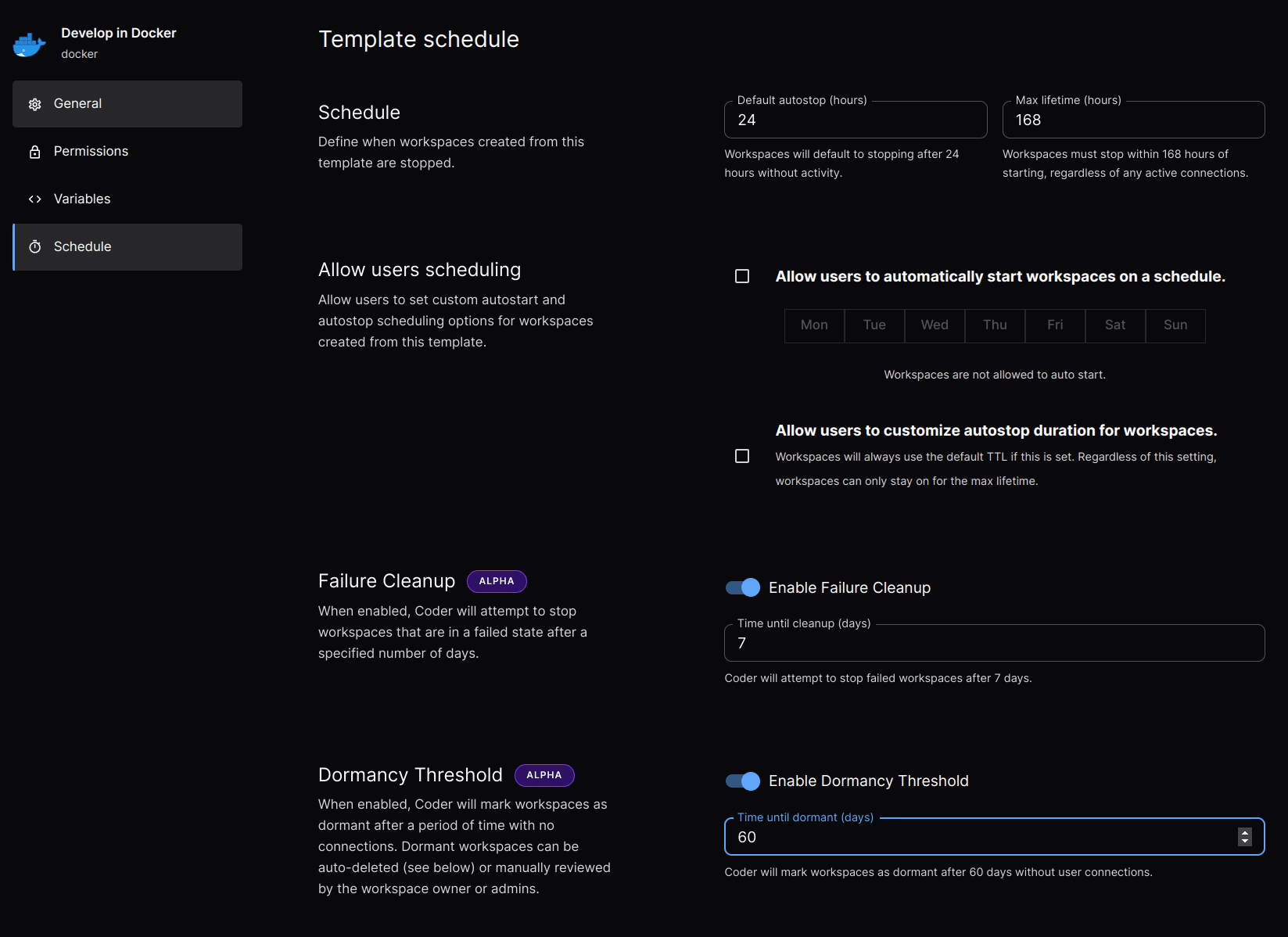
Default autostop: How long a
workspace runs without user activity before Coder automatically stops it.
Autostop requirement:
Enforce mandatory workspace restarts to apply template updates regardless of
user activity.
Activity bump: The duration of inactivity that must pass before a worksace
is automatically stopped.
Dormancy: This allows automatic deletion of unused workspaces to reduce
spend on idle resources.
Allow users scheduling
For templates where a uniform autostop duration is not appropriate, admins may
allow users to define their own autostart and autostop schedules. Admins can
restrict the days of the week a workspace should automatically start to help
manage infrastructure costs.
Failure cleanup defines how long a workspace is permitted to remain in the
failed state prior to being automatically stopped. Failure cleanup is an
enterprise-only feature.
Dormancy Threshold defines how long Coder allows a workspace to remain inactive
before being moved into a dormant state. A workspace's inactivity is determined
by the time elapsed since a user last accessed the workspace. A workspace in the
dormant state is not eligible for autostart and must be manually activated by
the user before being accessible. Coder stops workspaces during their transition
to the dormant state if they are detected to be running. Dormancy Threshold is
an enterprise-only feature.
Dormancy Auto-Deletion allows a template admin to dictate how long a workspace
is permitted to remain dormant before it is automatically deleted. Dormancy
Auto-Deletion is an enterprise-only feature.