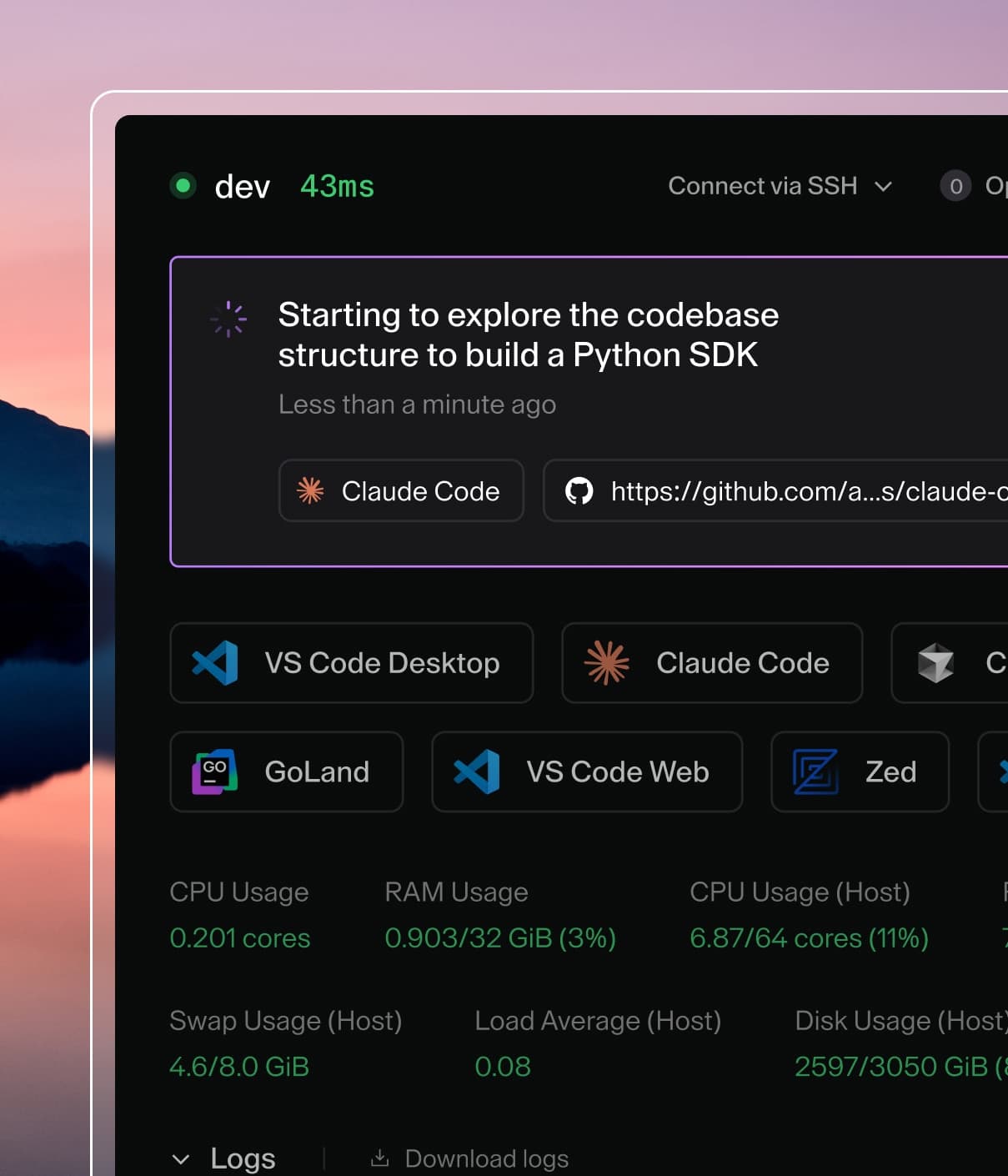
Coder powers secure, scalable development across key industries — automotive, finance, government, and technology — enabling faster builds, tighter compliance, and seamless AI adoption in enterprise-grade cloud environments.
AI Gateway runs inside the Coder control plane (coderd), requiring no separate compute to deploy or scale. Once enabled, coderd runs the aibridged in-memory and brokers traffic to your configured AI providers on behalf of authenticated users.
One or more providers API key(s) must be configured
Activation
You will need to enable AI Gateway explicitly:
export CODER_AIBRIDGE_ENABLED=true
coder server
# or
coder server --aibridge-enabled=true
Configure Providers
AI Gateway proxies requests to upstream LLM APIs. Configure at least one provider before exposing AI Gateway to end users.
Set the following when routing OpenAI-compatible traffic through AI Gateway:
CODER_AIBRIDGE_OPENAI_KEY or --aibridge-openai-key
CODER_AIBRIDGE_OPENAI_BASE_URL or --aibridge-openai-base-url
The default base URL (https://api.openai.com/v1/) works for the native OpenAI service. Point the base URL at your preferred OpenAI-compatible endpoint (for example, a hosted proxy or LiteLLM deployment) when needed.
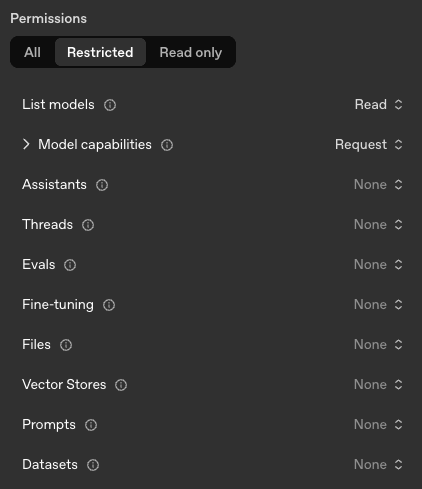
If you'd like to create an OpenAI key with minimal privileges, this is the minimum required set:
Note
See the Supported APIs section below for precise endpoint coverage and interception behavior.
Multiple instances of the same provider
You can configure multiple instances of the same provider type — for example, to
route different teams to separate API keys, use different base URLs per region, or
connect to both a direct API and a proxy simultaneously. Use indexed environment
variables following the pattern CODER_AIBRIDGE_PROVIDER_<N>_<KEY>:
# Anthropic routed through a corporate proxy
export CODER_AIBRIDGE_PROVIDER_0_TYPE=anthropic
export CODER_AIBRIDGE_PROVIDER_0_NAME=anthropic-corp
export CODER_AIBRIDGE_PROVIDER_0_KEY=sk-ant-corp-xxx
export CODER_AIBRIDGE_PROVIDER_0_BASE_URL=https://llm-proxy.internal.example.com/anthropic

# Anthropic direct (for teams that need direct access)
export CODER_AIBRIDGE_PROVIDER_1_TYPE=anthropic
export CODER_AIBRIDGE_PROVIDER_1_NAME=anthropic-direct
export CODER_AIBRIDGE_PROVIDER_1_KEY=sk-ant-direct-yyy

# Azure-hosted OpenAI deployment
export CODER_AIBRIDGE_PROVIDER_2_TYPE=openai
export CODER_AIBRIDGE_PROVIDER_2_NAME=azure-openai
export CODER_AIBRIDGE_PROVIDER_2_KEY=azure-key-zzz
export CODER_AIBRIDGE_PROVIDER_2_BASE_URL=https://my-deployment.openai.azure.com/

# Anthropic via AWS Bedrock
export CODER_AIBRIDGE_PROVIDER_3_TYPE=anthropic
export CODER_AIBRIDGE_PROVIDER_3_NAME=anthropic-bedrock
export CODER_AIBRIDGE_PROVIDER_3_BEDROCK_REGION=us-west-2
export CODER_AIBRIDGE_PROVIDER_3_BEDROCK_ACCESS_KEY=AKIAIOSFODNN7EXAMPLE
export CODER_AIBRIDGE_PROVIDER_3_BEDROCK_ACCESS_KEY_SECRET=wJalrXUtnFEMI/K7MDENG/bPxRfiCYEXAMPLEKEY

coder server
Each provider instance gets a unique route based on its NAME. Clients send
requests to /api/v2/aibridge/<NAME>/ to target a specific instance:
Instance name
Route
anthropic-corp
/api/v2/aibridge/anthropic-corp/v1/messages
anthropic-direct
/api/v2/aibridge/anthropic-direct/v1/messages
azure-openai
/api/v2/aibridge/azure-openai/v1/chat/completions
anthropic-bedrock
/api/v2/aibridge/anthropic-bedrock/v1/messages
Supported keys per provider:
Key
Required
Description
TYPE
Yes
Provider type: openai, anthropic, or copilot
NAME
No
Unique instance name for routing. Defaults to TYPE
KEY
No
API key for upstream authentication (alias: KEYS)
BASE_URL
No
Base URL of the upstream API
For anthropic providers using AWS Bedrock, the following keys are also
available: BEDROCK_BASE_URL, BEDROCK_REGION,
BEDROCK_ACCESS_KEY (alias: BEDROCK_ACCESS_KEYS),
BEDROCK_ACCESS_KEY_SECRET (alias: BEDROCK_ACCESS_KEY_SECRETS),
BEDROCK_MODEL, BEDROCK_SMALL_FAST_MODEL.
Note
Indices must be contiguous and start at 0. Each instance must have a unique
NAME — if two instances of the same TYPE omit NAME, they will both
default to the type name and fail with a duplicate name error.
The legacy single-provider environment variables (CODER_AIBRIDGE_OPENAI_KEY,
CODER_AIBRIDGE_ANTHROPIC_KEY, etc.) continue to work. However, setting both
a legacy variable and an indexed provider with the same default name (e.g.
CODER_AIBRIDGE_OPENAI_KEY and an indexed provider named openai) will
produce a startup error — remove one or the other to resolve the conflict.
Data Retention
AI Gateway records prompts, token usage, tool invocations, and model reasoning for auditing and
monitoring purposes. By default, this data is retained for 60 days.
Configure retention using --aibridge-retention or CODER_AIBRIDGE_RETENTION:
coder server --aibridge-retention=90d
Or in YAML:
aibridge:
  retention: 90d
Set to 0 to retain data indefinitely.
For duration formats, how retention works, and best practices, see the
Data Retention documentation.
Structured Logging
AI Gateway can emit structured logs for every interception record, making it
straightforward to export data to external SIEM or observability platforms.
Enable with --aibridge-structured-logging or CODER_AIBRIDGE_STRUCTURED_LOGGING:
coder server --aibridge-structured-logging=true
Or in YAML:
aibridge:
  structured_logging: true
These logs are written to the same output stream as all other coderd logs,
using the format configured by
--log-human (default, writes to
stderr) or --log-json. For machine
ingestion, set --log-json to a file path or /dev/stderr so that records are
emitted as JSON.
Filter for AI Gateway records in your logging pipeline by matching on the
"interception log" message. Each log line includes a record_type field that
indicates the kind of event captured: