Coder powers secure, scalable development across key industries — automotive, finance, government, and technology — enabling faster builds, tighter compliance, and seamless AI adoption in enterprise-grade cloud environments.
Agent Firewall is a process-level firewall that restricts and audits what
autonomous programs, such as AI agents, can access and use.
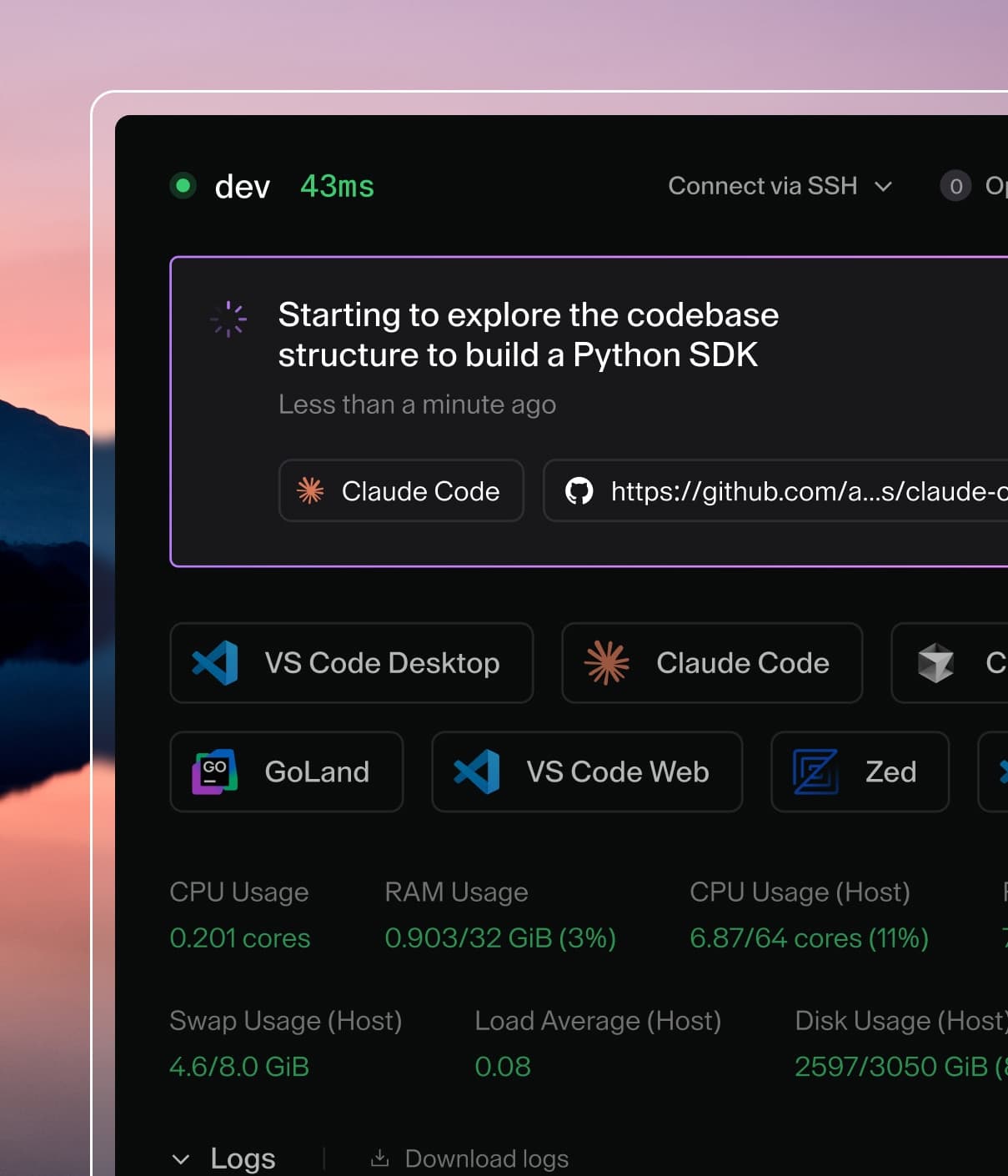
Example
of Agent Firewall blocking a process.
Note
Agent Firewall is part of AI Governance, which is
included with a Premium license.
Agent Firewall was previously known as "Agent Boundaries". Some
configuration options and internal references still use the old name
and will be updated in a future release.
Supported Agents
Agent Firewall supports the securing of any terminal-based agent, including
your own custom agents.
Features
Agent Firewall offers network policy enforcement, which blocks domains and HTTP
verbs to prevent exfiltration, and writes logs to the workspace.
Agent Firewall also streams audit logs to Coder's control plane for centralized
monitoring of HTTP requests.
Get started with Agent Firewall
The easiest way to use Agent Firewall is through the
agent-firewall module. It
can also be ran directly in the terminal by installing the
CLI.
Configuration
Note
For information about version requirements and compatibility, see the Version Requirements documentation.
Agent Firewall is configured using a config.yaml file. This allows you to
maintain allow lists and share detailed policies with teammates.
In your Terraform module, install Agent Firewall with minimal configuration:
To load the policy from a config.yaml file in your template directory instead,
pass it via agent_firewall_config. The module writes the config to the workspace
and exposes the resolved path via agent_firewall_config_path, so everyone who
launches Agent Firewall manually inside the workspace picks up the same
configuration without extra flags. This is especially convenient for managing
extensive allow lists in version control.
allowlist defines the URLs that the agent can access, in addition to the
default URLs required for the agent to work. Rules use the format
"key=value [key=value ...]":
domain=github.com - allows the domain and all its subdomains
domain=*.github.com - allows only subdomains (the specific domain is
excluded)
method=GET,HEAD domain=api.github.com - allows specific HTTP methods for a
domain
method=POST domain=api.example.com path=/users,/posts - allows specific
methods, domain, and paths
path=/api/v1/*,/api/v2/* - allows specific URL paths
jail_type selects the isolation backend. Valid values: nsjail (default),
landjail. See Jail Types for a detailed comparison.
log_dir defines where boundary writes log files.
log_level defines the verbosity at which requests are logged. Agent
Firewall uses the following verbosity levels:
WARN: logs only requests that have been blocked by Agent Firewall
INFO: logs all requests at a high level
DEBUG: logs all requests in detail
no_user_namespace disables creation of a user namespace inside the jail.
Enable this in restricted environments that disallow user namespaces, such
as Bottlerocket nodes in EKS auto-mode. Only applies to the nsjail jail
type.
proxy_port defines the port used by the HTTP proxy. Default: 8080.
use_real_dns uses the host's real DNS resolver inside the jail instead of
the built-in dummy DNS server. This allows DNS resolution for non-proxied
traffic but permits DNS-based data exfiltration. Default: false.
For detailed information about the rules engine and how to construct allowlist
rules, see the rules engine documentation.
You can also run Agent Firewall directly in your workspace and configure it
per template. You can do so by installing the
binary into the workspace image or at
start-up. You can do so with the following command:
When running the binary directly, Agent Firewall reads config.yaml from
~/.config/coder_boundary/ automatically.
Jail Types
Agent Firewall supports two different jail types for process isolation, each
with different characteristics and requirements:
nsjail - Uses Linux namespaces for isolation. This is the default jail
type and provides network namespace isolation. See
nsjail documentation for detailed information about runtime
requirements and Docker configuration.
landjail - Uses Landlock V4 for network isolation. This provides network
isolation through the Landlock Linux Security Module (LSM) without requiring
network namespace capabilities. See landjail documentation
for implementation details.
The choice of jail type depends on your security requirements, available Linux
capabilities, and runtime environment. Both nsjail and landjail provide network
isolation, but they use different underlying mechanisms. nsjail uses Linux
namespaces, while landjail uses Landlock V4. Landjail may be preferred in
environments where namespace capabilities are limited or unavailable.
Implementation Comparison: Namespaces+iptables vs Landlock V4
❌ No PID namespace (agent can kill other processes)
Non-TCP traffic control
✅ Can block/control UDP via iptables; implementation in-progress
❌ No control over UDP (data can leak via UDP)
Application compatibility
✅ Works with ANY application (transparent interception)
❌ Tools without HTTP_PROXY support will be blocked
Audit Logs
Agent Firewall streams audit logs to the Coder control plane, providing
centralized visibility into HTTP requests made within workspaces—whether from AI
agents or ad-hoc commands run with boundary.
Audit logs are independent of application logs:
Audit logs record Agent Firewall's policy decisions: whether each HTTP
request was allowed or denied based on the allowlist rules. These are always
sent to the control plane regardless of Agent Firewall's configured log
level.
Application logs are Agent Firewall's operational logs written locally to
the workspace. These include startup messages, internal errors, and debugging
information controlled by the log_level setting.
For example, if a request to api.example.com is allowed by Agent Firewall
but the remote server returns a 500 error, the audit log records
decision=allow because Agent Firewall permitted the request. The HTTP
response status is not tracked in audit logs.
Note
Requires Coder v2.30+ and Agent Firewall v0.5.2+.
Audit Log Contents
Each Agent Firewall audit log entry includes:
Field
Description
decision
Whether the request was allowed (allow) or blocked (deny)
workspace_id
The UUID of the workspace where the request originated
workspace_name
The name of the workspace where the request originated
owner
The owner of the workspace where the request originated
template_id
The UUID of the template that the workspace was created from
template_version_id
The UUID of the template version used by the current workspace build
http_method
The HTTP method used (GET, POST, PUT, DELETE, etc.)
http_url
The fully qualified URL that was requested
event_time
Timestamp when boundary processed the request (RFC3339 format)
matched_rule
The allowlist rule that permitted the request (only present when decision is allow)
View audit logs
Agent Firewall audit logs are emitted as structured log entries from the Coder
server. You can collect and analyze these logs using any log aggregation system
such as Grafana Loki.