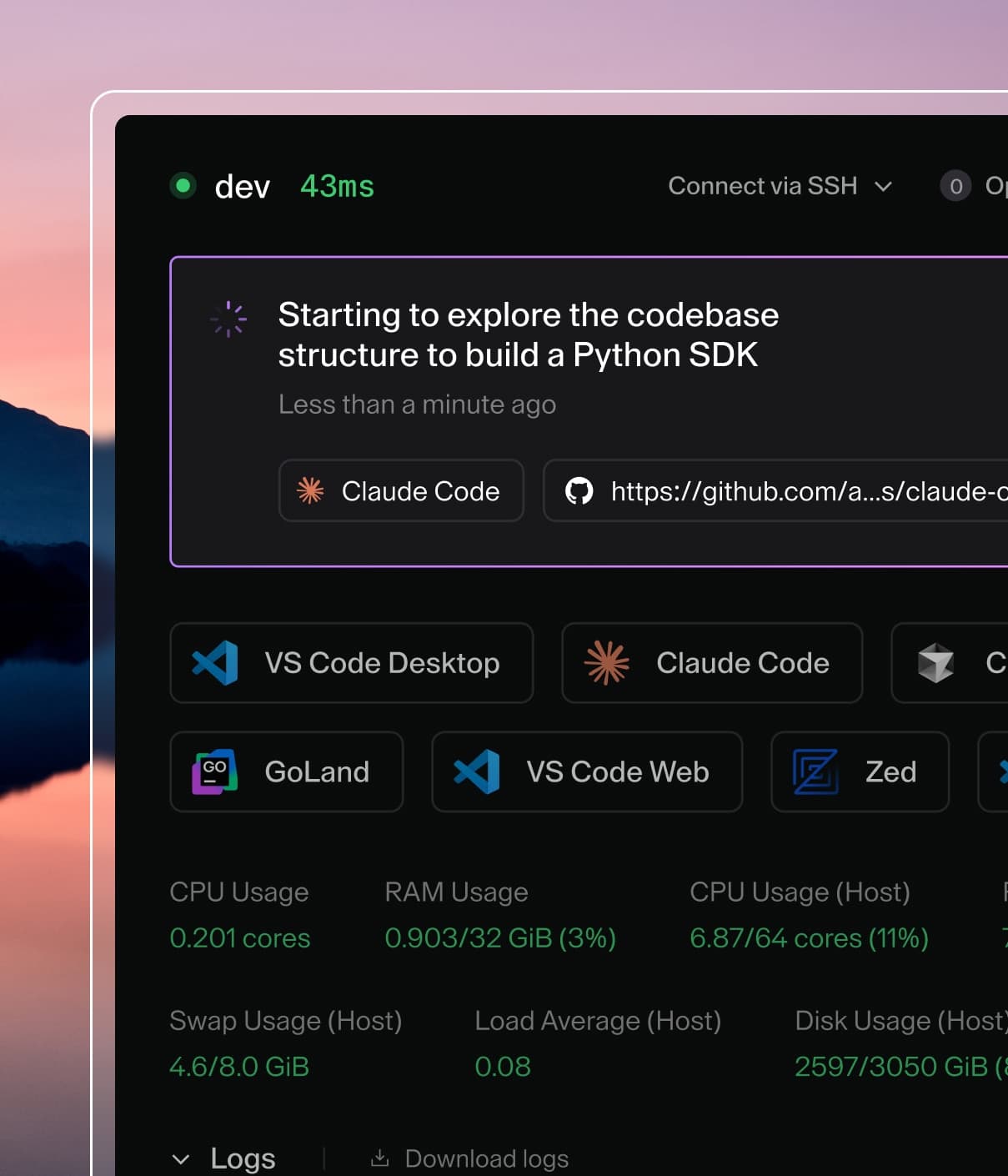
Coder powers secure, scalable development across key industries — automotive, finance, government, and technology — enabling faster builds, tighter compliance, and seamless AI adoption in enterprise-grade cloud environments.
Now that you've finished Launch your first workspace, you can let your workspaces clone private GitHub repositories without a manual login each time.
The Quickstart template already clones public repositories through its Git Repository (Optional) parameter with no extra setup.
A private repository needs authentication, which is what you add here.
In this guide, you add the coder_external_auth data source, connect your workspace to GitHub, and clone a private repository with no manual login.
This guide uses GitHub, and the same external-auth pattern works for other providers.
Note
This guide assumes your Quickstart template is open for editing.
If it's not, you can edit the template from the web by finding the template, selecting the three dots menu, and selecting Edit files.
Refer to Customize workspace startup for more information.
What you'll do
✅ Add the coder_external_auth data source to the template.
✅ Connect your workspace to GitHub with the Login with GitHub button.
✅ Clone a private repository without a manual login.
coder_external_auth is a data source you add for its side effect rather than its value.
Its presence tells Coder that a workspace requires an authenticated session with a provider before it starts.
The id points at a provider configured on the Coder deployment, and the local control plane you started in Part 1 already has a github provider available.
Note
External authentication lets a workspace sign in to an outside service, such as a Git provider, before it starts.
A default Coder install includes a built-in GitHub app, so id = "github" works without extra setup.
An admin can configure other providers (GitLab, Bitbucket, Azure DevOps, or generic OIDC) or replace the built-in GitHub app.
To learn more, refer to External authentication.
Step 1: Require GitHub authentication
Add this coder_external_auth block to main.tf:
data "coder_external_auth" "github" {
  id = "github"
}
Then publish a new version of the template:
In the web editor, add the coder_external_auth block to main.tf.
Select Build, wait for the build to pass, then select Publish.
Warning
Adding this block makes GitHub authentication required: a workspace on this template can't start until you authenticate, with no option to skip.
If you'd rather leave it optional, set optional = true in the coder_external_auth block so users can skip authentication when they create or update a workspace.
Step 2: Connect your workspace to GitHub
Update the workspace you built in Launch your first workspace to the version you just published.
Because the local control plane is already connected to GitHub, you don't configure an OAuth app; you only authorize the workspace.
On your workspace, select Update.
The update form shows a Login with GitHub button: select it, follow the prompts to authorize Coder, then select Update and restart.
The following screenshot shows the External Authentication section of the workspace creation screen before connecting GitHub:
External Authentication with GitHub before logging in
Once you authorize Coder, the workspace starts, and Coder stores and refreshes your GitHub token for later builds.
After authorizing Coder, Coder replaces the Login with GitHub button with an Authenticated message:
External Authentication with GitHub after logging in
Step 3: Clone a private repository
Now that your workspace is connected to GitHub, point the Git Repository (Optional) parameter at a private repository.
On your workspace, set Git Repository (Optional) to your private repository URL in the update form, then select Update and restart.
On the next build, the workspace clones the private repository with no manual login, because Coder supplies your GitHub token to git.
What just happened
You added one data source and connected your workspace to GitHub:
coder_external_auth declared that the workspace needs an authenticated GitHub session before it starts.
Selecting Login with GitHub authorized Coder, and Coder now supplies a GitHub token to git for every build.
A coder_parameter reads an answer from the workspace owner.
A coder_external_auth data source reaches outside the template for a prerequisite the deployment provides.
Both are data sources, and neither creates infrastructure.
Final code
The complete main.tf
Your main.tf after this guide's changes, starting from the Quickstart template:
terraform {
  required_providers {
    coder = {
      source = "coder/coder"
    }
    docker = {
      source = "kreuzwerker/docker"
    }
    external = {
      source = "hashicorp/external"
    }
  }
}

variable "docker_socket" {
  default     = ""
  description = "(Optional) Docker socket URI"
  type        = string
}

provider "docker" {
  host = var.docker_socket != "" ? var.docker_socket : null
}

data "coder_provisioner" "me" {}
data "coder_workspace" "me" {}
data "coder_workspace_owner" "me" {}

# --- Parameters ---

data "coder_parameter" "languages" {
  name         = "languages"
  display_name = "Programming Languages"
  description  = "Select the languages to pre-install in your workspace"
  type         = "list(string)"
  form_type    = "multi-select"
  default      = jsonencode(["python"])
  mutable      = true
  icon         = "/icon/code.svg"
  order        = 1

  option {
    name  = "Python"
    value = "python"
    icon  = "/icon/python.svg"
  }
  option {
    name  = "Node.js"
    value = "nodejs"
    icon  = "/icon/nodejs.svg"
  }
  option {
    name  = "Go"
    value = "go"
    icon  = "/icon/go.svg"
  }
  option {
    name  = "Rust"
    value = "rust"
    icon  = "/icon/rust.svg"
  }
  option {
    name  = "Java"
    value = "java"
    icon  = "/icon/java.svg"
  }
  option {
    name  = "C/C++"
    value = "cpp"
    icon  = "/icon/cpp.svg"
  }
}

data "coder_parameter" "ides" {
  name         = "ides"
  display_name = "IDEs & Editors"
  description  = "Select the development environments for your workspace"
  type         = "list(string)"
  form_type    = "multi-select"
  default      = jsonencode(["code-server"])
  mutable      = true
  icon         = "/icon/code.svg"
  order        = 2

  option {
    name  = "VS Code (Browser)"
    value = "code-server"
    icon  = "/icon/code.svg"
  }
  option {
    name  = "Cursor"
    value = "cursor"
    icon  = "/icon/cursor.svg"
  }
  option {
    name  = "JetBrains IDEs"
    value = "jetbrains"
    icon  = "/icon/jetbrains.svg"
  }
  option {
    name  = "Zed"
    value = "zed"
    icon  = "/icon/zed.svg"
  }
  option {
    name  = "Devin Desktop"
    value = "devin-desktop"
    icon  = "/icon/devin.svg"
  }
}

# Shown only when "JetBrains IDEs" is selected in the IDEs parameter.
# Pre-selects IDEs that match the chosen languages.
data "coder_parameter" "jetbrains_ides" {
  count        = contains(local.ides, "jetbrains") ? 1 : 0
  name         = "jetbrains_ides"
  display_name = "JetBrains IDEs"
  description  = "Select the JetBrains IDEs to install"
  type         = "list(string)"
  form_type    = "multi-select"
  default      = jsonencode(local.jetbrains_ides_from_languages)
  mutable      = true
  icon         = "/icon/jetbrains.svg"
  order        = 3

  option {
    name  = "IntelliJ IDEA"
    value = "IU"
    icon  = "/icon/intellij.svg"
  }
  option {
    name  = "PyCharm"
    value = "PY"
    icon  = "/icon/pycharm.svg"
  }
  option {
    name  = "GoLand"
    value = "GO"
    icon  = "/icon/goland.svg"
  }
  option {
    name  = "WebStorm"
    value = "WS"
    icon  = "/icon/webstorm.svg"
  }
  option {
    name  = "RustRover"
    value = "RR"
    icon  = "/icon/rustrover.svg"
  }
  option {
    name  = "CLion"
    value = "CL"
    icon  = "/icon/clion.svg"
  }
  option {
    name  = "PhpStorm"
    value = "PS"
    icon  = "/icon/phpstorm.svg"
  }
  option {
    name  = "RubyMine"
    value = "RM"
    icon  = "/icon/rubymine.svg"
  }
  option {
    name  = "Rider"
    value = "RD"
    icon  = "/icon/rider.svg"
  }
}

data "coder_parameter" "git_repo" {
  name         = "git_repo"
  display_name = "Git Repository (Optional)"
  description  = "URL of a Git repository to clone into your workspace (leave empty to skip)"
  type         = "string"
  default      = ""
  mutable      = true
  icon         = "/icon/git.svg"
  order        = 4
}

# --- External authentication ---

data "coder_external_auth" "github" {
  id = "github"
}

# --- Locals ---

locals {
  username  = data.coder_workspace_owner.me.name
  languages = jsondecode(data.coder_parameter.languages.value)
  ides      = jsondecode(data.coder_parameter.ides.value)

  # Map selected languages to the relevant JetBrains IDE product codes.
  # Used as the default for the JetBrains IDE selector parameter.
  jetbrains_by_language = {
    python = ["PY"]
    go     = ["GO"]
    java   = ["IU"]
    nodejs = ["WS"]
    rust   = ["RR"]
    cpp    = ["CL"]
  }
  jetbrains_ides_from_languages = distinct(flatten([
    for lang in local.languages : lookup(local.jetbrains_by_language, lang, [])
  ]))

  # The actual JetBrains IDEs to install, from the user's selection
  # in the conditional JetBrains parameter (or empty if not shown).
  jetbrains_selected = contains(local.ides, "jetbrains") ? jsondecode(data.coder_parameter.jetbrains_ides[0].value) : []
}

# --- Agent ---

resource "coder_agent" "main" {
  arch           = data.coder_provisioner.me.arch
  os             = "linux"
  startup_script = <<-EOT
    set -e
    if [ ! -f ~/.init_done ]; then
      cp -rT /etc/skel ~
      touch ~/.init_done
    fi
  EOT

  env = {
    GIT_AUTHOR_NAME     = coalesce(data.coder_workspace_owner.me.full_name, data.coder_workspace_owner.me.name)
    GIT_AUTHOR_EMAIL    = "${data.coder_workspace_owner.me.email}"
    GIT_COMMITTER_NAME  = coalesce(data.coder_workspace_owner.me.full_name, data.coder_workspace_owner.me.name)
    GIT_COMMITTER_EMAIL = "${data.coder_workspace_owner.me.email}"
  }

  metadata {
    display_name = "CPU Usage"
    key          = "0_cpu_usage"
    script       = "coder stat cpu"
    interval     = 10
    timeout      = 1
  }

  metadata {
    display_name = "RAM Usage"
    key          = "1_ram_usage"
    script       = "coder stat mem"
    interval     = 10
    timeout      = 1
  }

  metadata {
    display_name = "Home Disk"
    key          = "3_home_disk"
    script       = "coder stat disk --path $${HOME}"
    interval     = 60
    timeout      = 1
  }
}

# --- Language installation ---
# All languages install in a single script to avoid apt-get lock
# conflicts (coder_script resources run in parallel).

resource "coder_script" "install_languages" {
  count              = length(local.languages) > 0 ? 1 : 0
  agent_id           = coder_agent.main.id
  display_name       = "Install Languages"
  icon               = "/icon/code.svg"
  run_on_start       = true
  start_blocks_login = true
  script = templatefile("${path.module}/install-languages.sh.tftpl", {
    LANGUAGES = join(",", local.languages)
  })
}

# --- IDE modules ---

module "code-server" {
  count    = data.coder_workspace.me.start_count * (contains(local.ides, "code-server") ? 1 : 0)
  source   = "registry.coder.com/coder/code-server/coder"
  version  = "~> 1.0"
  agent_id = coder_agent.main.id
  order    = 1
}

module "cursor" {
  count    = data.coder_workspace.me.start_count * (contains(local.ides, "cursor") ? 1 : 0)
  source   = "registry.coder.com/coder/cursor/coder"
  version  = "~> 1.0"
  agent_id = coder_agent.main.id
  folder   = "/home/coder"
  order    = 3
}

# TODO: Re-add the coder/jetbrains module once Coder's dynamic
# parameter system respects module count for parameter visibility.
# The module's internal coder_parameter appears even when count = 0,
# creating a ghost parameter in the workspace creation form.
# module "jetbrains" {
#   count    = data.coder_workspace.me.start_count * (contains(local.ides, "jetbrains") && length(local.jetbrains_selected) > 0 ? 1 : 0)
#   source   = "registry.coder.com/coder/jetbrains/coder"
#   version  = "~> 1.0"
#   agent_id = coder_agent.main.id
#   folder   = "/home/coder"
#   default  = toset(local.jetbrains_selected)
# }

module "zed" {
  count    = data.coder_workspace.me.start_count * (contains(local.ides, "zed") ? 1 : 0)
  source   = "registry.coder.com/coder/zed/coder"
  version  = "~> 1.0"
  agent_id = coder_agent.main.id
  folder   = "/home/coder"
  order    = 5
}

module "devin-desktop" {
  count    = data.coder_workspace.me.start_count * (contains(local.ides, "devin-desktop") ? 1 : 0)
  source   = "registry.coder.com/coder/devin-desktop/coder"
  version  = "~> 1.0"
  agent_id = coder_agent.main.id
  folder   = "/home/coder"
  order    = 6
}

# --- Git clone ---

module "git-clone" {
  count    = data.coder_workspace.me.start_count * (data.coder_parameter.git_repo.value != "" ? 1 : 0)
  source   = "registry.coder.com/coder/git-clone/coder"
  version  = "~> 2.0"
  agent_id = coder_agent.main.id
  url      = data.coder_parameter.git_repo.value
}

# --- Presets ---

data "coder_workspace_preset" "web_dev" {
  name = "Web Development"
  icon = "/icon/nodejs.svg"
  parameters = {
    languages = jsonencode(["python", "nodejs"])
    ides      = jsonencode(["code-server"])
    git_repo  = ""
  }
}

data "coder_workspace_preset" "backend_go" {
  name = "Backend (Go)"
  icon = "/icon/go.svg"
  parameters = {
    languages      = jsonencode(["go"])
    ides           = jsonencode(["code-server", "jetbrains"])
    jetbrains_ides = jsonencode(["GO"])
    git_repo       = ""
  }
}

data "coder_workspace_preset" "data_science" {
  name = "Data Science"
  icon = "/icon/python.svg"
  parameters = {
    languages = jsonencode(["python"])
    ides      = jsonencode(["code-server"])
    git_repo  = ""
  }
}

data "coder_workspace_preset" "full_stack" {
  name = "Full Stack"
  icon = "/icon/code.svg"
  parameters = {
    languages = jsonencode(["python", "nodejs", "go"])
    ides      = jsonencode(["code-server", "cursor"])
    git_repo  = ""
  }
}

# --- Docker resources ---

resource "docker_volume" "home_volume" {
  name = "coder-${data.coder_workspace.me.id}-home"
  lifecycle {
    ignore_changes = all
  }
  labels {
    label = "coder.owner"
    value = data.coder_workspace_owner.me.name
  }
  labels {
    label = "coder.owner_id"
    value = data.coder_workspace_owner.me.id
  }
  labels {
    label = "coder.workspace_id"
    value = data.coder_workspace.me.id
  }
  labels {
    label = "coder.workspace_name_at_creation"
    value = data.coder_workspace.me.name
  }
  depends_on = []
}

resource "docker_container" "workspace" {
  count    = data.coder_workspace.me.start_count
  image    = "codercom/example-base:ubuntu"
  name     = "coder-${data.coder_workspace_owner.me.name}-${lower(data.coder_workspace.me.name)}"
  hostname = data.coder_workspace.me.name
  entrypoint = [
    "sh", "-c",
    replace(coder_agent.main.init_script, "/localhost|127\\.0\\.0\\.1/", "host.docker.internal"),
  ]
  env = ["CODER_AGENT_TOKEN=${coder_agent.main.token}"]
  host {
    host = "host.docker.internal"
    ip   = "host-gateway"
  }
  volumes {
    container_path = "/home/coder"
    volume_name    = docker_volume.home_volume.name
    read_only      = false
  }
  labels {
    label = "coder.owner"
    value = data.coder_workspace_owner.me.name
  }
  labels {
    label = "coder.owner_id"
    value = data.coder_workspace_owner.me.id
  }
  labels {
    label = "coder.workspace_id"
    value = data.coder_workspace.me.id
  }
  labels {
    label = "coder.workspace_name"
    value = data.coder_workspace.me.name
  }
  depends_on = []
}
What's next?
You finished the Customize your template series, and your workspaces can now clone private repositories.
This is the last guide in the series. To keep going, explore more of what Coder offers: