Coder powers secure, scalable development across key industries — automotive, finance, government, and technology — enabling faster builds, tighter compliance, and seamless AI adoption in enterprise-grade cloud environments.
All Coder deployments start with one organization called coder.
All new users are added to this organization by default.
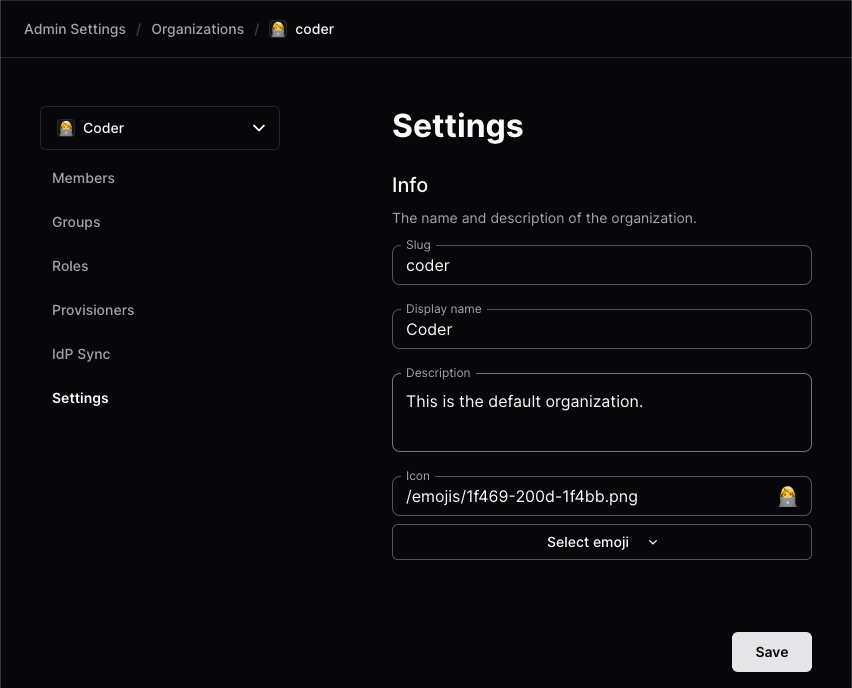
To edit the organization details, select Admin settings from the top bar, then Organizations:
From there, you can manage the name, icon, description, users, and groups:
Additional organizations
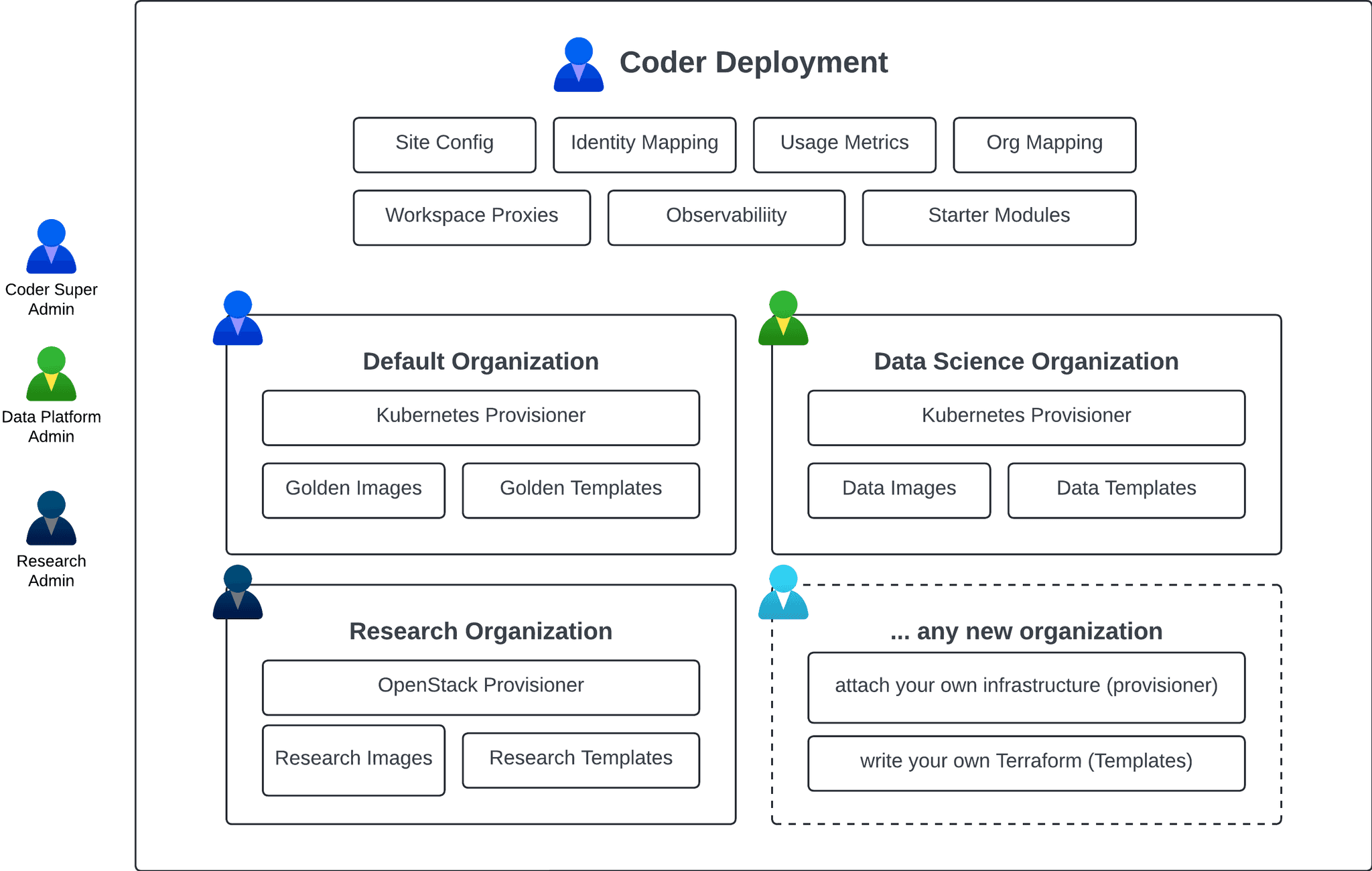
Any additional organizations have unique admins, users, templates, provisioners, groups, and workspaces.
Each organization must have at least one dedicated provisioner since the built-in provisioners only apply to the default organization.
You can configure organization/role/group sync from your identity provider to avoid manually assigning users to organizations.
How to create an organization
Prerequisites
Coder v2.16+ deployment with Premium license and Organizations enabled (contact your account team) for more details.
User with Owner role
1. Create the organization
To create a new organization:
Select Admin settings from the top bar, then Organizations.
Select the current organization to expand the organizations dropdown, then select Create Organization:
Enter the details and select Save to continue:
In this example, we'll create the data-platform org.
Next deploy a provisioner and template for this organization.
2. Deploy a provisioner
Provisioners are organization-scoped and are responsible for executing Terraform/OpenTofu to provision the infrastructure for workspaces and testing templates.
Before creating templates, we must deploy at least one provisioner as the built-in provisioners are scoped to the default organization.
Using Coder CLI, run the following command to create a key that will be used to authenticate the provisioner:
coder provisioner keys create data-cluster-key --org data-platform
Successfully created provisioner key data-cluster! Save this authentication token, it will not be shown again.

< key omitted >
Start the provisioner with the key on your desired platform.
In this example, start the provisioner using the Coder CLI on a host with Docker.
For instructions on using other platforms like Kubernetes, see our provisioner documentation.
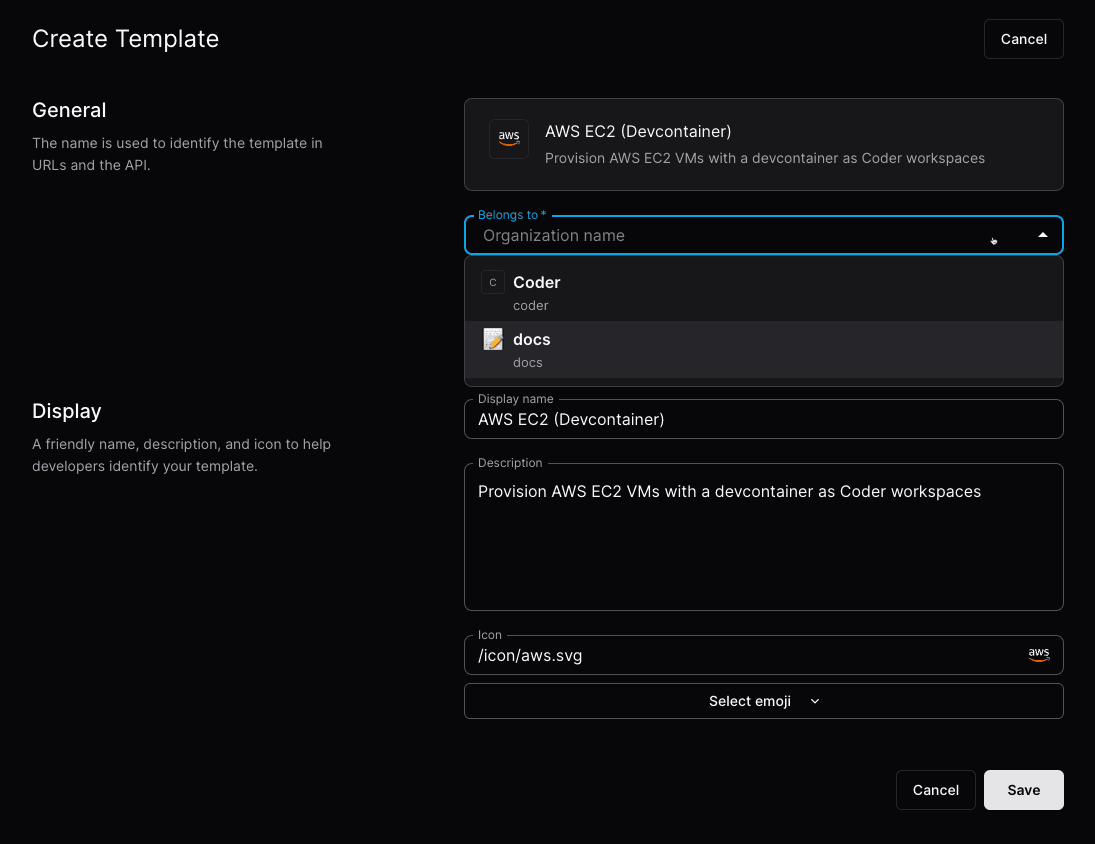
Once you've started a provisioner, you can create a template.
You'll notice the Create Template screen now has an organization dropdown:
4. Add members
From Admin settings, select Organizations, then Members to add members to your organization.
Once added, members will be able to see the organization-specific templates.
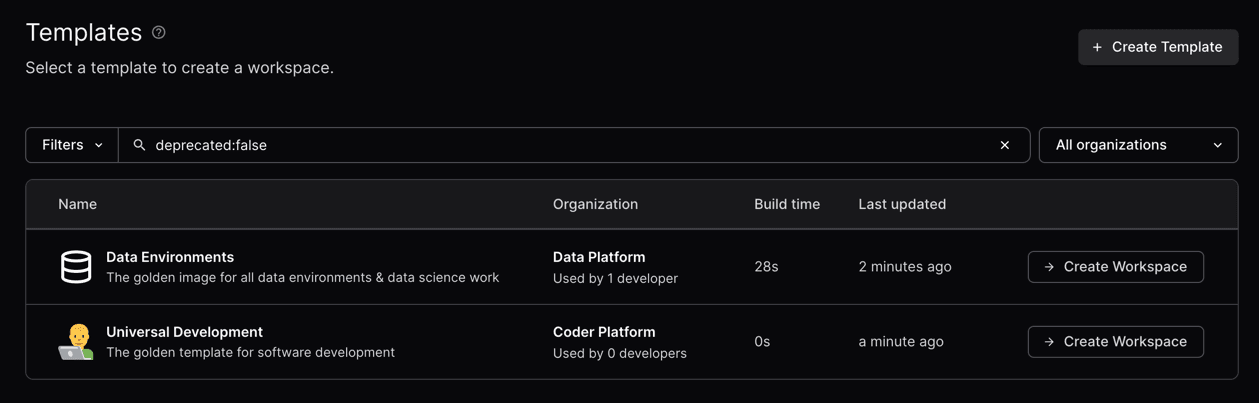
5. Create a workspace
Now, users in the data platform organization will see the templates related to their organization.
Users can be in multiple organizations.
Default member roles
Note
Editing default member roles requires a Premium license. (learn more).
Each organization carries a default_org_member_roles list of built-in role names.
Coder unions this list into every member's effective roles at request time, so changes propagate to all current and future members on their next request without re-issuing tokens or editing per-user role assignments.
The default value is ["organization-workspace-access", "agents-access"].
With that default, every organization member can read, build, ssh into, and execute commands in workspaces they own, and can use Coder Agents.
Removing organization-workspace-access from the list creates organization members that cannot create or use workspaces unless the role is assigned to them directly, which is useful for restricted accounts that should only hold the minimal member permissions.
Removing agents-access limits Coder Agents to members who hold the role directly.
Refer to Control who can use Coder Agents.
Service accounts don't inherit agents-access from this list.
Assign the role to a service account directly to let it use Coder Agents.
To edit the default roles in the dashboard, go to Admin settings > Organizations > Roles > Default Roles.
The flag replaces the current list rather than adding to it, and accepts a comma-separated list of built-in role names.
Pass an empty value to remove every role.
Removing a role prompts for confirmation unless you pass --yes.
You can also set default_org_member_roles via PATCH /organizations/{organization}.
Limitations
default_org_member_roles accepts built-in role names only.
Custom organization roles are rejected; assign them directly to members instead.
Removing a role from the list removes it from every member that does not hold the role through a direct assignment, including existing members.
Review the per-organization audit log if you need to trace who changed the defaults.